Microsoft has continued its steady reinvention of classic Windows applications, and the latest updates to Paint signal just how far the once-basic tool has evolved. In late 2025, Paint received a redesign and feature expansion that positions it as a modern creative platform rather than a simple drawing utility bundled with the operating system.
Long regarded as a “finished” program, Paint is now being treated as a showcase for experimentation inside Microsoft’s ecosystem. The company has focused not only on introducing artificial intelligence tools, but also on refining the interface to reduce clutter and keep attention where it belongs: on the canvas.
A cleaner interface built around focus
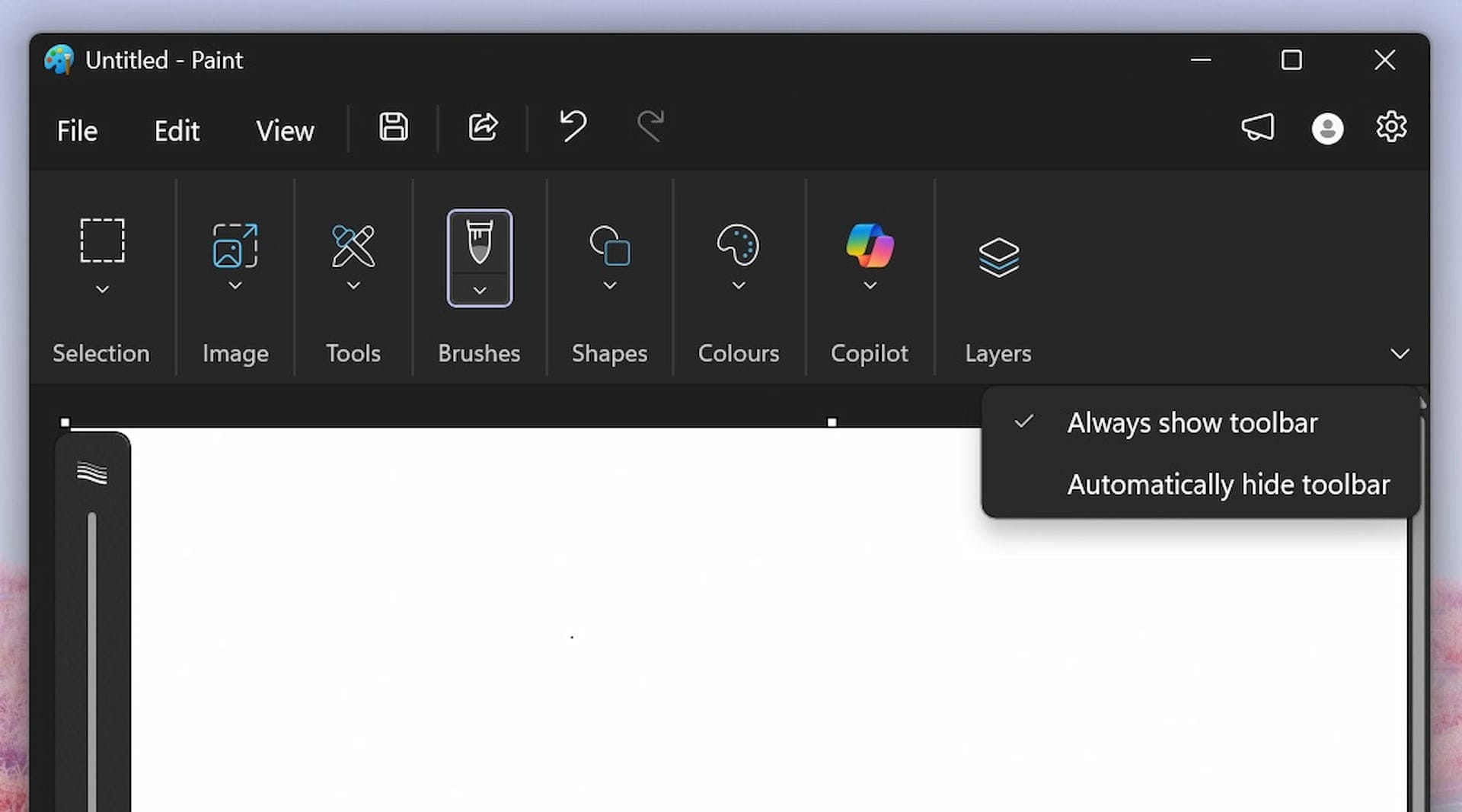
One of the most noticeable changes is an optional auto-hiding toolbar. With a single toggle, the top menu disappears when not in use, freeing up valuable screen space. This adjustment is particularly useful on smaller displays and touch-enabled devices, where interface elements can easily overwhelm the workspace.
Tools now surface contextually, appearing only when needed through cursor movement or a click. The result is a smoother, distraction-free experience that feels closer to professional design software, without sacrificing Paint’s trademark simplicity.
AI Labs introduces AI innovations to Paint

The most significant leap comes from the introduction of AI-powered features grouped under Microsoft’s AI Labs initiative. Chief among them is Generative Editing, which allows users to modify images using plain language. By selecting an area and describing the desired change, users can add objects, replace backgrounds, or alter scenes without manual retouching.
Paint has also gained intelligent object selection. With a single click, the app can identify and isolate people, animals, or objects within an image, making it easy to reposition elements that previously required careful cropping and editing skills.
From utility to creative companion
In a nod to more playful and social uses, Paint now includes a Sticker Generator. This tool lets users create custom stickers through text prompts and export them for use in other apps, reinforcing Paint’s role as a lightweight creative hub rather than a static editor.
By rolling out features gradually and refining them before wider release, Microsoft appears to be using Paint as a testing ground for ideas that strike a balance between accessibility and modern computing power. What was once a nostalgic accessory has become a capable creative ally within Windows 11, proving that even the most familiar software can be reimagined for a new generation.
With its mix of minimalist design and advanced AI, Paint now stands as one of the clearest examples of how classic Windows tools are being reshaped to meet contemporary creative needs-without losing the ease of use that made them popular in the first place.