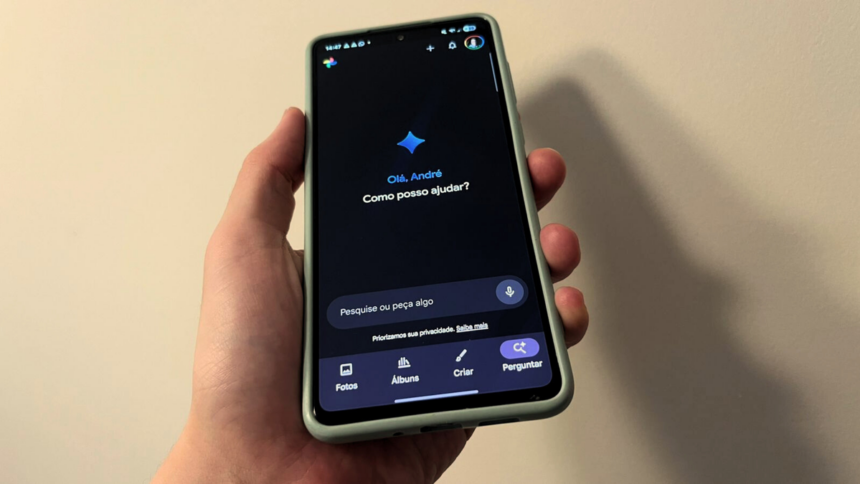
Google Photos on mobile now features an AI-powered search tool that utilises Gemini technology to simplify photo and video discovery. Instead of relying on filters, dates, or multiple taps, you can simply describe what you’re looking for in natural language. Prompts like “photos from my trip in March” or “pictures of my dog at the beach” can surface results instantly, even if you never tagged or organised them manually.

This feature is designed to reduce the need for on-screen controls and make your photo library feel more searchable and intuitive—almost like having a conversation with your gallery.
How to enable AI search in Google Photos
There are two ways to turn on the new AI search feature, also known as Ask Google Photos. You can enable it directly from the search screen or through the app’s settings.
Enable it from the search screen
If the feature is available to you, you may notice that the magnifying glass icon now says “Ask” instead of “Search.” To activate it:
- Open Google Photos
- Tap Ask
- Select Test now
- Accept the terms
- Start typing your questions or prompts in the text box
Once enabled, you can immediately begin searching your gallery using natural language.
Enable it from settings
If you don’t see the Ask label yet, you can manually activate the feature:
- Open Google Photos
- Tap your profile photo
- Select Photos settings
- Go to Preferences
- Tap Gemini features in the Photos app
- Turn on the available options
After this, the AI search option should become available in the app.
What can you search for?
Ask Google Photos works well for basic searches, such as objects, places, or people (for example, “dog,” “beach,” or “birthday”). Where it really stands out, though, is with more detailed or creative prompts.
You can also interact with Gemini in more expressive ways. The AI can analyse your gallery and generate personalised responses—such as summaries, highlights, or even creative text based on your photos.
Here are some examples of prompts you can try:
- “List my highlights from (insert time period)”
- “Show the beaches I visited with (person’s name)”
- “Show everything I ate on my trip to (place name)”
- “Show me my coolest photos”
- “Create a poem about me”
These prompts go beyond traditional search and transform your photo library into a space where you can explore and reflect.
Requirements to use Ask Google Photos
To access this feature, your account must meet a few conditions:
- You must be at least 18 years old
- Face grouping (facial recognition) must be enabled in Google Photos
- Approximate location data must be turned on in the app
These requirements help Gemini understand context—such as people, places, and timelines—so it can deliver accurate and meaningful results.
Overall, AI search in Google Photos is a major step toward making large photo libraries easier to navigate. Instead of scrolling endlessly or remembering exact dates, you can now describe memories the way you remember them—and let the app do the rest.