

Microsoft has extended native Remote Server Administration Tool (RSAT) support to Arm-based Windows 11 machines, a move that stands to meaningfully change how IT administrators work with Arm hardware in enterprise settings.
The capability arrived as part of the March Patch Tuesday update, and while the rollout begins with five components, it signals a broader effort to bring Arm-based Windows in line with its x64 counterpart.
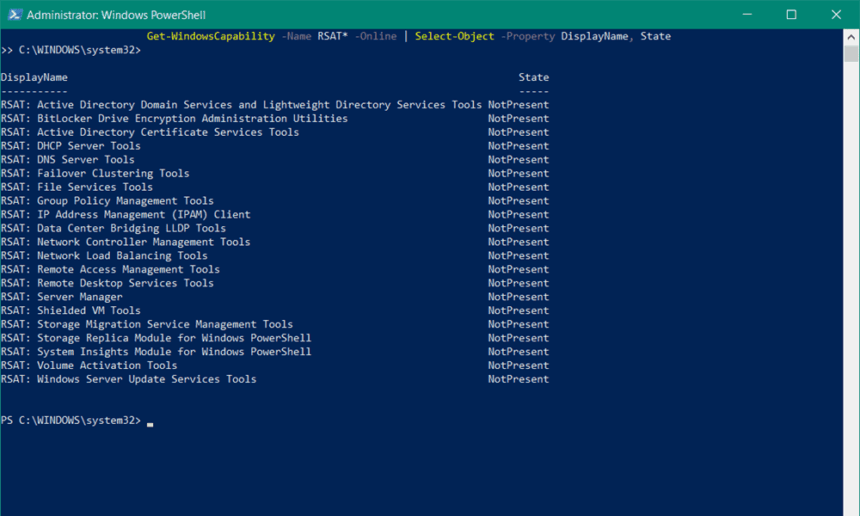
RSAT is a cornerstone of Windows infrastructure management. It allows IT professionals to configure server roles and features directly from a Windows client machine, removing the need to sit in front of — or establish a full remote session with — the server itself.
While this capability has been available on x64 Windows 11 machines for some time, Arm-based devices were left out entirely, forcing administrators to either keep an x64 machine on hand or turn to third-party alternatives.
What Is Now Supported on Arm
The March update introduces five RSAT components to Arm-based Windows 11. Each addresses a distinct layer of Windows Server administration:
- Active Directory Domain Services & AD LDS Tools — Enables remote management of Active Directory domains, user accounts, and Lightweight Directory Services instances.
- Active Directory Certificate Services Tools — Covers administration of certificate services and Public Key Infrastructure (PKI) across Windows Server environments.
- Group Policy Management Console (GPMC) — Lets administrators create, modify, and manage Group Policy Objects that govern settings across Active Directory environments.
- DNS Server Tools — Provides access to the DNS Manager snap-in and command-line utilities for configuring and monitoring DNS servers.
- DHCP Server Tools — Supports management of DHCP servers and IP address scopes across networks.
End of the Workaround Era
Before this update, IT teams operating in Arm-based environments had limited options. Many relied on Windows Admin Center, a browser-based management platform, as a substitute. Others maintained a separate x64 machine purely to run RSAT tasks — an inconvenient and costly arrangement. Native Arm support removes the need for both approaches, bringing RSAT into Arm environments on its own terms.
The update applies to Windows 11 Pro and Enterprise editions running on Arm hardware, which are the configurations most commonly deployed in business and enterprise contexts. For organisations that had hesitated to adopt Arm-based devices due to RSAT’s absence, that particular barrier is now gone.
How to Enable RSAT on ARM Devices
The installation path varies depending on which version of Windows 11 is running. On Windows 11 24H2 and 25H2, RSAT is treated as an optional component and can be switched on through the classic Turn Windows features on or off interface. In Windows 11 26H1, it is delivered as a Feature on Demand, accessible through Settings > System > Optional Features > Add an optional feature.
The move reflects Microsoft’s ongoing effort to reduce the functional gap between Arm and x64 Windows deployments. While five components represent just a starting point in a fuller RSAT toolkit, their arrival on Arm marks a meaningful step toward a consistent Windows infrastructure experience — regardless of the underlying chip architecture.









 support to Arm-based Windows 11 machines,)