In the Microsoft 365 ecosystem, it is often the smaller productivity tools-tasks, notes, and lists-that quietly hold daily workflows together. When one of them changes, the impact can ripple across teams. That is precisely the case with the latest update to Planner, which introduces new collaboration features while also removing several long-used integrations.
According to information published in the Microsoft 365 Message Center, Microsoft is rolling out a refreshed version of Planner between mid-January and mid-February 2026. The update applies to Planner in Microsoft Teams (web and desktop) and to Planner on the web.
A More Conversational, Reusable Planner
Microsoft’s stated goal for this update is to make Planner feel more interactive and easier to reuse across projects. Several additions support that direction.
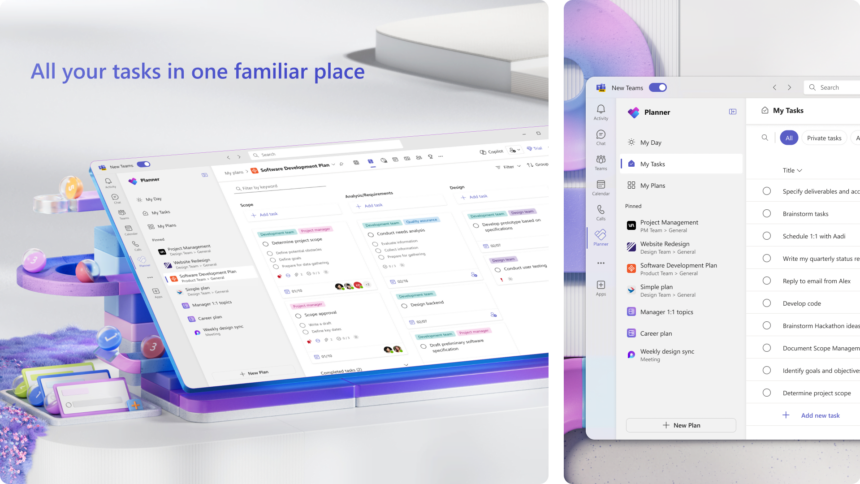
Tasks in basic plans now include built-in chat functionality, allowing users to hold threaded conversations directly inside a task. These chats support rich text and @mentions, turning task comments into something closer to a structured discussion rather than a loose note.
Planner is also gaining custom templates, enabling teams to reuse standardised plan structures instead of recreating boards for recurring projects. This change aims to reduce setup time and promote consistency across departments.
Another notable addition is broader access to the Project Manager agent. Users with a Microsoft 365 Copilot license will be able to use this agent even within basic Planner plans, bringing AI-assisted task management to a wider audience.
Features Being Removed
Alongside the new functionality, Microsoft is also retiring several integrations that some users rely on heavily.
The most significant removal is support for iCalendar feeds. Users will no longer be able to create new calendar subscriptions for Planner tasks, and existing feeds will stop displaying tasks in supported calendar apps such as Outlook. Microsoft has not announced a direct replacement that mirrors this functionality.
Planner components embedded in Microsoft Loop are also being discontinued. Where plans could previously appear directly in Loop workspaces, users can now only insert links to plans. Microsoft is encouraging teams to use Loop’s Task List control instead for capturing tasks.
In premium plans, the Whiteboard tab-previously used to convert sticky notes into Planner tasks-is being removed. While the underlying content remains accessible through the Microsoft Whiteboard app, the direct integration that tied brainstorming and task creation together is going away.
Finally, Planner’s connection to Viva Goals is being affected as part of the broader retirement of that service, scheduled to end on December 31, 2025.
Temporary Limitations During Rollout
Microsoft has also warned of a short-term limitation during the deployment period. Converting a basic Planner plan into a premium one will be temporarily disabled. Users who need premium features during that window will have to create a new premium plan and manually copy tasks over.
A Mixed Reception Likely
The update reflects Microsoft’s continued push to unify task management around collaboration and AI assistance. At the same time, removing iCalendar feeds and other integrations is likely to frustrate advanced users who built workflows around them.
As Planner continues to evolve from a simple task board into a broader command centre spanning Teams, To Do, Project, and Copilot, the balance between modernisation and feature retention remains a delicate one-especially for teams that depend on Planner as the glue holding their daily work together.