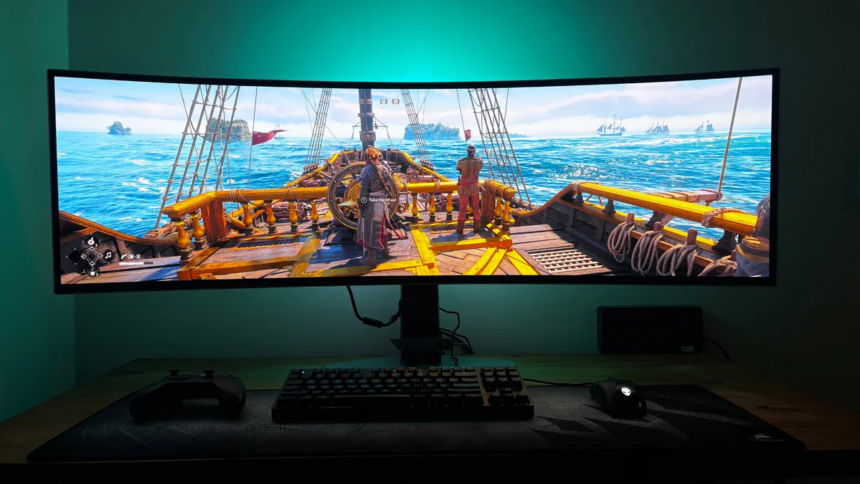
Your monitor is one of the most important parts of a gaming PC because it determines how you actually see the performance produced by your hardware. Unlike many other PC components, monitors come with a long list of specifications that can make choosing the right model surprisingly complicated.
Screen size and resolution are usually the first things people look at, but they’re far from the only factors that matter. Refresh rate and response time can have a major impact on how smooth and clear your games look, particularly when you’re playing fast-paced titles.
Both specifications deal with speed, but they describe two completely different things. Knowing the difference between them can help you choose a monitor that matches your graphics card and the games you play.
What Is Monitor Refresh Rate?
Refresh rate, measured in Hertz (Hz), indicates how many times a monitor updates the image on its screen per second.
For example, a 60Hz monitor can refresh the display up to 60 times per second. A 144Hz monitor can refresh up to 144 times per second, while a 240Hz panel can refresh up to 240 times per second.
A higher refresh rate generally makes movement appear smoother. This is particularly noticeable when you’re turning the camera quickly, tracking an opponent, or scrolling through a game world.
Refresh rate is also closely connected to your PC’s frames per second (FPS) output. If your graphics card produces 150 FPS but your monitor is limited to 60Hz, the display cannot refresh quickly enough to show every frame.
That’s one reason high-refresh-rate monitors have become common among PC gamers. Models running at 120Hz, 144Hz, 165Hz, 180Hz, and 240Hz are now widely available, while some premium gaming monitors go well beyond 240Hz.
What Is Monitor Response Time?
Response time measures something different. Instead of telling you how frequently the entire screen refreshes, it describes how quickly an individual pixel can change from one color to another.
Response time is measured in milliseconds (ms). One of the common measurements you’ll see on monitor specifications is GtG, or Grey-to-Grey, which measures the time required for a pixel to transition between shades of grey.
A faster pixel response can help reduce unwanted visual artefacts during rapid movement. If pixels cannot change quickly enough, you may notice ghosting, where a moving object appears to leave a faint trail behind it.
This is especially distracting in competitive shooters, racing games, and other titles where objects move rapidly across the screen.
Gaming monitors often advertise response times of 1ms or less, although the number listed by the manufacturer doesn’t always tell the whole story. Actual performance can vary depending on the panel, refresh rate, overdrive settings, and the specific transition being measured.
Refresh Rate vs Response Time: What’s the Difference?
The easiest way to understand the difference is to think about them as two separate parts of the display process.
Refresh rate determines how frequently the monitor can present a new frame. Response time determines how quickly the pixels can physically change to display that frame.
So, a 240Hz monitor has the ability to update its image much more frequently than a 60Hz display. But if its pixels respond slowly, fast-moving objects can still show noticeable smearing or ghosting.
Likewise, a monitor with an extremely fast response time isn’t automatically smooth if its refresh rate is low.
In simple terms:
- Refresh rate (Hz) = how often the screen can update
- Response time (ms) = how quickly pixels change
- Higher Hz = smoother motion
- Lower ms = less ghosting and motion blur
For the best gaming experience, these specifications should complement each other rather than being considered separately.
How Much Refresh Rate Do You Need for Gaming?
The right refresh rate depends heavily on the type of games you play and the performance your PC can deliver.
Competitive FPS and Esports
If you mainly play competitive shooters such as Counter-Strike, Valorant, or other fast-paced multiplayer games, a high refresh rate can be particularly useful.
A 180Hz or higher monitor paired with a response time around 1ms is a strong choice for competitive gaming. The higher refresh rate makes fast movements easier to follow, while quick pixel transitions can help keep moving targets clearer.
If your PC can consistently produce high frame rates, moving from 60Hz to 144Hz or higher can make a very noticeable difference.
RPGs and Story-Driven Games
Players who spend most of their time with RPGs, adventure games, strategy titles, or story-focused experiences don’t necessarily need an extremely high refresh rate.
A 60Hz to 120Hz monitor can already provide a smooth experience for many players. A response time in the 1ms to 5ms range is generally more than adequate for this type of gaming.
With these games, you may get more value from spending extra money on resolution, HDR performance, contrast, or color accuracy rather than moving from 144Hz to 240Hz.
Mixed Gaming
If you play a bit of everything, a 144Hz, 165Hz, or 180Hz monitor is a good middle ground.
These refresh rates provide noticeably smoother motion than 60Hz while still making sense for demanding single-player games. If your hardware can take advantage of the extra frames, you also have enough headroom for competitive titles.
Don’t Judge Response Time by the Advertised Number Alone
One of the biggest mistakes when comparing gaming monitors is assuming that a lower advertised response time automatically means better motion clarity.
Monitor manufacturers use different testing methods, and terms such as MPRT and GtG don’t measure exactly the same thing.
GtG measures the time taken for a pixel to transition between colors. MPRT, meanwhile, is associated with perceived motion blur and is often achieved through technologies such as backlight strobing.
As a result, a monitor advertised with a 1ms MPRT rating may not have 1ms GtG performance across every pixel transition.
It’s therefore worth looking beyond the headline specification and checking independent reviews when you’re comparing gaming monitors.
Match the Monitor to Your Gaming PC
There’s little benefit in buying a very high-refresh-rate monitor if your graphics card can’t consistently produce enough frames to take advantage of it.
For example, if your PC usually runs a game at around 70 FPS, moving from a 60Hz monitor to a 240Hz display won’t suddenly make the game run at 240 FPS.
On the other hand, a powerful gaming PC capable of pushing 150 FPS or more can make much better use of a 144Hz, 165Hz, 180Hz, or 240Hz monitor.
Adaptive sync technologies can also help by matching the monitor’s refresh behavior more closely with the GPU’s frame output, reducing problems such as screen tearing.
Refresh Rate or Response Time: Which Matters More?
Neither specification should be considered the clear winner because they solve different problems.
Refresh rate is more important for overall motion smoothness, while response time affects how clearly pixels transition during that movement.
For competitive gaming, look for a combination of a high refresh rate and genuinely fast pixel response. For casual and single-player gaming, a moderate refresh rate with good image quality may be a better investment.
Ultimately, the best gaming monitor is the one that balances refresh rate, response time, resolution, panel quality, and your PC’s performance.
There’s no need to pay for a 360Hz display if your games and hardware won’t benefit from it. Likewise, pairing a powerful gaming PC with a basic 60Hz monitor can leave a significant amount of that performance unused.
Refresh Rate vs Response Time: Quick Comparison
| Feature | Refresh Rate | Response Time |
|---|---|---|
| Measured in | Hertz (Hz) | Milliseconds (ms) |
| Measures | Screen refresh frequency | Pixel transition speed |
| Higher/lower is better? | Higher | Lower |
| Main benefit | Smoother motion | Less ghosting |
| Important for | Fast-paced gaming | Clear movement |
| Common gaming range | 120Hz to 240Hz+ | Around 1ms to 5ms |
When buying a gaming monitor, don’t focus on refresh rate or response time in isolation. A high refresh rate helps your games look smoother, while a fast pixel response helps keep that movement clean and free from distracting trails.
For competitive players, combining a high refresh rate with fast real-world response times makes the most sense. For everyone else, a balanced display with good resolution, colors, contrast, and a refresh rate of 120Hz or more can deliver an excellent gaming experience.
The key is to match the monitor to your GPU, preferred games, and budget. That way, you’re paying for performance you’ll actually notice rather than specifications that look impressive on a product page.