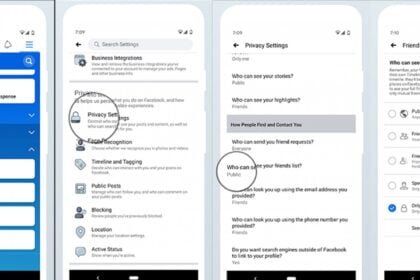
Facebook has introduced a fresh way to focus on posts from your friends, aiming to bring back the classic feel of the platform. Now, you can access a dedicated “Friends” tab in the navigation menu-replacing the usual friend requests and suggestions-to see only your friends’ updates.
According to Facebook, this change marks the first step in reconnecting users with the platform’s original purpose: fostering personal connections. The company believes that staying in touch with friends has always been at the heart of Facebook, a sentiment somewhat overshadowed by newer features like Marketplace, groups, and the video tab.
Currently, this update is only available in the United States and Canada, with no announced plans for a wider rollout.
How to access the new tab of friends
Although this update might not seem like a major overhaul, you can already adjust the “Friends” tab icon on your navigation menu for quicker access once it’s available. Here’s how you can set it up:
- Open the Facebook app on your Android or iOS device.
- Tap your profile photo on the home screen.
- Select “Settings and Privacy,” then tap on “Settings.”
- Navigate to the “Tab Bar.”
- Choose “Customize the Bar.”
- In the “Friends” section, open the suspended list and tap “Fix.”