Microsoft has rolled out a new preview update for Windows 11 users in the Canary Channel, introducing a range of experimental features focused on cross-device continuity, accessibility, and security.
The latest release, Build 28020.1619 (KB5077230), is part of the company’s early testing track where features are refined before wider availability.
Cross-Device Resume Expands to More Apps and Phones
One of the most notable additions is the expanded Cross-Device Resume experience. The feature allows users to continue activities started on an Android phone directly on their Windows PC.
With the update, users can:
- Resume music playback from Spotify
- Continue work in Microsoft 365 apps such as Word, Excel, and PowerPoint
- Pick up browsing sessions from supported mobile browsers
- Open files accessed through the Microsoft Copilot app on Android
The functionality currently supports devices from brands including Samsung, Xiaomi, OPPO, HONOR, and Vivo. If the corresponding Microsoft 365 app is installed on the PC, files open directly in the desktop application; otherwise, they launch in a web browser. Offline files stored only on the phone are not supported.
More Control for Narrator and Voice Features
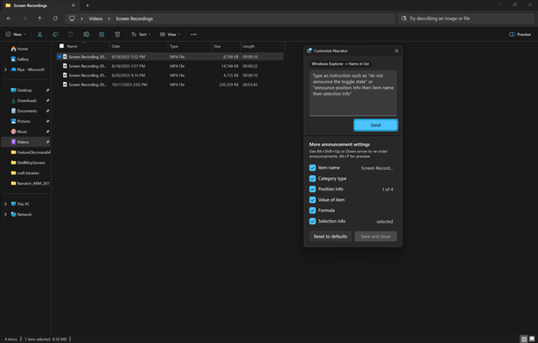
Accessibility improvements are a major focus of this release. Users of Narrator can now customize which details are spoken about on-screen elements and adjust the order of announcements, reducing unnecessary audio feedback.
Voice input also receives updates:
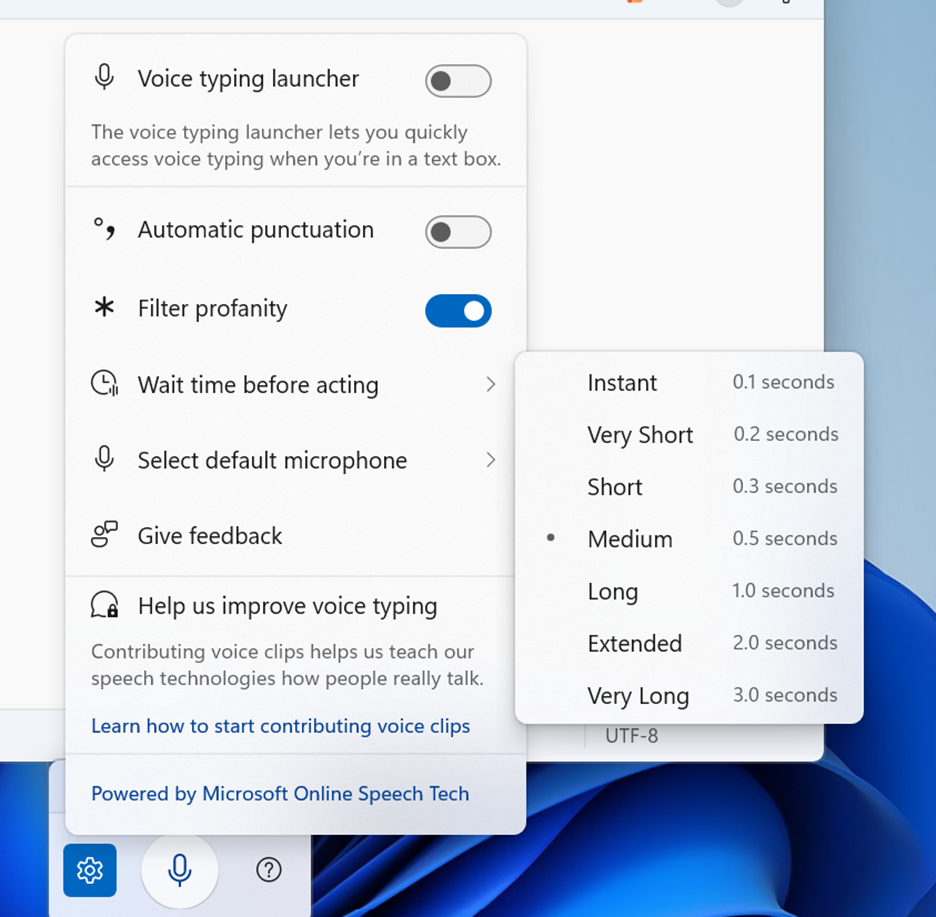
- Voice Typing now includes a “Wait time before acting” setting, allowing users to control how quickly commands execute.
- Voice Access introduces a simplified setup process that automatically downloads the appropriate speech model and helps configure microphones.
Windows Hello Adds Support for External Fingerprint Readers
Security enhancements arrive through Windows Hello, which now supports Enhanced Sign-in Security (ESS) for external fingerprint sensors. Previously limited to built-in biometric hardware, the feature can now be used on desktops and other systems by connecting a compatible peripheral reader.
Settings Agent Adds New Languages
Microsoft is also expanding the language support for the AI-powered Settings Agent. In addition to English and French, the feature now supports German, Spanish, Portuguese, Japanese, Korean, Hindi, Italian, and Simplified Chinese, broadening accessibility for global users.
Paint Gets Freeform Rotation
Alongside the system update, the Microsoft Paint app is receiving version 11.2601.391.0 for Canary and Dev users. The update introduces freeform rotation, allowing shapes, text, and selections to be rotated to any angle or adjusted precisely using custom degree input.
Additional System Changes
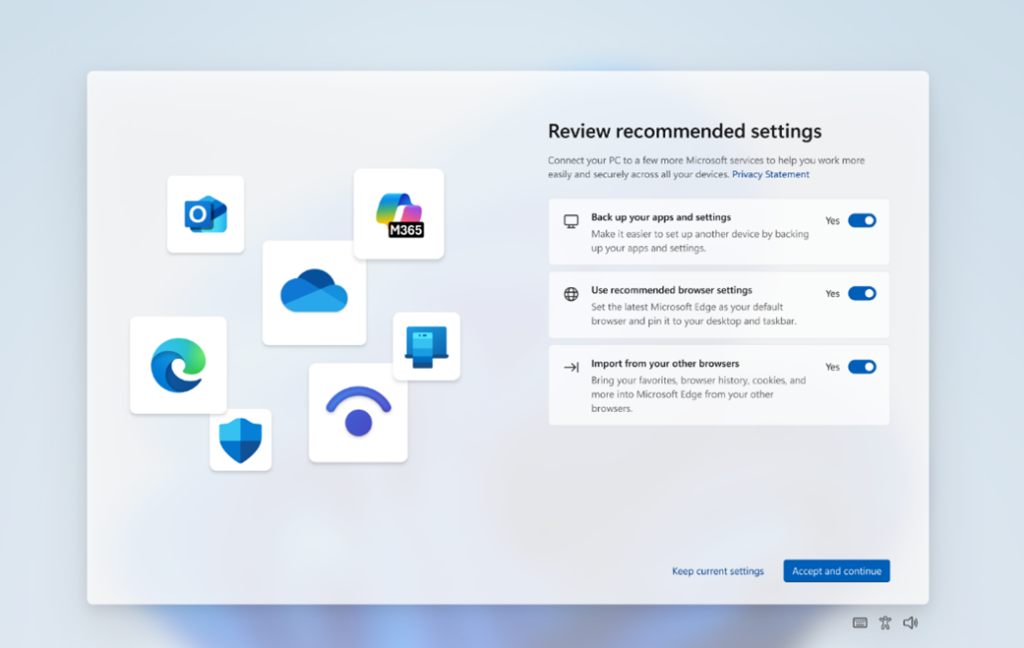
Some users will also see a redesigned Second Chance Out-of-Box Experience (SCOOBE), offering a more streamlined way to review and apply recommended system settings.
As with all Canary Channel releases, Microsoft notes that Build 28020.1619 may be unstable and that features are being rolled out gradually using controlled testing. Switching out of the Canary Channel requires a clean installation of Windows 11.
The update reflects Microsoft’s ongoing focus on device continuity, accessibility, and AI-assisted experiences as it continues to shape the future direction of the Windows platform.