Microsoft has released a new Beta Channel update for Windows 11, bringing interface refinements and usability improvements as part of its ongoing testing for version 25H2.
The latest preview, Build 26220.7872 (KB5077231), is being gradually distributed to Windows Insiders, with some features available first to users who enable early feature delivery in Windows Update settings.
Context Menu Update for Script and Executable Files
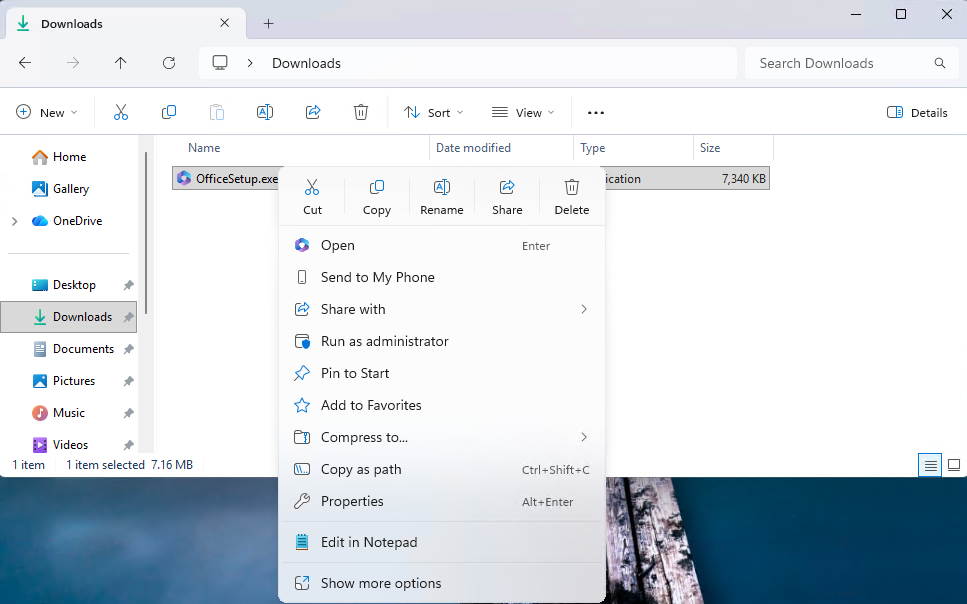
One of the visible changes affects the right-click context menu in File Explorer. When users open executable file types such as .exe, .bat, or .cmd, the “Open” option will now display the icon of the default application associated with that file.
The update improves visual consistency and helps users quickly identify which program will run the file.
Device Information Simplified in Settings
Microsoft has also refined how system details are presented within the Windows Settings app.
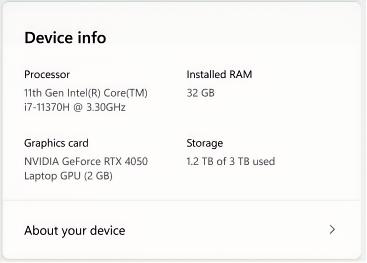
- A redesigned Device Info card on the Settings Home page makes core specifications easier to read.
- Hardware details such as processor, memory, graphics, and storage are now grouped more clearly.
- Frequently used system information has been moved to the top of Settings > System > About for quick reference.
- Copy-and-paste support for device details, making it easier to share system information for troubleshooting or support.
The updated device overview experience is currently rolling out to consumer devices in the United States, while a separate version remains available for enterprise-managed systems.
Taskbar Animation Enhancements
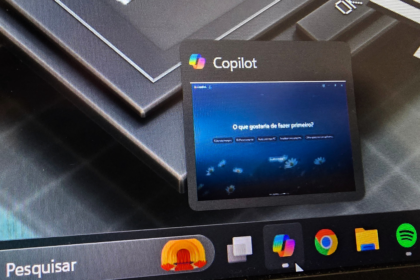
The update also introduces smoother visual feedback when hovering over grouped applications on the taskbar. The improved animations are designed to make navigation feel more responsive and polished.
Gradual Rollout and Testing Approach
Build 26220.7872 is based on Windows 11 version 25H2 and is being delivered using Microsoft’s controlled feature rollout system. Users who enable the “Get the latest updates as they are available” option will receive new features earlier, while others will see them appear over time.
Microsoft noted that some features tested in Beta builds may change, be removed, or never reach public release as the company continues to gather feedback from Insiders.