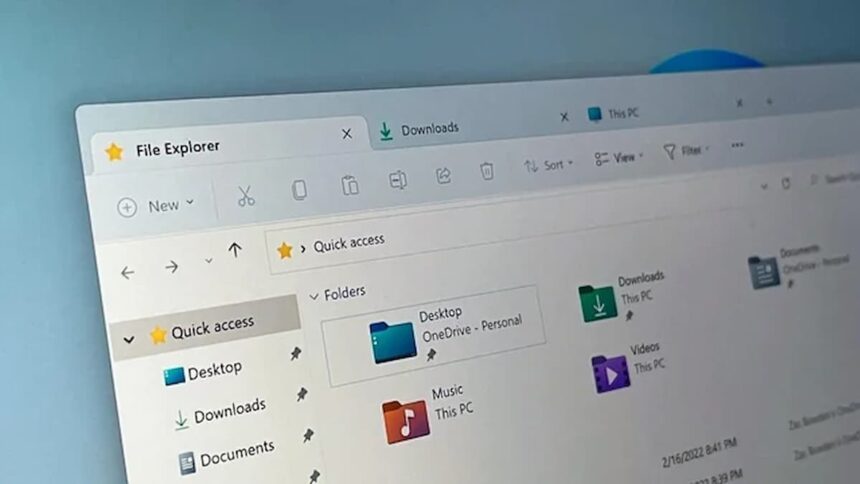
For years, Microsoft has been trying to turn Copilot from an occasional pop-up into a permanent, contextual part of the operating system. From the evolution of File Explorer in the 1990s to the Ribbon interface, WinUI, and the design overhaul of Windows 11, the company has repeatedly pushed tighter integration—sometimes smoothly, sometimes with visible seams.
Now, signs suggest the next step is already taking shape: bringing Copilot directly into File Explorer.
Copilot inside File Explorer
References discovered in early Windows 11 preview builds indicate that Microsoft is experimenting with a “Chat with Copilot” mode embedded within File Explorer itself. Rather than launching a separate app, the feature appears to be designed to live in a side panel, similar to the existing Details or Preview panes.
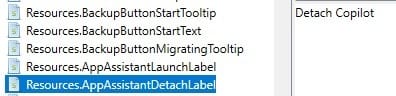
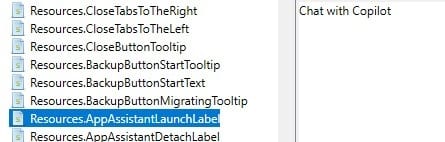
In build 26220.7523, testers have identified an inactive element near the Details panel, which is linked internally to a feature labelled “AppAssistantLaunch.” Strings found within File Explorer’s resources include phrases such as “Chat with Copilot” and “Detach Copilot.”
The presence of a “Detach” option suggests that Copilot may initially be docked inside Explorer, with the ability to convert it into a floating window if needed—pointing to a more deliberate interface design than a simple shortcut.
From add-on to real integration
At present, Windows already offers limited Copilot hooks in File Explorer. Users can right-click a file and select “Ask Copilot,” but that action typically pulls them out of Explorer and into the Copilot app. Similar options appear in the Home tab, yet they still rely on context switching, breaking workflow continuity.
The difference with a built-in Explorer panel would be context. If Copilot remains anchored alongside files and folders, it could respond directly to the selected item without disrupting the user’s flow. Reporting from Windows Central supports this interpretation, suggesting a sidebar or pop-up that stays focused on the currently highlighted file.
Practical uses, not gimmicks
If implemented effectively, the integration could enable practical, task-focused AI assistance rather than merely showcasing surface-level novelty. Potential uses include summarising documents without opening Word, explaining unfamiliar file types such as .log, .dmp, or .json, and offering intelligent renaming suggestions.
Copilot could also help classify files, automate organisation—such as grouping photos or separating signed PDFs—and assist with everyday file management tasks.
None of this would be revolutionary in isolation, but applied consistently within File Explorer, it could streamline common workflows. That distinction—AI as a management tool rather than a distraction—will determine whether users see value in the feature.
Microsoft has not formally announced the change, and features spotted in preview builds do not always make it to the general release. Still, the evidence suggests a shift in strategy: moving Copilot from an external assistant to the core of how users interact with their files. Whether that integration proves genuinely useful will depend not just on its presence, but on how naturally it fits into daily work.