Microsoft has released the KB5070311 preview update for Windows 11, introducing enhancements designed for users who prefer dark mode. Unfortunately, the update also introduced a bug that makes File Explorer momentarily flash when dark mode is enabled.
In some cases, the window displays a brief flash of white before your files and folders appear. This can happen when you open File Explorer, switch between Home and Gallery, create a new tab, toggle the Details pane, or request extra information during file transfers. It’s not a security risk, but it can be irritating if you use dark mode regularly.
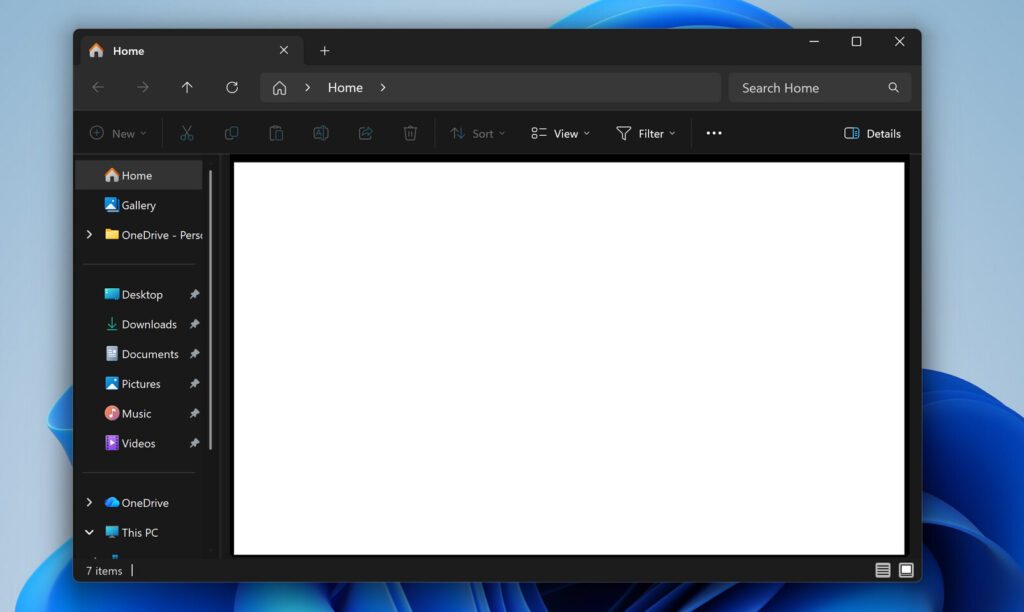
Microsoft has listed the problem as a known issue and has not yet patched it. The glitch usually lasts only a second, but it’s noticeable enough to break the dark-mode experience. A fix is already in the works and will be included in a later optional update.
Until then, anyone sticking with dark mode will have to deal with the occasional white flash. The behaviour also brings attention to possible conflicts inside File Explorer, which still blends older Win32 components with newer WinUI/XAML elements.
This comes shortly after Microsoft confirmed that Windows 11’s File Explorer is also experiencing performance issues. Since it’s one of the most essential tools in the system, slowdowns are especially frustrating.
To speed things up, Microsoft is exploring the idea of keeping File Explorer preloaded in the background so it opens faster when needed. Turning off transparency and animation can create the illusion of a quicker launch, but it doesn’t solve the root issue.
Windows 10 relied purely on Win32 for File Explorer, but Windows 11 layers a modern UI on top of that older framework—an approach that now appears to be causing both slow performance and visual bugs, such as the dark-mode flash.