A recent optional update for Microsoft’s Windows 11 is drawing mixed reactions after introducing a new security barrier that also appears to disrupt a familiar system maintenance feature.
| Windows 11 Update | KB5074105 |
| Builds affected | 26200.7705 / 26100.7705 |
| Main change | UAC Request (Administrator) in Storage |
| Fault detected | Disappearance of “Windows Update Cleanup” |
| State | Intentional change / Interface bug |
With the rollout of update KB5074105, users have reported that Windows 11 now requires administrator approval through User Account Control (UAC) when accessing Storage settings. While the change is intended to strengthen system security, it has also caused parts of the temporary file cleanup process to stop working as expected.
According to Microsoft’s documentation, the UAC prompt is an intentional design decision. Storage settings provide access to sensitive system locations, including files tied to Windows Update and core operating system components.
By requiring elevated permissions, Microsoft aims to reduce the risk of accidental or unauthorised deletions that could destabilise the system.
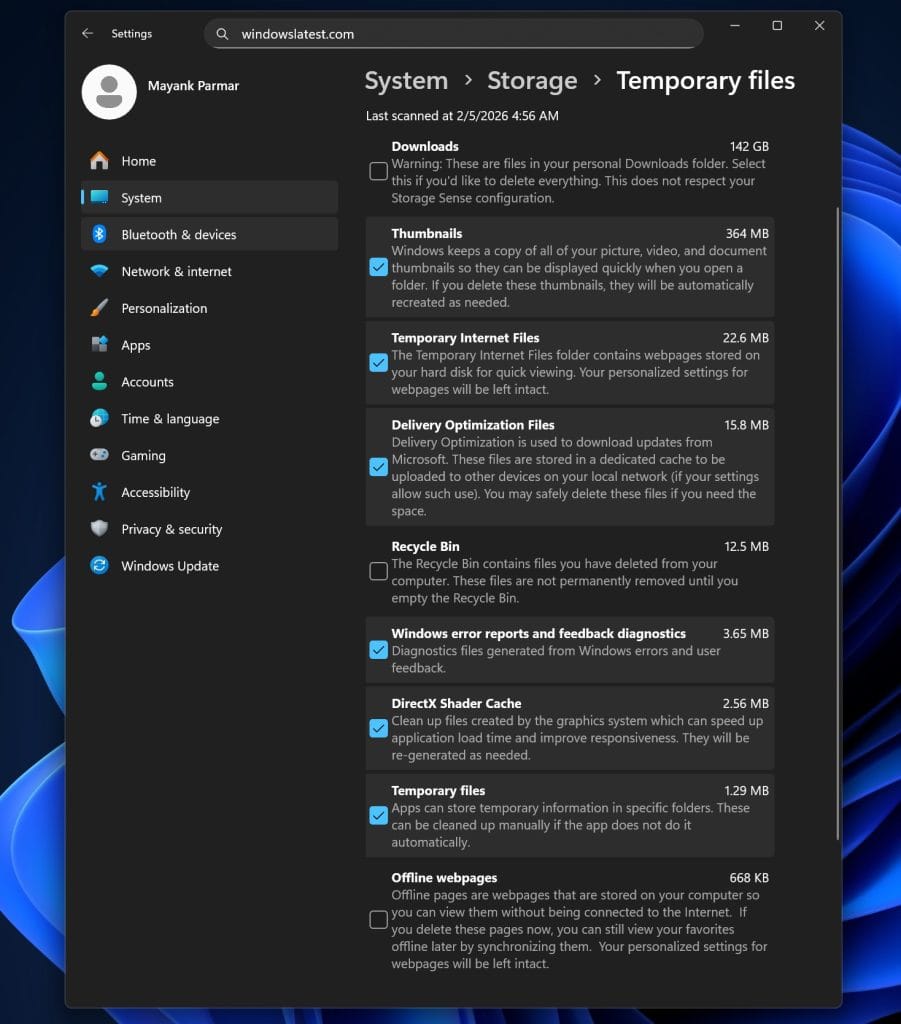
However, the added security layer appears to have an unintended consequence. After granting administrator access and navigating to Settings > System > Storage > Temporary files, some users no longer see options such as Windows Update Cleanup and other restricted categories.
Reports highlighted by Windows Latest suggest that the cleanup functionality itself still exists, but the modern Settings interface fails to consistently display those options.
Interestingly, the older Disk Cleanup utility continues to work normally. When launched with administrative privileges and the “Clean up system files” option selected, Disk Cleanup still shows and removes Windows Update–related files without issue. This has led many to conclude that the problem lies with the Settings interface rather than the cleanup process itself.
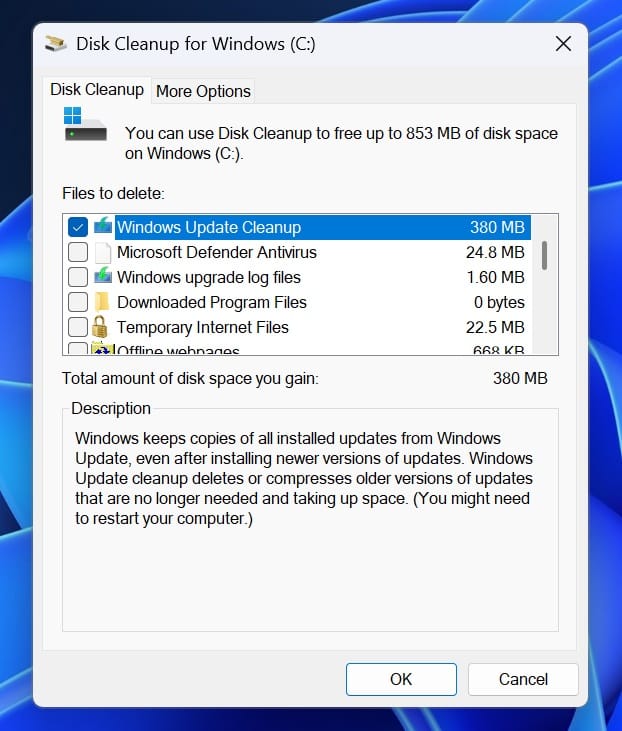
For now, users who rely on temporary file cleanup-especially to reclaim space after Windows updates-are advised to use Disk Cleanup as a workaround. Those who installed KB5074105 to address earlier bugs may want to wait for a follow-up update before depending on the Storage section for deeper system cleaning.
The situation highlights a familiar pattern in Windows development: security improvements can sometimes introduce usability regressions. In this case, the impact appears limited and avoidable, but it underscores the challenges Microsoft faces as it continues to harden Windows while transitioning more system tools to its modern Settings experience.