Windows 11 users hoping for a smooth start to 2026 are instead finding themselves stuck in a growing update crisis. After widespread reports of apps failing to open following the January security patch KB5074109, a new and particularly frustrating problem has emerged: for many users, the update cannot be removed at all.
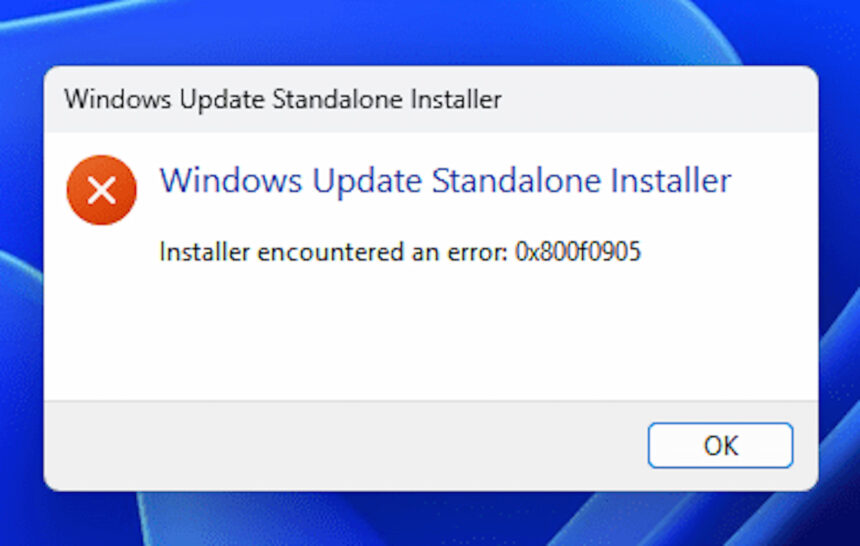
According to reports highlighted by Windows Central, attempts to uninstall KB5074109 are failing with error code 0x800f0905. The issue appears exactly when users try to roll back the update, leaving affected systems trapped in a technical dead end where the problematic patch remains installed and the usual recovery tools do not work.
Why the Uninstall Process Is Failing
Error code 0x800f0905 is typically associated with problems in Windows’ servicing or component storage infrastructure. In simple terms, Windows 11 is unable to locate or properly manage the files needed to reverse the update. This is especially concerning because Microsoft itself has acknowledged issues with KB5074109, including bugs affecting Outlook and Remote Desktop, and has advised users to remove the update where possible.
For those affected, the situation feels like a digital limbo: the update causes instability, but the system tools meant to remove it are also broken.
Workarounds to Restore System Stability
Despite the severity of the issue, users are not completely out of options. Microsoft’s standard uninstall process may fail, but alternative recovery methods can still return systems to a stable state. Before attempting any of these steps, users are strongly advised to back up important files.
Using System Restore
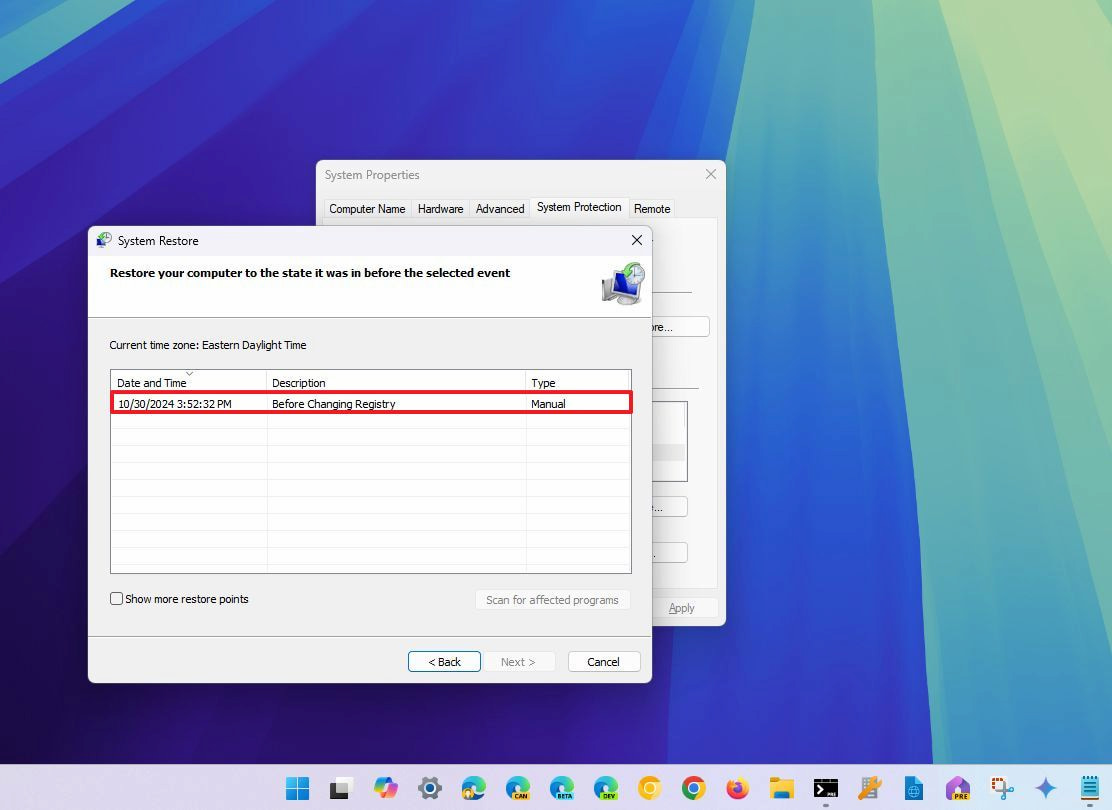
If System Protection was enabled before KB5074109 was installed, System Restore remains the most effective solution. This process rolls Windows back to a previous working state, automatically removing the faulty update.
To use System Restore:
- Open the Start menu and search for Create a restore point.
- Open System Properties and select System Restore.
- Click Next and choose a restore point created before KB5074109 was installed.
- Optionally scan for affected programs to see what will be removed.
- Confirm and finish the process.
After the restart, Windows should return to a functional state. Any removed apps can be reinstalled manually.
Reinstalling Windows via Windows Update
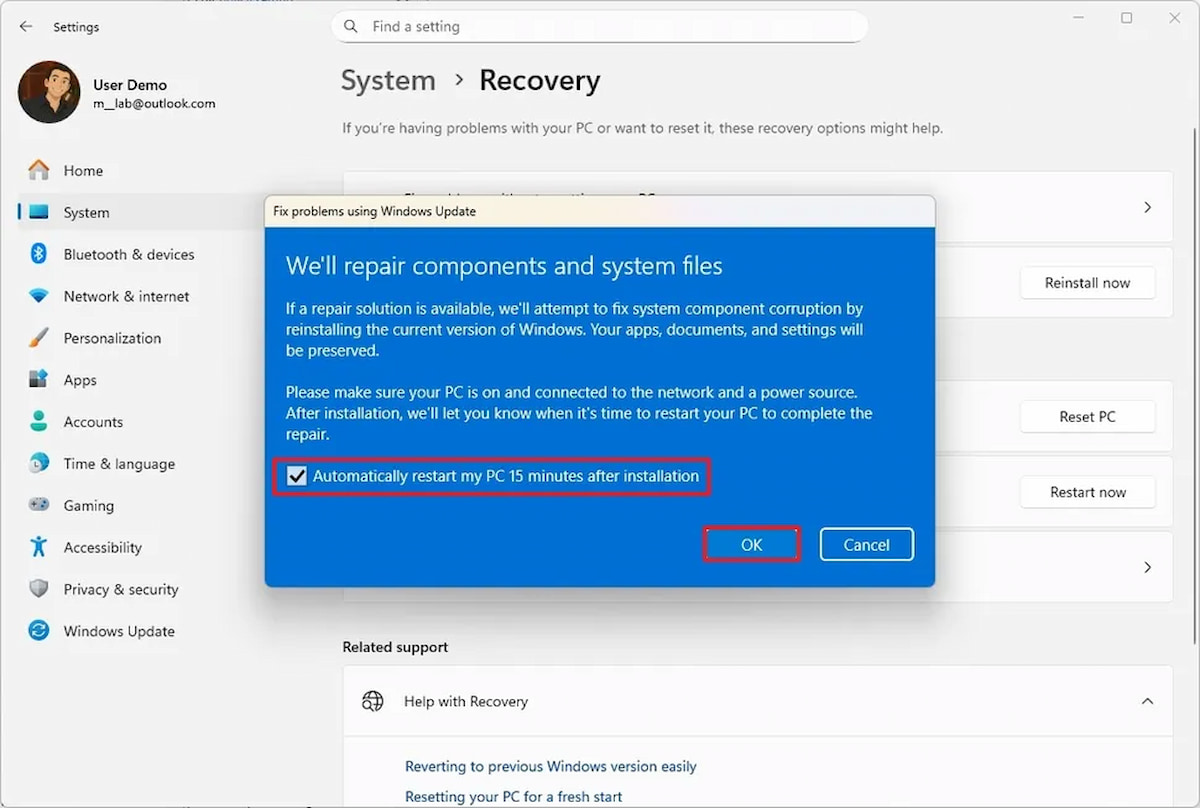
For users without restore points, Windows 11 includes a built-in repair option that reinstalls the operating system without removing personal files.
To use this method:
- Open Settings and go to System.
- Select Recovery.
- Under Troubleshoot using Windows Update, choose Reinstall now.
- Confirm the restart option and proceed.
This reinstalls Windows 11 to the current version, repairing damaged system files. Once completed, users can attempt to remove KB5074109 again without encountering the error.
Waiting for an Official Fix
Until Microsoft releases a permanent solution, these recovery methods remain the most reliable ways to escape the KB5074109 uninstall loop. Windows Update problems are not new, but the inability to remove a known-buggy update has intensified user frustration.
For now, users are left relying on manual recovery tools, hoping that future patches restore confidence in an update system that should protect stability-not undermine it.
- Windows 11 Users Hit by Widespread App Failures as Error Code 0x803f8001 Spreads
- Rollback Windows Update
- Bazzite Gains Official Support for AMD Strix Halo–Powered GPD Win 5 Handheld