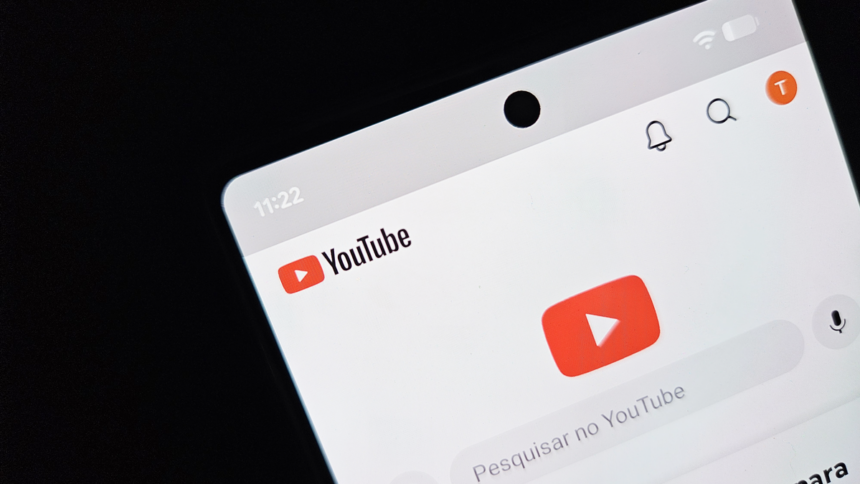
YouTube is rolling out a new feature that gives users more control over how much time they spend watching Shorts. The platform has started releasing a native setting on Android and iOS that allows people to block the endless Shorts feed entirely—including a new “0 minutes” daily limit option.
The update is designed to help users reduce compulsive scrolling and regain control over short-form video consumption without needing third-party apps or workarounds.
For many users, it’s one of the most requested time-management tools YouTube has introduced for Shorts so far.
How to Disable YouTube Shorts
If the feature is available on your account, you can activate it directly inside the YouTube mobile app.
Follow these steps:
- Open the YouTube app
- Tap your profile picture in the bottom-right corner
- Open Settings (gear icon)
- Select Time Management
- Tap Daily Limits
- Enable Shorts Feed Limit
- Choose the 0 minutes option
If the setting does not appear immediately:
- completely close the app
- reopen YouTube
- check the menu again
The feature is being released gradually, so availability may vary between users and regions.
What the New Shorts Limit Actually Does
The new tool specifically targets the infinite scrolling Shorts feed, which is often considered the most addictive part of the experience.
Once the limit is reached:
- The continuous recommendation feed is blocked
- Users can no longer endlessly swipe between Shorts
- autoplay-style browsing is interrupted
This helps reduce “doomscrolling,” where users unintentionally spend long periods consuming short videos without actively choosing what to watch.
Previously, YouTube only offered limited alternatives:
- a “Show fewer Shorts” option that temporarily reduced recommendations for 30 days
- a daily reminder system that required at least 15 minutes before activating
The new 0-minute setting is the first native option specifically designed to stop the Shorts feed before it begins.
Even with the restriction enabled, Shorts are not removed from YouTube entirely.
Short videos may still appear through:
- search results
- direct links
- creator channels
- the Subscriptions tab
However, the most addictive element—the endless autoplay recommendation feed—is disabled.
That distinction is important because it allows users to:
- intentionally watch Shorts when desired
- avoid passive scrolling sessions triggered by recommendations
In other words, the feature focuses more on limiting compulsive consumption than banning short videos altogether.
For regular adult accounts, the restriction is not always absolute.
In some situations, YouTube may display a “Skip” button that allows users to temporarily bypass the limit and continue watching Shorts for the rest of the day.
That means the feature works more like a friction tool than a hard lock.
For users with strong self-control, this may be enough to interrupt automatic scrolling habits. For others, the ability to override the restriction could reduce its effectiveness.
Supervised Accounts Get Stronger Restrictions
The system becomes much stricter on supervised teen accounts.
Parents and guardians can configure the zero-minute limit using:
- Google Family Link
- Family Center tools
In those cases:
- The Shorts feed is fully disabled once the limit is reached
- Teens cannot bypass the restriction
- The infinite scrolling system remains locked for the rest of the day
This makes the feature significantly more effective for parental controls and screen-time management.
Why YouTube Is Introducing This Feature
Short-form video platforms have faced growing criticism over their impact on:
- Attention spans
- Screen addiction
- Productivity
- Sleep routines
- Mental fatigue
Apps built around infinite scrolling mechanics are specifically designed to maximize engagement. While effective for keeping users active, these systems can also encourage excessive consumption.
YouTube’s new setting appears to acknowledge that many users now want:
- more intentional viewing habits
- better digital wellness tools
- stronger control over recommendation algorithms
The addition of a native Shorts blocker reflects a broader shift happening across the tech industry, where companies are increasingly pressured to offer healthier usage options.
At the moment, the new Shorts limit is only available on:
- Android
- iPhone (iOS)
The web version of YouTube still lacks dedicated Shorts time-management tools.
On:
- smart TVs
- gaming consoles
users must still rely on manually selecting “Not Interested” repeatedly to temporarily reduce Shorts recommendations.
There’s currently no confirmation about when—or if—the stricter blocking options will arrive on desktop or TV platforms.
For users trying to reduce endless scrolling habits, the new zero-minute Shorts limit may become one of YouTube’s most useful quality-of-life additions in years.
It doesn’t completely erase Shorts from the platform, but it targets the feature many people struggle with most: the automatic, infinite recommendation loop that keeps videos playing one after another.
Whether you’re looking to improve focus, reduce screen time, or simply use YouTube more intentionally, the new setting offers a much-needed layer of control.