Few things have been as messy over the years as classic Bluetooth audio. Poor sound quality, lag, or both often made wireless listening frustrating. With the arrival of Bluetooth LE Audio, Microsoft began addressing this issue in Windows 11 version 24H2-finally resolving the “muffled” audio problem that occurred whenever the microphone was turned on.
Now, the company is taking the next step: letting you share your PC’s sound with two sets of headphones simultaneously.
It’s the kind of everyday feature that should have been standard-perfect for watching a movie together on a laptop or sharing a playlist with a friend-but it’s only now becoming part of Windows 11.
What Is Audio Sharing, and When Will It Arrive?
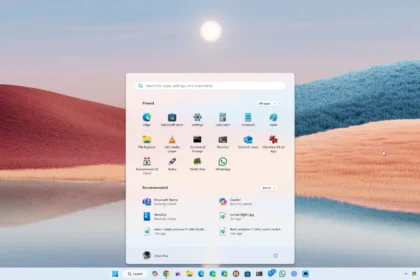
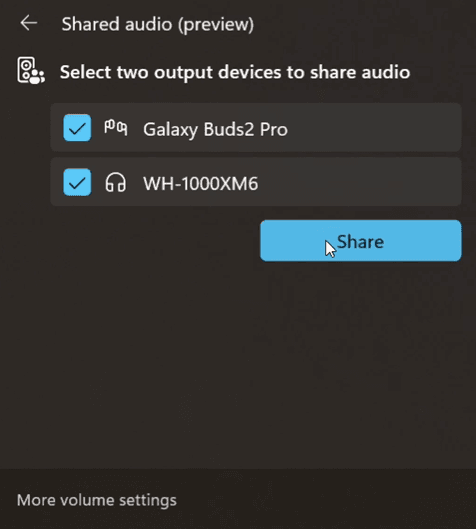
Audio Sharing is a new Bluetooth LE Audio–based feature that lets your PC stream the same audio signal to two compatible wireless devices-whether they’re headphones, earbuds, or speakers. The feature is currently rolling out in preview to Windows Insiders in the Dev and Beta channels and can be turned on via a new tile in Quick Settings.
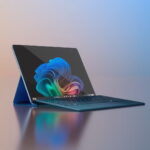
Currently, Microsoft officially supports Audio Sharing only on select Copilot+ PCs equipped with the latest Bluetooth and audio drivers. Compatible devices currently include the Surface Laptop (13.8” and 15”) and the 13” Surface Pro powered by Snapdragon processors. Over the next few weeks, the feature will also be available on models such as the Samsung Galaxy Book5 360/Pro and other Copilot+ systems.
For headphones, Microsoft has confirmed support for the Samsung Galaxy Buds2 Pro, Buds3, and Buds3 Pro, as well as the Sony WH-1000XM6, and newer LE Audio models from ReSound and Beltone. The key requirement is that the headphones explicitly support LE Audio (including LC3 codec support).
How Is It Different from Auracast?
The concept is similar to Auracast, the LE Audio broadcast technology that Google and Samsung are adding to their own devices. However, in this Windows 11 preview, Audio Sharing is limited to two connected devices and is managed directly through Windows-no extra apps or pairing tools needed. Both features rely on the same LE Audio broadcast technology, but Microsoft has focused on keeping the PC experience simple, private, and integrated.
This update follows Microsoft’s August rollout of super-wideband stereo for LE Audio, delivering 32 kHz stereo for calls and chats without compromising quality when the microphone is active. That was a key step toward making Bluetooth audio on Windows truly viable, and Audio Sharing completes the picture.
Will It Work on Non-Copilot+ Intel or AMD Laptops?
For now, no. The preview is limited to Copilot+ PCs while Microsoft tests the new Bluetooth stack and drivers. The company says broader support will come “later,” once the feature is ready for general release. We’ll update you as soon as it begins expanding to more devices.