Activating a Tracfone is a straightforward process, but it can feel confusing if you are doing it for the first time or switching devices. TracFone is a prepaid wireless service that works with major U.S. networks, allowing users to pay only for the service they need.
Whether you have a brand-new Tracfone, are bringing your own phone, or transferring service from an old device, proper activation is essential to start making calls, sending texts, and using mobile data.
This detailed how-to guide explains all the steps to activate a Tracfone, the necessary information you need beforehand, and how to troubleshoot common activation issues.
Things to Prepare Before Activating Tracfone
Before starting the activation process, make sure you have the following:
- Your Tracfone device (new phone or existing phone)
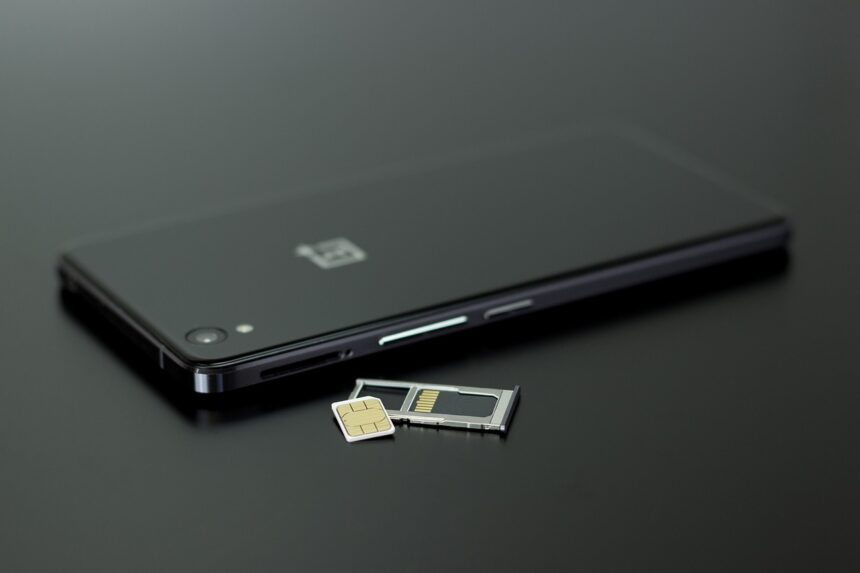
- The SIM card that came with the phone (or a Tracfone SIM kit)
- The phone’s IMEI/MEID number
- You can usually find this on the box, under phone settings, or by dialing *#06#
- A Tracfone service plan (physical card or digital plan)
- Access to the internet or a phone for customer support
Having these ready will make activation faster and smoother.
Activate Tracfone Online (Recommended)
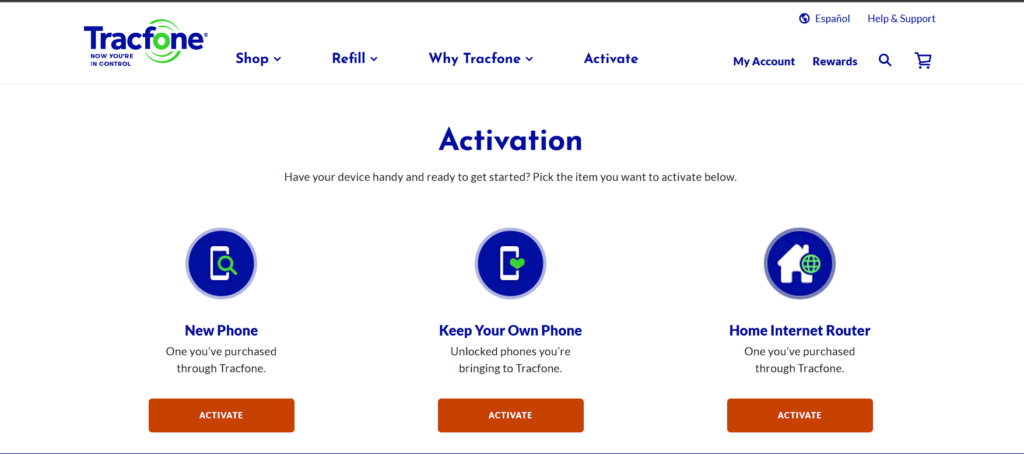
Activating online is the most convenient option and works for most users.
- Open a web browser and go to the Tracfone official website.
- Click on Activate or Activate/Reactivate.
- Choose one of the following options:
- Activate a new Tracfone
- Bring your own phone
- Transfer service from an existing Tracfone
- Enter your phone’s IMEI/MEID number when prompted.
- Enter the SIM card number (if required).
- Select or add a service plan.
- Follow the on-screen instructions to complete activation.
- Restart your phone once activation is confirmed.
Activation time:
- Usually takes a few minutes
- In some cases, it may take up to several hours
Activate Tracfone Using the Tracfone App
If you already have access to Wi-Fi, the Tracfone app offers an easy way to activate and manage your service.
- Download the Tracfone My Account App from the Google Play Store or Apple App Store.
- Open the app and sign in or create a Tracfone account.
- Tap Activate.
- Choose your activation type (new phone, transfer, or BYOP).
- Enter the required device and SIM information.
- Add a service plan if you don’t already have one.
- Complete the activation and restart your phone.
Activate Tracfone by Phone
If you prefer speaking to a representative or do not have internet access, phone activation is a reliable option.
- From another phone, call Tracfone Customer Support.
- Follow the automated prompts or request to speak with an agent.
- Provide your IMEI/MEID and SIM card number.
- Confirm your service plan.
- Wait for confirmation and restart your phone.
Best for:
- Users having trouble online
- SIM or device compatibility issues
- Service transfers with complications
Activate Tracfone in Stores (Select Locations)
Some retail stores that sell Tracfone devices can assist with activation.
- Visit a participating retailer.
- Bring your phone, SIM card, and service plan.
- Ask for activation assistance.
- Follow instructions given by store staff.
Activating a Tracfone With a New Number vs. Transferring a Number
New Number:
- Ideal for new users
- Activation is faster
- No previous carrier information required
Transfer Existing Number:
- Requires details from your previous carrier
- May take longer (from minutes up to 24 hours)
- Do not cancel your old service until the transfer is complete
Common Activation Problems and Solutions
Phone Not Connecting to Network
- Restart the phone
- Ensure SIM card is inserted correctly
- Check coverage in your area
Activation Stuck or Delayed
- Wait at least 30 minutes
- Restart phone again
- Contact Tracfone support if it exceeds 24 hours
SIM Not Recognized
- Confirm SIM compatibility
- Use the correct SIM for your phone model
- Request a replacement SIM if necessary
After Activation: What to Check
Once your Tracfone is activated, confirm the following:
- You can make and receive calls
- Text messages are working
- Mobile data connects properly
- Your service balance appears correctly
- Voicemail is set up
If any feature is not working, restart the phone or contact customer support.
Activating a Tracfone is a straightforward process when you follow the correct steps and have the necessary information prepared in advance. Whether you choose to activate online, through the app, by phone, or in-store, TracFone offers flexible options to meet different user needs.
By carefully following the activation instructions and checking your service afterwards, you can quickly start enjoying Tracfone’s prepaid wireless service without long-term contracts or hidden fees.