Microsoft says its latest Windows 11 optimizations can make the operating system up to 20% more responsive, with improvements aimed particularly at computers equipped with 8GB of RAM. The changes are designed to reduce memory pressure, improve response times and help applications remain responsive when users switch between tasks.
According to the company, Windows 11 can now keep up to 2GB more active data in memory instead of moving it to slower storage. Microsoft has also changed how Widgets operate on systems with 8GB of RAM or less, preventing the feature from loading in the background until users open it. The adjustment can free up more than 200MB of memory.
The figures are among the first concrete performance measurements Microsoft has shared since outlining a broader plan to improve Windows quality earlier this year.
Windows 11 Gets Up to 20% Faster Response Times
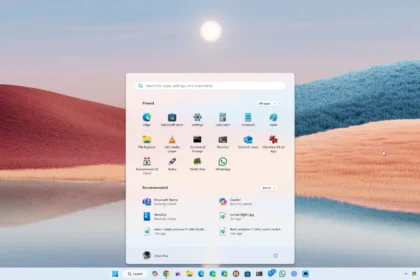
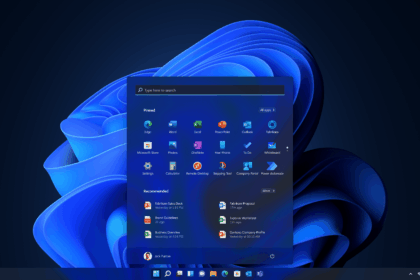
Microsoft says the improvements affect everyday tasks across Windows 11, including opening Start, using Search, navigating File Explorer, accessing Settings and working with Snipping Tool and Microsoft 365.
The company compared Windows 11 build 26300.9550, associated with version 26H2 and the September optional update, against an older Windows 11 25H2 build, 26200.7628. Its testing measured responsiveness across several system components and applications.
The reported 20% improvement represents the best-case result, rather than a guarantee that every app will respond 20% faster. Results will depend on the task, hardware configuration and system workload.
Microsoft says users should notice the difference from startup through everyday interactions, particularly when opening applications and switching between tasks.
Windows 11 Can Keep More Active Data in RAM
Memory management is a central part of Microsoft’s latest performance effort. When physical memory becomes scarce, Windows can move less-active data to a page file on an SSD. Retrieving that data later can introduce delays when users return to an application or browser tab.
Microsoft says its changes allow Windows to keep up to 2GB more active data in RAM, helping the system remain responsive as users open more applications and browser tabs.
This does not mean Task Manager will necessarily show 2GB less memory usage. Instead, the improvement concerns how Windows manages active data and how much information can remain in faster physical memory rather than being moved to storage.
Microsoft has also reduced background memory consumption. On computers with 8GB of RAM or less, the Widgets board now loads only when opened, rather than preloading in the background. The change can free up more than 200MB of RAM.
The company has not attributed a specific memory saving to every other optimisation, but says it has improved memory management across Windows.
Microsoft Has Been Working on Memory Efficiency for Months
The new figures follow a series of commitments from Microsoft to improve Windows 11 performance. In March 2026, Windows chief Pavan Davuluri outlined plans to improve operating system quality, including reducing baseline memory consumption and speeding up core experiences.
During a May discussion on the Inside Windows podcast, Davuluri also highlighted the importance of ensuring that system capabilities consume resources when users actually need them.
Microsoft subsequently identified memory optimisation for PCs with 8GB of RAM or more as a formal area of work in July. The effort included improvements to memory allocation and efficiency across technologies such as WinUI 3, Chromium and WebView2.
By August, the company had reiterated its commitment to improving Windows 11 on systems with limited memory, with more changes expected before the end of 2026.
The timing is also significant for the wider PC market. Rising memory prices, driven partly by demand from AI data centres, have increased pressure on manufacturers to keep computer prices competitive. Devices with 8GB of RAM are returning to some product lineups as companies seek to offer less expensive options.
Improving Windows’ memory efficiency could help Microsoft and PC manufacturers make these systems more usable without increasing hardware costs.
Is 8GB of RAM Enough for Windows 11?
Microsoft’s improvements could make an 8GB computer feel more responsive in everyday use, but they do not eliminate the limitations of having relatively little memory.
Web browsing, video streaming, document editing and basic productivity tasks can run comfortably on some 8GB systems, depending on the applications and number of tasks running simultaneously. More demanding workloads, including video editing, local AI models and extensive multitasking, can require substantially more memory.
The improvements also do not change the hardware requirements for every Windows feature. Microsoft’s Copilot+ PC category requires at least 16GB of RAM, so an 8GB computer does not qualify, even if Windows has become more efficient.
For buyers planning to keep a computer for several years, 16GB remains a more flexible choice, particularly for heavier workloads or users who keep many applications open at once. An 8GB system may still be suitable for a tighter budget and basic tasks, but the decision should reflect how the computer will actually be used.
How to Get the Latest Windows 11 Improvements
Microsoft measured the reported performance gains on Windows 11 version 26H2. Users can check for available updates through Settings > Windows Update.
The improvements are rolling out gradually, which means installing the latest update may not immediately activate every change on every device.
Microsoft has previously experimented with other ways to make Windows feel faster, including adjusting how quickly the processor responds to demanding tasks. Those changes can improve interface responsiveness, but they cannot fully address delays caused by memory pressure.
Source: WindowsLatest