Microsoft is introducing a major update to Microsoft Copilot on Windows, aiming to transform the AI assistant into a real-time browsing companion rather than a standalone chat interface. The latest preview build, version 146.0.3856.39, is currently rolling out to members of the Windows Insider program.
The update introduces several productivity-focused features that allow the assistant to interact with web content directly inside the Copilot interface, reducing the need to switch between apps or browser windows.
Links Now Open Inside Copilot
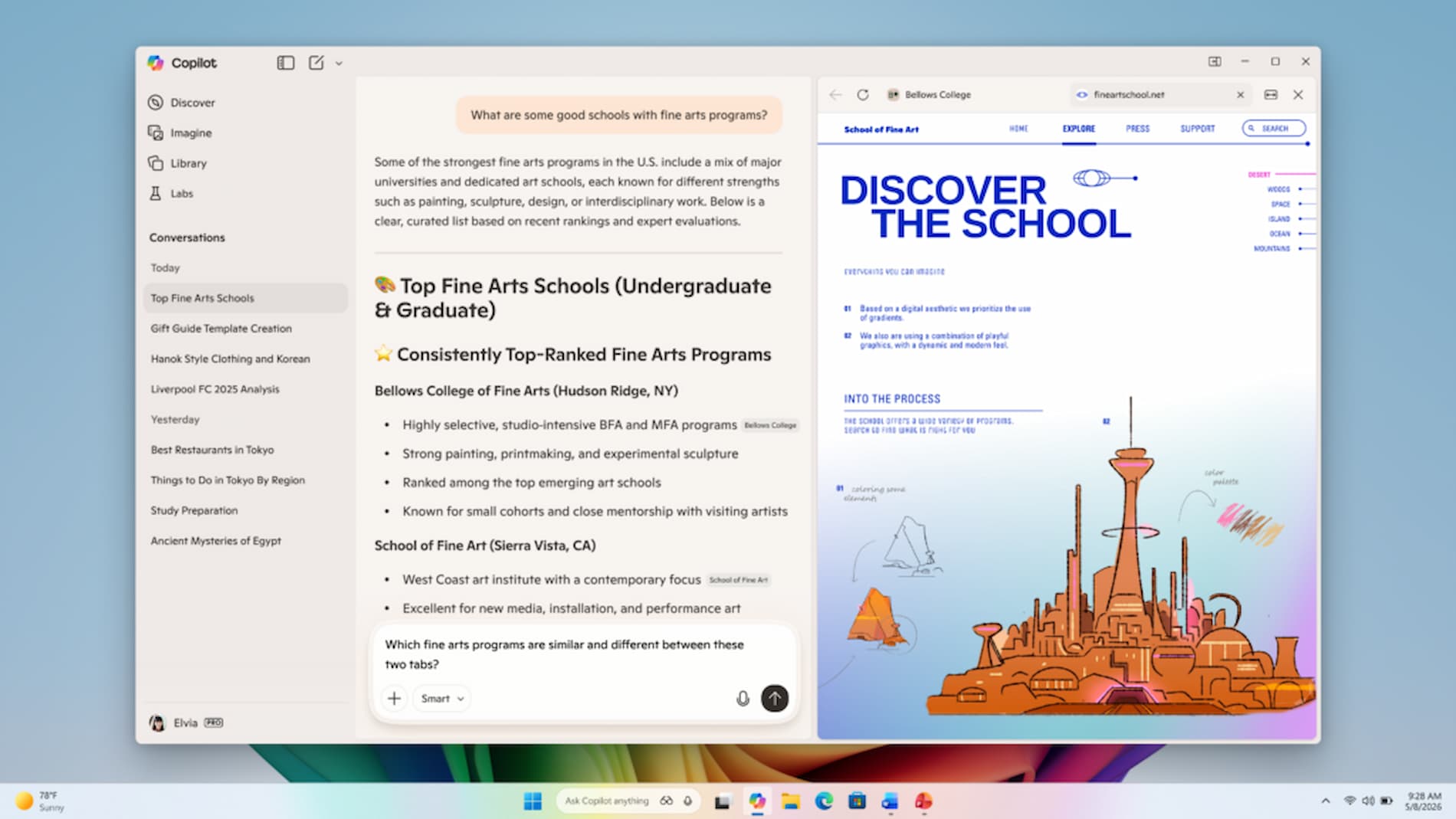
One of the most notable changes is the ability to open web links directly within the Copilot application. When a user clicks a link in the conversation, the webpage appears in a side panel next to the chat.
This design allows users to continue their discussion with the AI while viewing the referenced content. Instead of opening in a separate browser window, the assistant and the web page remain visible in a single workspace.
If users grant permission, Copilot can analyse the content displayed in those tabs and use it as context for responses. This enables tasks such as summarising articles, explaining information across multiple pages, or helping draft text based on the material currently open in the side panel.
Conversation History Keeps Linked Sources
The new interface also stores opened tabs alongside the conversation history. When users revisit a previous chat session, the associated sources remain attached to that discussion.
Microsoft says the feature is intended to maintain continuity during longer research or writing tasks. The assistant can return to earlier sources and continue processing them without requiring users to reopen the pages manually.
Additional Learning and Productivity Tools
The update also introduces several new tools designed to expand Copilot’s role beyond simple queries.
A Study & Learn mode has been added to help users absorb information more effectively, while a Podcasts section allows audio content playback while working in other parts of the interface.
In addition, Copilot now supports synchronization of saved passwords and form data to streamline routine tasks across sessions.
Focus on Faster and More Reliable Performance
Alongside the new capabilities, Microsoft says the update improves response speed and stability for the Copilot application. Some experimental features may still change or be removed as testing continues within the Insider program.
The new browsing experience signals Microsoft’s effort to integrate AI more deeply into the desktop workflow, positioning Copilot as a persistent assistant that works alongside everyday tasks instead of functioning as a separate tool.