Although Microsoft officially ended mainstream support for Windows 10, the operating system has not been entirely abandoned. The company continues to provide security-only patches through its Extended Security Updates (ESU) program, offering a temporary solution for users who are unable to upgrade to Windows 11 immediately.
However, new reports suggest that Windows 10 systems not enrolled in ESU are now facing additional limitations.
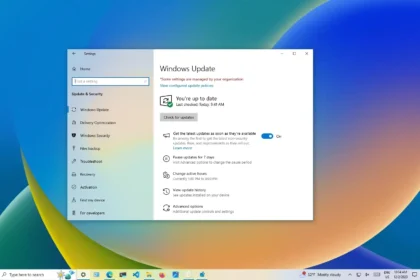
According to user feedback corroborated by Windows Latest, Windows 10 devices that are not part of the ESU program have lost the option to pause system updates. Additionally, once an update process begins, users cannot stop or cancel it. This change appears to affect systems that were not previously restricted by group policies and had not exhausted the pause feature through repeated use.
Windows 10 computers cannot pause updates if they are not part of the ESU program
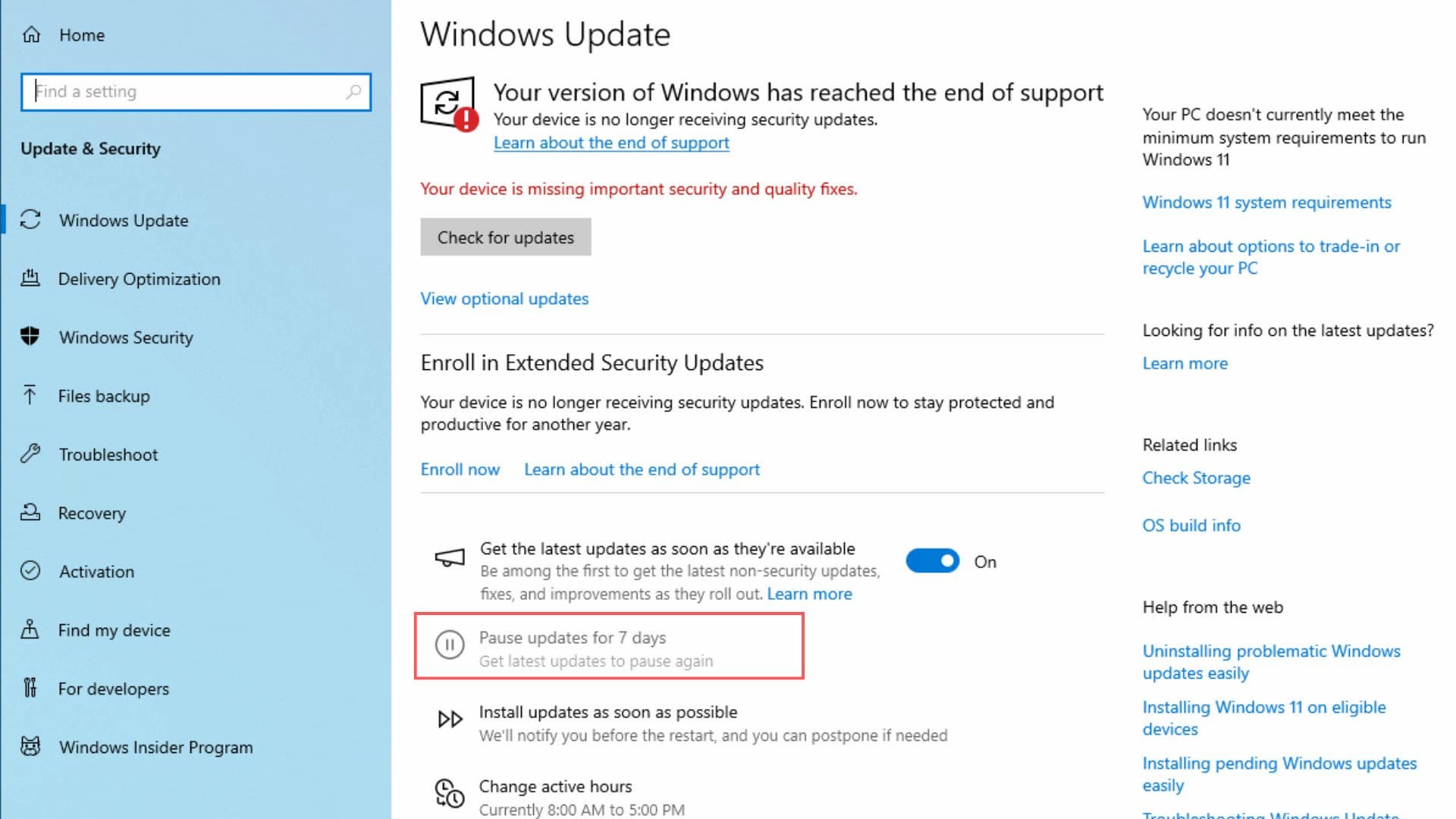
Previously, the inability to pause updates was typically linked to organisational controls or administrative policies. Recent reports indicate a broader shift, with the pause option disappearing entirely for non-ESU users, regardless of their configuration. As a result, Windows 10 now proceeds directly with update installations, including the rollout of version 25H2, without offering users a chance to delay.
The change also applies to upgrade scenarios. If a Windows 11 installation is triggered accidentally, users can no longer pause or halt the process mid-installation. While Microsoft has not stated that it is forcing Windows 11 upgrades, the removal of pause and cancellation controls significantly reduces user flexibility.
The ESU program remains the only way for Windows 10 users to retain update management and continue receiving monthly security patches through October 2026. The most recent ESU security update, KB5068781, is only available to systems enrolled in the Extended Security Update (ESU) program.
Enrollment in ESU is open not only to businesses but also to individual users. Registration can be completed through Windows Update settings, where users are prompted to join the Extended Security Updates program.
Microsoft offers several enrollment options: signing in with a Microsoft account and backing up system settings at no cost, redeeming 1,000 Microsoft Rewards points to avoid backups, or purchasing a one-year ESU license-typically priced at around €30-to retain a local account.
While upgrading to Windows 11 remains Microsoft’s recommended path, the transition is not always straightforward for older hardware or enterprise environments. For those users, ESU serves as a temporary safeguard, ensuring security coverage and basic update control until the program ends in October 2026.
How to enroll your Windows 10 PC in the ESU program?
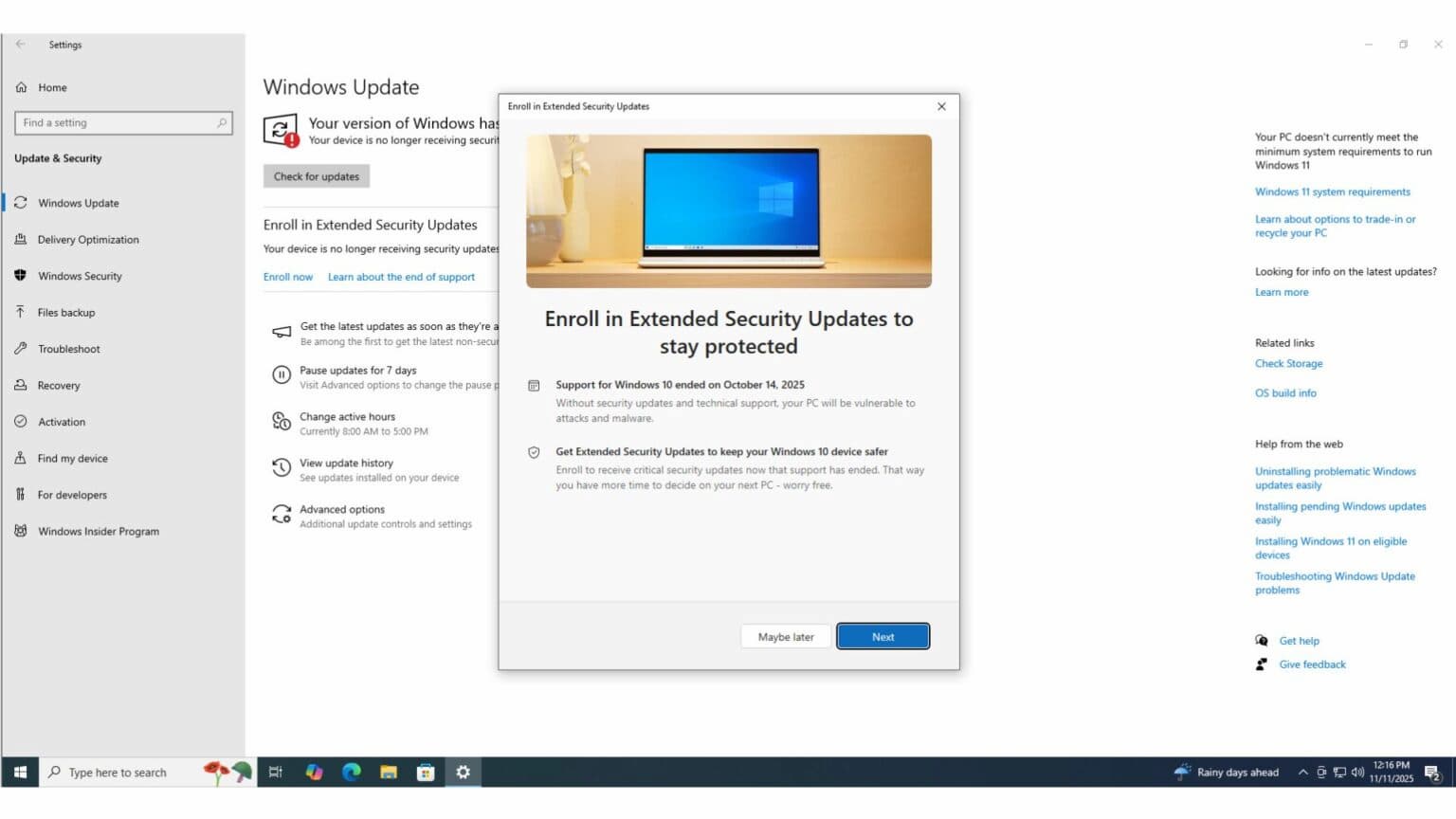
The good news is that the Windows 10 Extended Security Updates (ESU) program isn’t limited to businesses. Any user can enroll, and the process is straightforward.
To get started, follow these steps:
- Open Settings in Windows 10
- Go to Update & Security
- Select Windows Update
- Click Sign up now under the Join Extended Security Updates section
For most home users, the easiest option is the free method, which simply requires signing in with a Microsoft account and backing up your system settings.
If you’d rather avoid creating a backup, you can instead redeem 1,000 Microsoft Rewards points to activate ESU access.
Those who prefer to stick with a local account will need to purchase a one-year ESU license, which costs around €30.
Of course, upgrading to Windows 11 remains the most practical long-term choice, as the operating system is now mature, stable, and well optimised. That said, not everyone-especially businesses-can make the switch right away due to compatibility concerns or longer migration timelines. For these users, the ESU program offers a reliable means of keeping systems protected until October 2026.