Microsoft is gradually expanding the rollout of several long-anticipated Windows 11 features, including redesigned battery icons and an updated Start menu, through the February 2026 optional update, KB5077241.
Colorful Battery Icons Finally Reach More Users
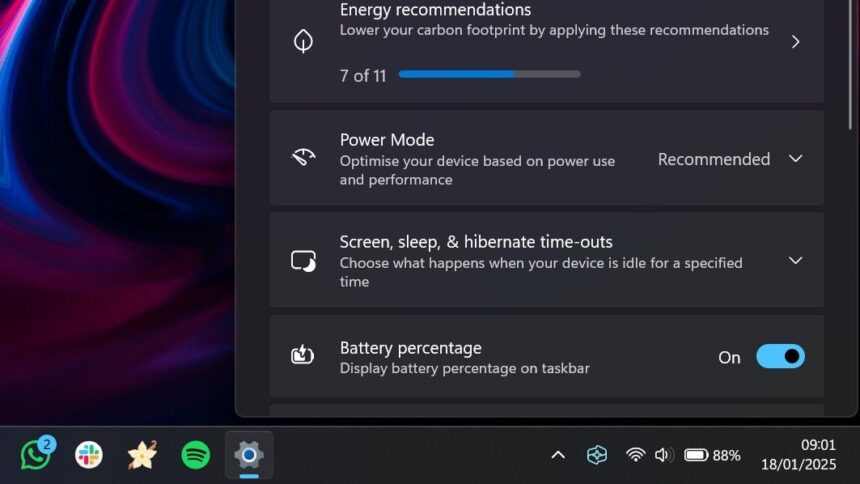
One of the most visible changes in this update is a revamped battery indicator on the taskbar. Rather than the plain white bar that Windows 11 users have grown accustomed to, the new icon now uses color to convey charge status at a glance.
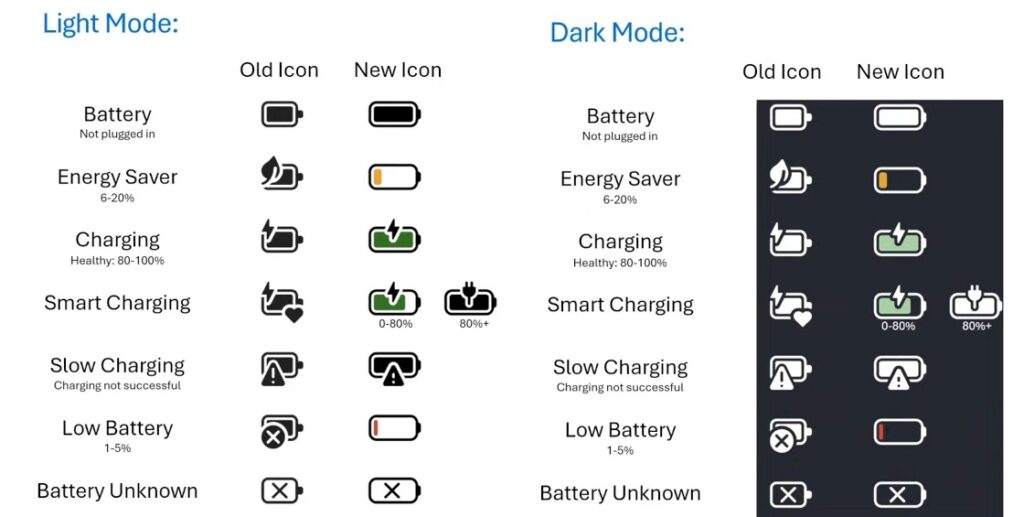
When a device is plugged in and charging, the battery icon turns green and displays a lightning bolt symbol. Once the charger is disconnected, it reverts to white.
As the battery level drops to 30 percent and Energy Saver activates — either automatically or manually — the icon shifts to orange. If the charge falls below 6 per cent, the icon turns red to signal a critically low battery.
The icon has also been made slightly wider, giving users a clearer sense of how much charge remains without needing to hover over it.
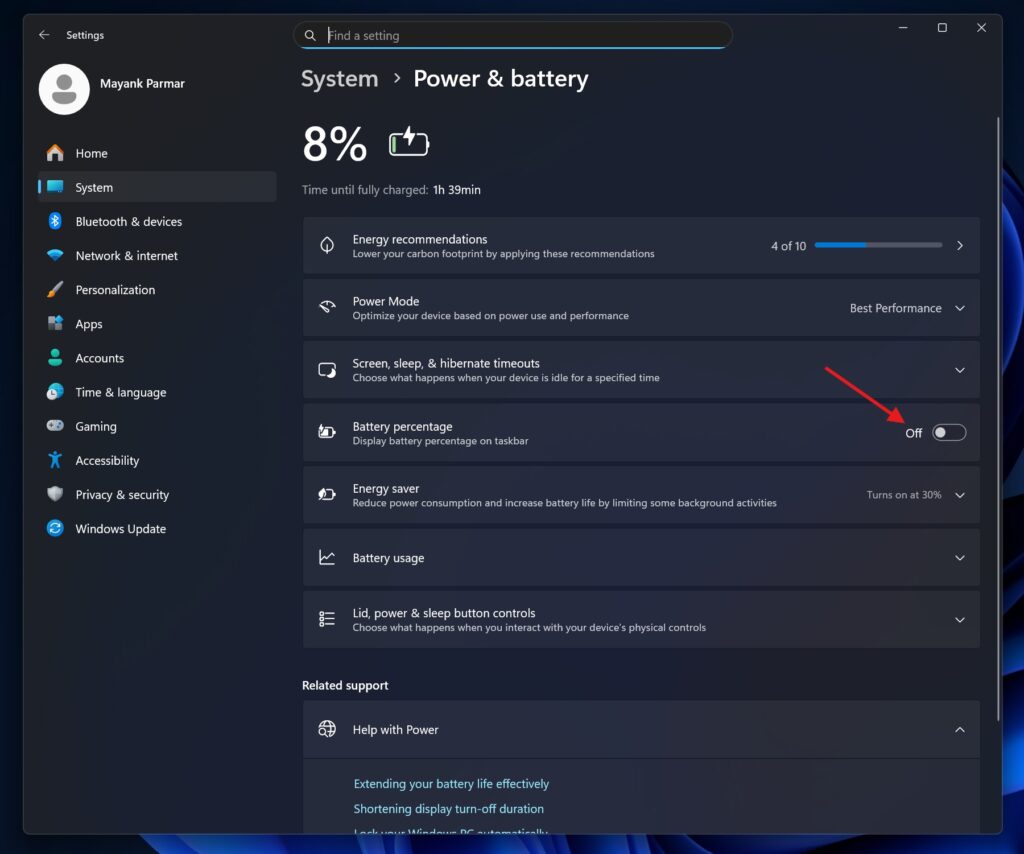
Additionally, users can now display the battery percentage directly on the taskbar by navigating to
Settings > System > Power & Battery and enabling the “Battery percentage” option.
Microsoft confirmed that this feature has been in development since late 2024 and began rolling out to some users last year, though availability has remained limited. The February update is intended to expand access to a broader range of devices.
Updated Start Menu Rolling Out More Widely
Alongside the battery changes, Microsoft is also pushing its redesigned Start menu to more PCs through the same update. Users who have not yet received the new layout may see it after installing KB5077241.
To improve the chances of receiving these updates sooner, Microsoft recommends enabling the “Get the latest updates as soon as they’re available” toggle found on the Windows Update settings page. This option does not guarantee immediate delivery, as Microsoft continues to use a staged, hardware-based rollout approach, but it can accelerate the process compared to standard update schedules.
Secure Boot Certificate Renewal Also Underway
In addition to the visual and interface updates, Microsoft has begun distributing renewed Secure Boot certificates to a wider pool of users. The current certificates are set to expire in June 2026, and Microsoft has been issuing replacements — dated 2023 — to ensure continued security compliance ahead of that deadline.
Users who want to verify whether their system has received the updated certificates can do so through Windows Event Viewer or a PowerShell script, both of which Microsoft has documented.
Those who have not yet received the new certificates should not be concerned, as the rollout is ongoing and Microsoft has stated it will cover all eligible PCs before the expiration date.
While many of these features restore functionality from earlier versions of Windows — or long-awaited refinements — they represent meaningful progress in Microsoft’s effort to improve the Windows 11 experience.
Recent months have also seen the return of taskbar drag-and-drop support and the option to reduce the taskbar size, with reports suggesting the ability to reposition the taskbar entirely may be on the horizon as well.