Creating complex formulas in Excel and Google Sheets can be challenging, especially for users who don’t work with spreadsheets every day. Fortunately, artificial intelligence tools can simplify the process by generating formulas from simple text descriptions.
Instead of searching through documentation or memorizing functions, users can describe what they want to calculate, and AI can generate the appropriate formula in seconds. Many tools also explain how the formula works, making them useful for both beginners and advanced spreadsheet users.
Here are eight of the best AI tools for creating Excel and Google Sheets formulas.
AI tools for creating Excel Formulas
1. Gemini
Google’s AI assistant, Gemini, can generate formulas for both Excel and Google Sheets using simple text prompts. Users can describe the calculation they need, and Gemini returns the corresponding formula along with explanations when necessary.
One standout feature is its ability to create example spreadsheets directly in Google Sheets, helping users visualize how the formula should be applied.
Key Features
- Formula generation from natural language
- Google Sheets integration
- Example spreadsheet creation
- Formula explanations
2. ChatGPT
ChatGPT is one of the most versatile AI tools for spreadsheet users. It can generate formulas for Excel and Google Sheets, explain how they work, and help troubleshoot existing formulas.
Users can describe their data structure and desired outcome, and ChatGPT will generate a customized solution.
- Excel and Google Sheets formula generation
- Detailed formula explanations
- Formula troubleshooting
- Spreadsheet workflow assistance
3. Microsoft Copilot
Microsoft Copilot is designed to work closely with Microsoft’s productivity ecosystem, making it particularly useful for Excel users.
The AI can create formulas, explain calculations, and guide users on where to place formulas within their spreadsheets.
Key Features
- Excel-focused assistance
- Formula generation and explanation
- Step-by-step implementation guidance
- Integration with Microsoft services
Availability: Web, Android, iOS
4. GPTExcel

GPTExcel is a dedicated spreadsheet assistant designed to generate formulas across multiple platforms, including Excel, Google Sheets, and Airtable.
The platform offers separate modes for creating formulas and explaining existing ones.
Features
- Excel, Google Sheets, and Airtable support
- Formula generator mode
- Formula explanation mode
- User-friendly interface
Availability: Web (Free)
5. Formula Bot

Formula Bot supports both formula creation and formula explanations for Excel and Google Sheets users.
The platform is particularly useful for users who want to understand the logic behind calculations rather than simply copying formulas.
Features
- Formula generation
- Formula explanation
- Excel support
- Google Sheets support
Availability: Web (Trial/Paid)
6. Sheet Formula
Sheet Formula is a lightweight AI tool designed to generate spreadsheet formulas quickly.
The platform focuses on speed and simplicity, although it limits prompts to 200 characters and does not provide detailed explanations.
Features
- Fast formula generation
- Excel support
- Google Sheets support
- Minimal interface
Availability: Web (Free)
7. Formula Generator by Softr
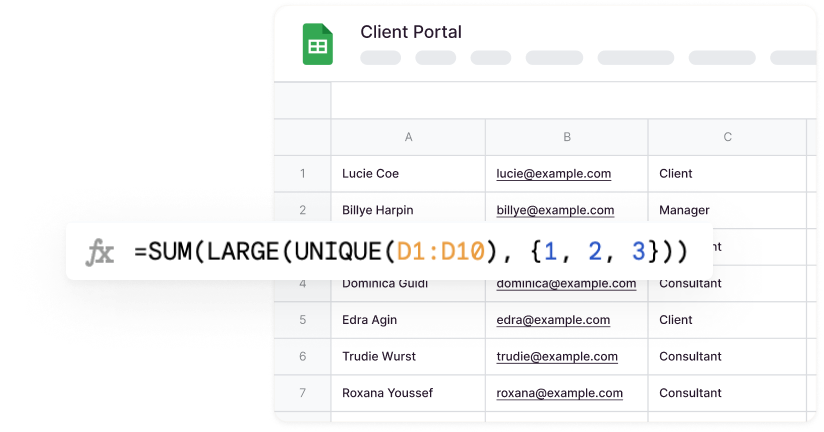
Softr’s Formula Generator takes a slightly different approach. Instead of directly generating formulas in every case, it often focuses on explaining the logic needed to build the calculation.
This makes it a useful learning tool for users who want to better understand spreadsheet functions.
Features
- Formula logic explanations
- Google Sheets support
- Beginner-friendly guidance
Availability: Web (Free)
Which AI Formula Generator Should You Choose?
The best tool depends on your workflow and experience level.
| Use Case | Recommended Tool |
|---|---|
| Google Sheets users | Gemini |
| General-purpose spreadsheet help | ChatGPT |
| Excel-focused workflows | Microsoft Copilot |
| Excel, Sheets, and Airtable support | GPTExcel |
| Learning how formulas work | Formula Bot |
| Fast formula generation | Sheet Formula |
| Understanding calculation logic | Softr Formula Generator |
AI-powered formula generators are transforming the way people work with spreadsheets. Instead of spending time searching for syntax or troubleshooting complex functions, users can simply describe what they need and receive ready-to-use formulas within seconds.
For most users, ChatGPT, Gemini, and Microsoft Copilot offer the best balance of formula generation, explanations, and ease of use. Meanwhile, specialised tools like GPTExcel and Formula Bot provide additional features tailored specifically to spreadsheet workflows.