Microsoft has begun distributing the June 2026 Patch Tuesday update for Windows 11, delivering a collection of security fixes, performance upgrades and feature improvements across supported devices.
The cumulative update, identified as KB5094126, is available for Windows 11 versions 24H2 and 25H2, raising operating system build numbers to 26100.8655 and 26200.8655, respectively. Unlike the optional preview update released in May, the June release forms part of Microsoft’s mandatory monthly security maintenance cycle.
As with every Patch Tuesday release, security remains the primary focus of the update. Microsoft says KB5094126 addresses vulnerabilities listed in its June 2026 security advisory and recommends installation for all eligible devices.
The update also plays an important role in Microsoft’s ongoing Secure Boot certificate renewal program. Existing certificates used by many Windows systems are scheduled to begin expiring during 2026. Through KB5094126, Microsoft expands automatic deployment of updated certificates to a broader range of consumer and unmanaged business devices, helping maintain system security and compatibility.
Faster Performance Across Windows 11
Among the most noticeable changes are improvements aimed at making Windows 11 feel more responsive during everyday use.
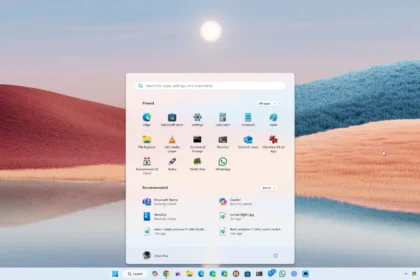
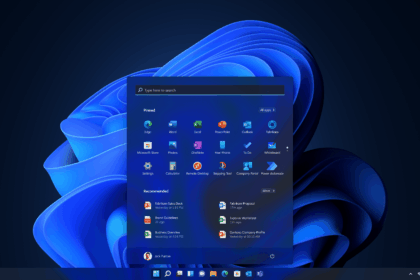
Microsoft has enhanced the operating system’s Low Latency Profile, which dynamically allocates processor resources to accelerate key system functions. As a result, users may experience faster application launches along with improved responsiveness in core features such as the Start menu, Windows Search and the Action Center.
The company says these optimizations are designed to reduce delays and improve the overall user experience across supported hardware.
Shared Audio Expands to Bluetooth
A major addition in the June update is Shared Audio, a feature that lets two users listen to the same audio source on a single Windows 11 device.
Built on Bluetooth LE Audio technology, the feature supports simultaneous playback across two compatible Bluetooth audio devices. Users can activate Shared Audio directly through Quick Settings on the taskbar, select paired devices and begin sharing audio without requiring additional hardware.
The feature is intended for scenarios such as watching videos, listening to music or consuming content together while on the move.
Task Manager Gets New AI Monitoring Tools
Microsoft is continuing its push toward AI-powered computing by expanding monitoring capabilities for Neural Processing Units (NPUs).
Task Manager now includes optional columns that display NPU utilization, processing engine activity and memory allocation associated with AI workloads.
The update is particularly relevant for Copilot+ PCs and other systems equipped with dedicated AI hardware. By exposing NPU performance data, Microsoft is positioning neural processors alongside CPUs and GPUs as core system components.
Camera Features Receive Functional Upgrades
Windows 11 users will also gain access to new camera management tools.
The update introduces support for multi-application camera access, allowing several programs to use a camera feed simultaneously. The functionality is expected to benefit video conferencing, content creation and live broadcasting workflows.
Microsoft has also added a basic camera mode designed to improve compatibility and assist with troubleshooting camera-related issues. Enterprise administrators can manage these settings through Group Policy controls within Windows Camera Options.
Windows Hello and Search Improvements
Several refinements have been made to Windows Hello, Microsoft’s biometric authentication platform.
The company says the update improves performance when waking devices from modern standby modes, reduces authentication delays and optimizes sign-in behavior to prioritize facial recognition and fingerprint authentication when available.
Windows Search has also received enhancements. Users can now locate and prioritize files using shorter search terms, with the system responding more effectively to searches consisting of only two characters.
Additional improvements affect storage management, clipboard history, touch keyboard functionality, desktop icons, USB connectivity, Microsoft Store operations and overall system stability.
USB and Hardware Reliability Enhanced
Microsoft has introduced multiple fixes targeting hardware compatibility and reliability.
The update improves support for displays connected through USB4 docks and hubs while strengthening the USB3 software stack’s ability to recover from certain hardware-related errors. Additional adjustments aim to reduce power consumption associated with sensors and input devices.
Critical Virtualisation Bug Resolved
One of the most significant fixes addresses a virtualization-related issue discovered following the release of the May preview update.
Microsoft confirmed that KB5094126 resolves a problem that could trigger system crashes displaying HYPERVISOR_ERROR (0x20001) and KMODE_EXCEPTION_NOT_HANDLED (0x1E) messages on affected devices. The issue could occur during system restarts, virtual machine operations or while running specific gaming applications.
The correction highlights the role of preview updates in identifying and resolving problems before features are distributed through the mandatory Patch Tuesday channel.
No Known Widespread Issues
According to Microsoft’s release documentation, the company is not currently aware of any known widespread problems associated with KB5094126.
While isolated issues may still emerge on specific hardware configurations, Microsoft says no major compatibility concerns have been identified during the update’s rollout.
KB5094126 is available immediately through Windows Update, Windows Update for Business, Windows Server Update Services and the Microsoft Update Catalog.
Most eligible systems will receive the update automatically through Windows Update. Users who prefer manual installation can download the appropriate package from the Microsoft Update Catalog, with versions available for both x64 and ARM64 architectures.
With security enhancements, performance gains and expanded support for AI-focused hardware, KB5094126 represents one of the most feature-rich Patch Tuesday releases for Windows 11 in recent months.