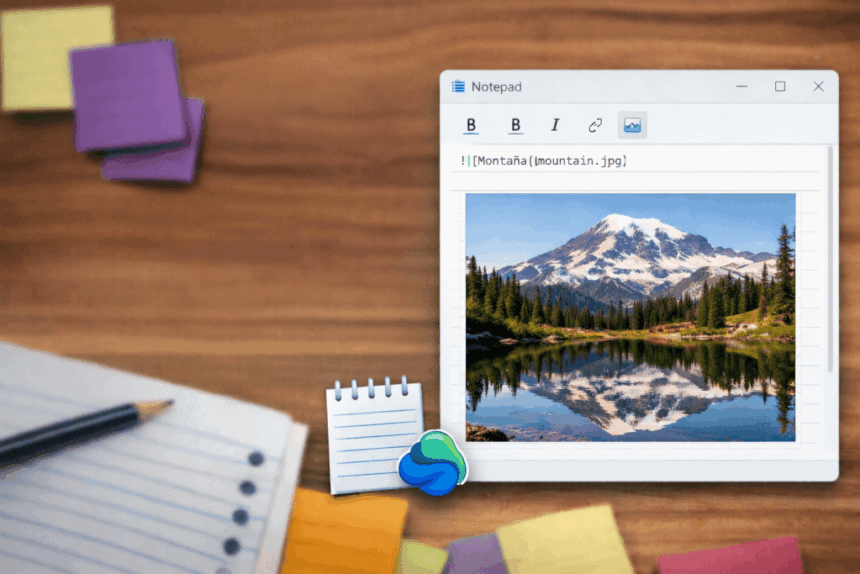
Microsoft is preparing another major upgrade for Windows 11 Notepad, as the company continues transforming the long-standing text editor into a more capable writing tool. According to a report by Windows Latest, internal builds of the app now include early signs of image support, a feature expected to roll out in the coming months.
The move follows a series of recent updates that have already expanded Notepad’s functionality, including Markdown support and basic rich-text formatting. Microsoft is reportedly designing the new capabilities to have minimal impact on performance, with the option to disable them for users who prefer the traditional plain-text experience.
Image Button Appears in Early Builds
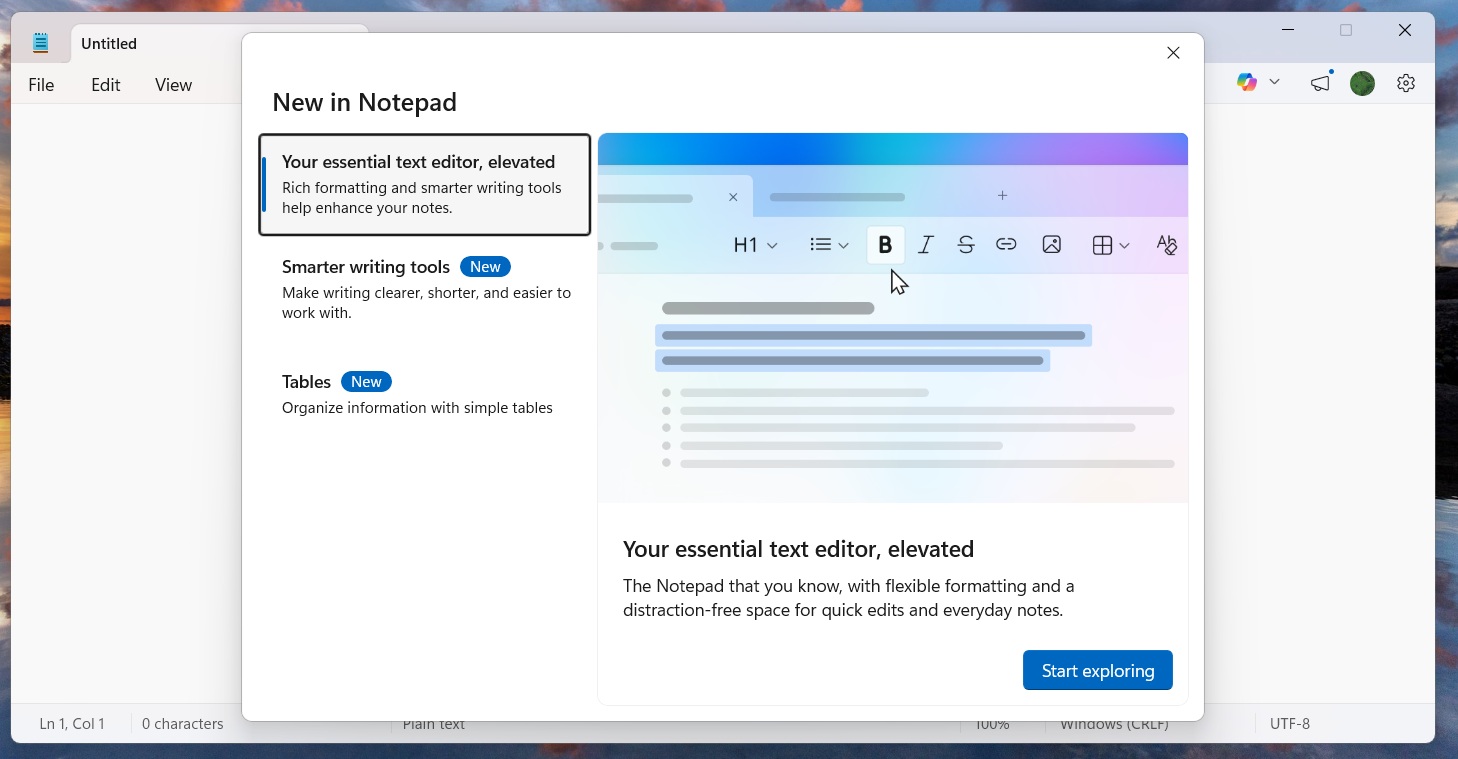
Evidence of the upcoming feature has surfaced in recent preview versions of Notepad, where a new image button appears in the app’s “What’s new” dialog. While the control is currently inactive, sources cited in the report indicate that image handling is under internal testing ahead of a wider release.
Rather than treating images as a standalone addition, Microsoft is said to be integrating them into the app’s existing Markdown framework. This approach would allow Notepad to interpret structured content-including bold text, links, and embedded media-while maintaining its lightweight design.
Filling the Gap After WordPad
The ongoing evolution of Notepad reflects a broader shift in Microsoft’s strategy. Following the retirement of WordPad, the company appears to be positioning Notepad as a fast, preinstalled option for users who need more than plain text but do not want to launch a full word processor.
The goal is to strike a balance: a simple environment for quick writing, note organisation, and content drafting, without the complexity of applications like Microsoft Word.
Classic Mode Still Available
Despite the expanding feature set, Microsoft aims to avoid disrupting longtime users. The company plans to allow new capabilities-including formatting and media support-to be turned off in the Settings menu, preserving the familiar minimal editor for those who rely on it for coding or plain-text tasks.
While Notepad still lacks the depth of dedicated note-taking platforms such as Apple Notes or Google Keep, the steady stream of updates suggests Microsoft intends to reposition the app as a modern, lightweight productivity tool.
If testing proceeds as expected, image support could mark another step in Notepad’s gradual transformation-from a basic utility into a flexible writing environment built for everyday use.