Microsoft has released the optional Windows 11 update KB5089573, bringing the operating system to builds 26200.8524 and 26100.8524. While the update does not introduce a major headline feature, it includes a broad collection of improvements focused on performance, AI capabilities, system reliability and user experience.
The update is currently available as a preview release and serves as one of Microsoft’s most comprehensive maintenance updates in recent months, addressing several areas that affect day-to-day use of Windows 11.
Faster Windows 11 Experience
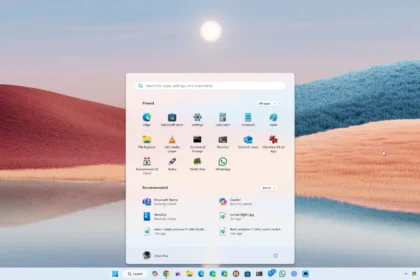
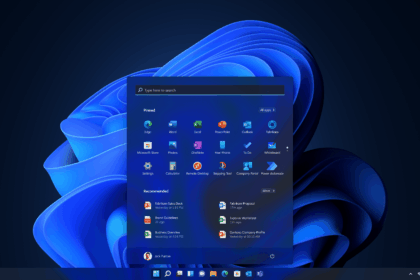
A key focus of KB5089573 is overall system responsiveness. Microsoft says the update improves application launch times and accelerates several core Windows experiences, including the Start menu, Windows Search and Action Center.
The changes are part of Microsoft’s ongoing effort to improve Windows 11 performance following user feedback regarding sluggish animations, inconsistent responsiveness and delays in certain system functions.
Rather than introducing a single major feature, the update targets numerous smaller areas that collectively contribute to a smoother experience.
Shared Audio Lets Two Users Listen Together
One of the most visible additions is Shared Audio, a new feature powered by Bluetooth LE Audio technology.
The functionality allows two compatible Bluetooth audio devices to receive sound from the same Windows 11 PC simultaneously. Users can activate the feature directly from Quick Settings on the taskbar and select two paired devices for shared playback.
The feature is designed for situations such as watching movies together, listening to music with another person or sharing audio content without external hardware.
Task Manager Gets NPU Monitoring Tools
As AI-focused PCs become more common, Microsoft is expanding Task Manager to better support systems equipped with dedicated neural processing units.
The update introduces optional Task Manager columns that display:
- NPU usage
- Active NPU engine
- Dedicated NPU memory
- Shared NPU memory
The addition is particularly relevant for Copilot+ PCs and other AI-capable devices that rely on NPUs to process machine learning workloads locally.
By bringing NPU monitoring into Task Manager, Microsoft is placing neural accelerators alongside the CPU and GPU as core system components.
New Camera Features
KB5089573 also introduces multi-app camera support, allowing multiple applications to access the same camera simultaneously.
Microsoft has also added a new Basic Camera mode designed to improve compatibility and help troubleshoot camera-related issues. The feature can be useful when certain applications encounter problems accessing advanced camera functions.
Windows Hello and Setup Improvements
The update includes several refinements to Windows Hello.
Microsoft has optimized biometric authentication performance when resuming from Modern Standby and reduced instances where authentication processes could unexpectedly become unresponsive.
The sign-in experience has also been adjusted to prioritize facial recognition or fingerprint authentication when those options are available.
During Windows installation, users can now customize the name of their user folder directly from the device naming screen. The change provides greater flexibility and helps avoid automatically generated folder names that may not be ideal for personal or professional setups.
Reliability Improvements Across the System
Microsoft has implemented numerous stability and reliability enhancements throughout Windows 11, including:
- Improved support for USB4 docks and hubs
- Enhanced USB3 error handling
- Better power efficiency for HID devices and sensors
- Improvements to the touch keyboard
- More reliable clipboard history
- Fixes for desktop shortcuts
- Microsoft Store stability enhancements
- File Explorer reliability updates
Windows Search has also been refined to locate and prioritize files using as few as two characters, making searches faster and more accurate.
In the storage section, Microsoft has reduced unnecessary User Account Control prompts and added the ability to specify storage sizes in gigabytes when creating development drives.