
Microsoft has spent several months working to improve Windows 11’s performance and rebuild user confidence. The redesigned Windows Search experience is one of the clearest signs of this change in direction. However, the rollout of these improvements has not been entirely smooth.
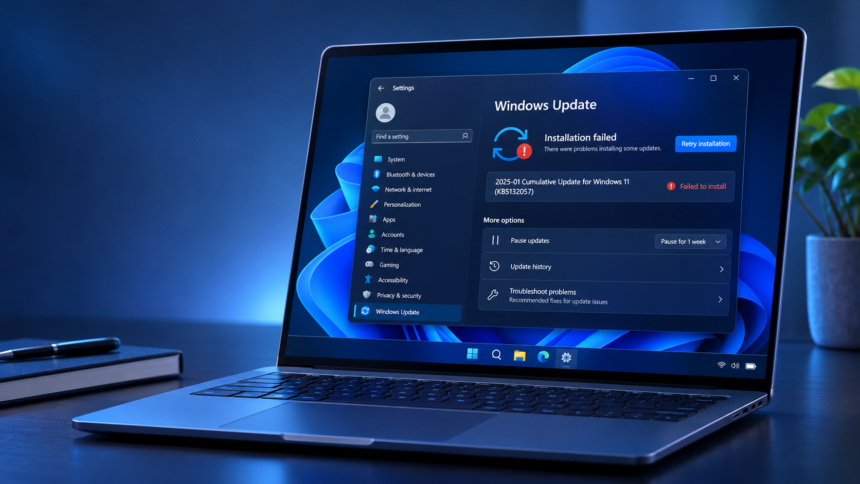
The optional Windows 11 update KB5132057, released on November 19, 2026, is reportedly causing installation failures on some computers. Although it introduces several noteworthy features, users may be better off waiting for Microsoft’s next monthly update rather than rushing to install it.
Windows 11 KB5132057 installation problems
According to reports cited by Windows Central, several users have experienced difficulties installing the latest optional cumulative update. The reported problems affect computers running Windows 11 versions 25H2 and 26H2, with complaints appearing on Microsoft’s support forums and Reddit.
The error codes reported so far include:
- 0x800f0993
- 0x800f0989
- 0xc000012f
Some users have also encountered repeated failures after attempting to install the update multiple times. The full extent of the problem remains unclear, as does whether all the reported errors share the same underlying cause.
Microsoft has not yet acknowledged these specific installation failures in the official KB5132057 documentation.
Here are the update’s main details:
| Feature | Information |
|---|---|
| Update | KB5132057 |
| Release date | November 19, 2026 |
| Windows 11 25H2 | Build 26200.10075 |
| Windows 11 26H2 | Build 26300.10075 |
| Type | Optional cumulative update |
| Next security update | December 8, 2026 |
An important point is that KB5132057 is an optional preview update that does not include new security patches. Skipping it therefore does not mean missing out on security fixes delivered through previous updates.
The redesigned Windows Search experience may have to wait
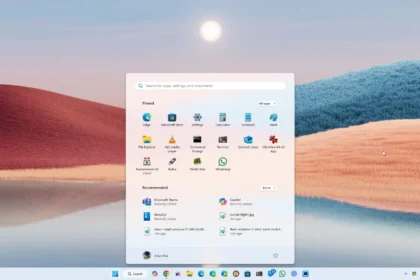
One of the biggest reasons to install KB5132057 is the arrival of Microsoft’s redesigned Windows Search experience. Built using WinUI 3, the new interface aims to improve search performance, reduce resource consumption, and provide a cleaner, more consistent design.
Windows Search has faced criticism for years because of its cluttered interface, advertising, and distracting content. Microsoft now appears to be addressing some of these complaints by making it easier to find applications and documents without having to navigate through unnecessary information.
The redesigned experience also introduces useful actions directly within search results. Users can perform tasks such as enabling or disabling Bluetooth, adjusting screen brightness, and switching between light and dark themes without opening the Settings application.
Microsoft has also improved how Search interprets spelling mistakes and synonyms, as well as the information displayed about files.
There is one notable limitation for users outside English-speaking markets. The new search experience is initially being introduced in English, although it has reportedly also worked in Spanish. Furthermore, Microsoft is distributing the feature gradually, so installing KB5132057 does not guarantee immediate access to all its capabilities.
The update includes several other interface improvements, too. These include better File Explorer search functionality, a redesigned Run dialog box, and an option to temporarily increase screen brightness to make Windows Hello facial recognition easier.
What should you do if KB5132057 fails to install?
For most users, the safest option is to wait. If your computer is working normally and already has the latest security updates, there is little reason to risk installation problems for features that are expected to reach users through a subsequent cumulative update.
Microsoft’s next Patch Tuesday is scheduled for December 8, 2026. The company is expected to include improvements from this optional preview update in its next monthly cumulative release.
If you have already attempted to install KB5132057 and encountered an error, you can check the corresponding code under Settings > Windows Update > Update history. This may help identify the reported failure, although it will not necessarily explain its cause.
There is no need to perform complicated system repairs or force the installation of an optional update if Windows is otherwise functioning correctly. Similarly, users who have successfully installed KB5132057 and are not experiencing problems do not need to uninstall it.
Microsoft has also confirmed that it will not release another preview update in December, in line with its usual holiday-season schedule in the United States.