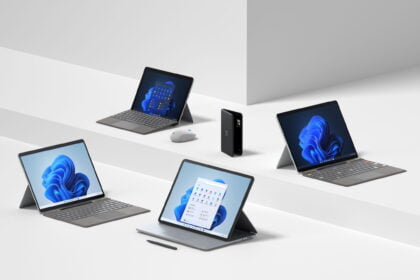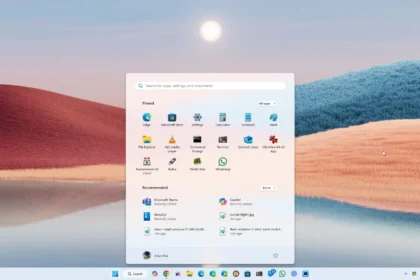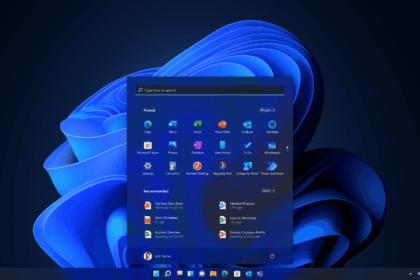

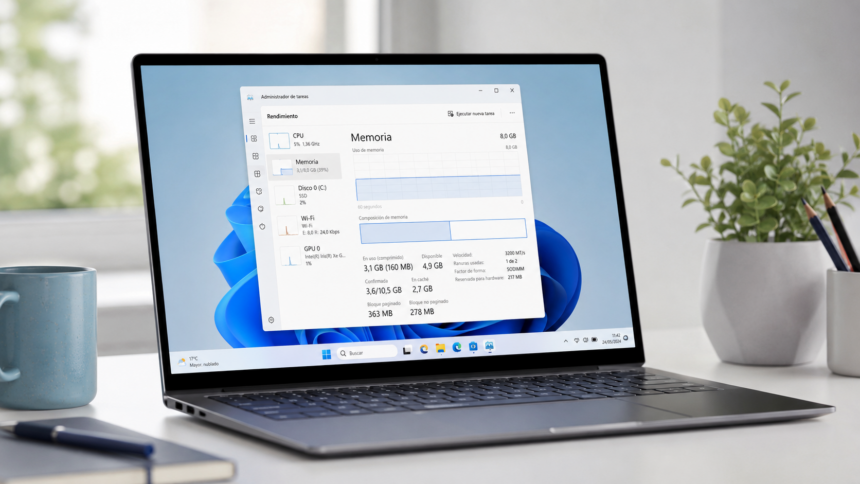
Microsoft says it has made significant improvements to Windows 11’s performance on computers with 8GB of RAM, a configuration still common in budget laptops and ultraportable devices. After months of optimisation work, the company reports gains of up to 20% in everyday system responsiveness and up to 40% in certain multitasking scenarios.
The results suggest that Microsoft’s efforts to make Windows 11 more efficient are beginning to pay off. The improvements focus primarily on memory management, background processes, and the performance of frequently used applications. While these changes cannot replace the benefits of having more physical RAM, they could make existing 8GB systems noticeably more responsive.
Windows 11 gets smarter about managing memory
Memory capacity has become an increasingly important factor in PC performance. Although 8GB of RAM can handle everyday activities such as web browsing, document editing, email, and video playback, performance can deteriorate when several demanding applications are open simultaneously.
To address this, Microsoft has adjusted how Windows 11 manages and compresses data in memory. According to Pavan Davuluri, Microsoft’s head of Windows and Devices, the updated system can keep up to 2GB more active data in RAM rather than temporarily moving it to slower SSD storage.

This does not mean that Windows adds 2GB of physical memory to the computer. Instead, the operating system makes more efficient use of the memory already available, potentially reducing the need for applications and browser tabs to reload previously accessed content.
Microsoft has also refined how Windows prioritises background processes, helping the system respond more quickly when users interact with applications and interface elements.
Everyday Windows tasks could be up to 20% faster
Microsoft reports improvements of up to 20% in the responsiveness of several commonly used Windows features, including:
- The Start menu and Windows Search.
- File Explorer.
- Opening the Settings application.
- The Snipping Tool.
- Right-click context menus.
The company reached these figures by comparing Windows 11 builds from January and October 2026 on computers equipped with 8GB of RAM.
The larger gains appeared in multitasking tests. Microsoft used an HP OmniBook 3 featuring 8GB of RAM and an eight-core Snapdragon X Plus processor.
The test involved opening 20 Microsoft Edge tabs, playing a 4K video, and working with large Word, Excel, and PowerPoint documents while also using Outlook and File Explorer.
According to Microsoft, completing the sequence of tasks was up to 40% faster with the optimizations introduced during 2026.
These figures should be treated as results from Microsoft’s own testing rather than a promise of identical improvements across every 8GB computer. Actual performance will depend on hardware, software versions, and individual workloads.
Windows, Edge, and Microsoft 365 use less memory
The optimisation work extends beyond Windows itself. Microsoft has also updated its applications to reduce memory consumption during demanding multitasking sessions.
The company says improvements across Windows, Edge, and Microsoft 365 reduced committed memory growth by up to 900 MB in its tests. Committed memory represents memory that Windows has promised to applications and processes, so this figure should not be interpreted as 900MB of RAM being permanently freed.
Some of the most notable changes include:
- Microsoft 365: Word, Excel, PowerPoint, and Outlook collectively reduce memory usage by approximately 360MB.
- Widgets: On computers with 8GB of RAM or less, the Widgets panel no longer loads until the user opens it. This can reduce committed memory by around 200MB while the panel remains closed.
- Microsoft Edge: Inactive tabs now enter sleep mode after 15 minutes by default, compared with the previous two-hour interval.
- Microsoft Teams: On supported systems with 8GB of RAM, Teams can automatically enable efficiency mode, delivering up to 20% faster startup times.
Edge has also received improvements to its startup process. By reusing processes that are already running in the background, the browser can launch up to 33% faster under supported conditions.
Microsoft says these latest improvements require Windows 11 build 26300.9818 or later and Microsoft Edge version 150 or newer.
How to get the Windows 11 performance improvements
Microsoft says the latest optimizations are available starting with Windows 11 26H2, build 26300.9818. Availability may depend on the device, update channel, and rollout schedule.
To check for the update:
- Open Settings.
- Navigate to Windows Update.
- Enable Get the latest updates as soon as they’re available.
- Select Check for updates.
- Install any available updates and restart the computer if required.
It is also worth keeping Edge, Microsoft 365, and Teams updated, since some of the changes depend on newer application versions and may arrive through separate update channels.
The rollout may take time to reach all eligible devices. Users should check Windows Update rather than assume that every feature will become available immediately.
Is 8GB of RAM enough for a Windows 11 computer?
Microsoft’s work is encouraging news for people who already own laptops with 8GB of RAM. Better memory management could help these machines remain responsive during everyday activities, particularly when several applications are running at once.
However, software optimization cannot completely overcome the limitations of a small memory capacity. Systems with 16GB or 32GB of RAM will still have an advantage when handling demanding workloads such as video editing, software development, modern gaming, and heavy multitasking.
For browsing, office applications, video calls, and media playback, an optimized 8GB computer may still provide a satisfactory experience. But anyone purchasing a new laptop should consider 16GB of RAM the more sensible starting point if their budget allows it.
Microsoft also says it plans to continue improving memory efficiency across Windows components and applications, including File Explorer, Notepad, and Paint. The broader objective is to reduce unnecessary resource consumption rather than relying on increasingly powerful hardware to compensate for software inefficiencies.
Ultimately, these changes could make Windows 11 more practical on entry-level hardware. They are a welcome improvement for existing 8GB laptop owners, even if they do not change the fact that more RAM remains valuable for demanding workloads.