It surely isn’t easy getting to know the system of your entire Android phone. There are so many software and updates which we aren’t even aware of. Getting the entire knowledge about your phone may seem like a task, and that is why I am here to help you.
In this article, we would talk about the Blue light filter apps which you could easily download on your Android phones. The light emitted by your cellphone can cause strain on your eyes. This blue light filter application helps in reducing the strain. Read on!
Blue Light Filter Apps For Android
1. Easy eyes
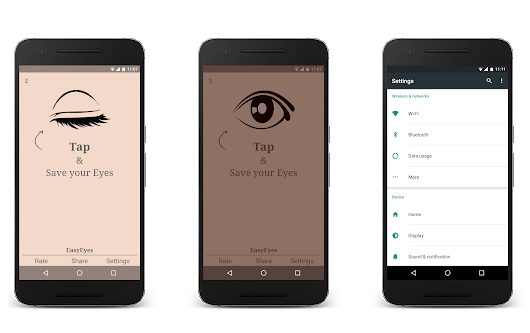
Easy Eyes, as the name suggests, is gentle on your eyes, allowing you to adjust the brightness and cut down on blue light. The application features include a temperature filter and a cool notification toolbar, providing quick access to the application.
The app also allows you to manually set a different schedule for sunrise and sunset according to your own time and needs. The app is free to download and works great with Android 4.0 versions.
2. Darker
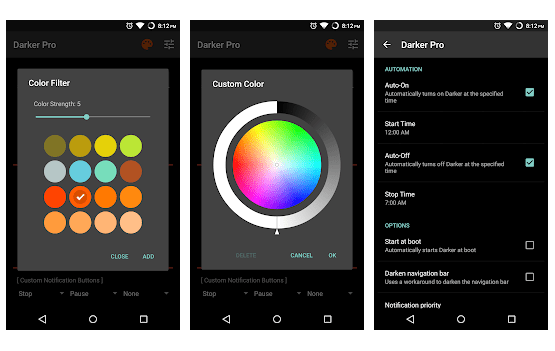
This app functions almost identically to others, but its interface is a bit more elaborate and distinct. The best thing about this app is that it comes with a colour filter and lets you pick from a wide range of different colours. This also lets the users have an excellent dusky filter, but it won’t be the most popular option for nighttime reading.
This app is free to download, but there are some in-app purchases. The app is not entirely accurate for the blue light filter, but it effectively reduces brightness by 20%.
3. Twilight
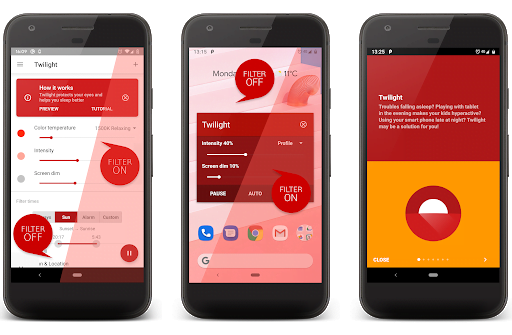
This app has been there for quite some time now even after Google made a few changes to certain Android versions. The best thing about this app is that it adjusts the light depending on the surrounding, which means if you are in Daylight, it will adjust the brightness accordingly and vice versa with Nighttime.
It is fit for every screen and all the display types and also works amazingly as far as the blue light feature is concerned.
4. Blue light filter and Night mode
The name of the application is somewhat predetermined by the features it would have or the services it would offer to its users. The best thing about this app is that it utilises a combination of five anti-glare blue light filters, ideal for reducing the strain on your eyes during bedtime reading.
There is also a temperature palette available which works as an alternative for the night mode present on all phones. It also has a dim light feature which works amazingly for nighttime purposes. It works great on all Android cell phones. This app also works great to save the battery of your smartphone.
5. Night shift
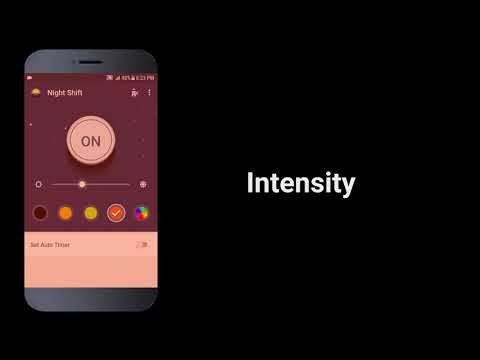
The primary reason to download the Nightshift app is to conserve battery, as the developers claim it can save up to 15% of battery life. The brightness gets dimmed automatically when the phone is not in use. It also allows you to adjust and set the auto timer option whenever you need to use certain features of the application.
This app is great for nighttime reading, as it features an automatic blue light filter. This is free of cost, so users can download it anywhere from App Stores like ACMarket and Play Store.
In the end, I would like to suggest that you try not to use your phone for reading purposes at night, but if it is something work-related, surely download one of the above-mentioned applications for strain-free reading.