Google has begun rolling out a significant update to Google Calendar that changes how secondary calendar ownership is handled, ensuring users can no longer accidentally lose access to their own calendars.
The update addresses a long-standing issue familiar to many users: secondary calendars created for side projects, temporary teams, or short-term planning often fade into obscurity once their original purpose ends. In some cases, owners could effectively lose track of these calendars entirely. With the new change, Google aims to make calendar ownership clearer, more persistent, and easier to manage.
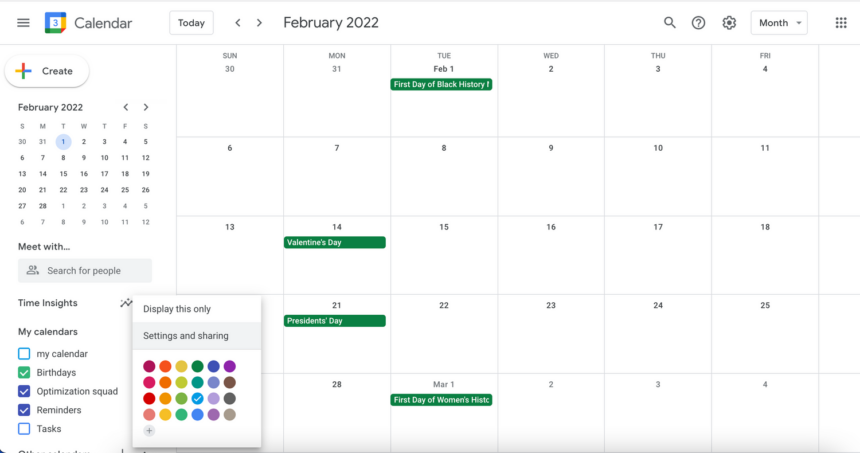
Under the update, all secondary calendars owned by a user will now always appear in the calendar list within Google Calendar’s settings. Even if a calendar is not currently pinned or visible in the main calendar view, owners will retain permanent access to it through settings, where they can manage permissions, sharing, and the calendar’s overall lifecycle.
Building on a New Ownership Model
This rollout expands on a November 2025 update in which Google introduced a dedicated ownership model for secondary calendars. That earlier change ensured each calendar has a clearly defined owner responsible for access control and long-term maintenance.
The latest update makes that ownership more visible. Secondary calendars are now highlighted in the settings panel, giving owners the option to display them in the main calendar list using a simple toggle or keep them hidden while still retaining control.
If a calendar is no longer needed, owners can delete it entirely-removing it for all subscribers-or transfer ownership to another user. This allows the original owner to step away while ensuring the calendar remains active for others who still rely on it.
Limits and Gradual Rollout
Google notes that this update will not affect most users, but it does recommend limiting calendar ownership to no more than 100 calendars per account. For users who exceed that number, calendars will be reintroduced into the settings list gradually rather than all at once.
The feature is rolling out slowly, beginning this week and expected to be widely available by mid-February. It applies to both Google Workspace customers and users with personal Google accounts.
While subtle, the update brings clearer accountability and reduces the risk of abandoned or inaccessible calendars-particularly for users who rely heavily on Google Calendar to manage work, projects, and shared schedules.