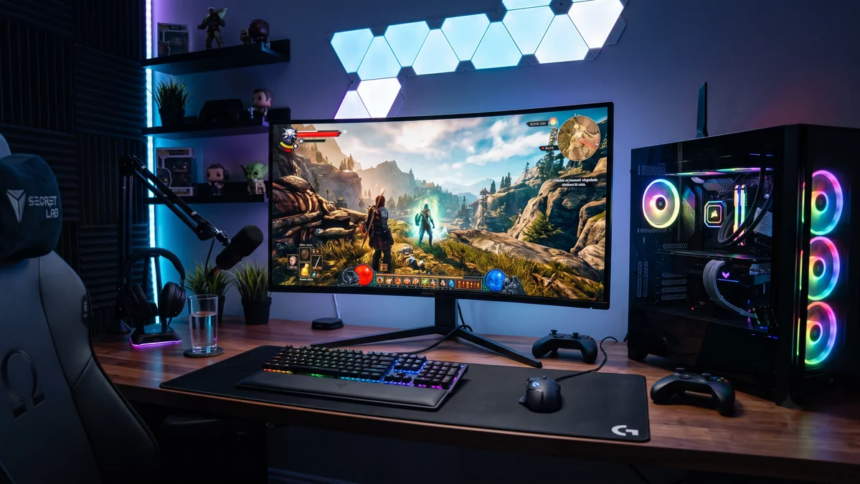
If you’re a PC gamer planning to make the jump to 4K gaming, you already know that 3840 × 2160 resolution delivers a major upgrade in image quality and detail. But that extra detail comes at a cost.
A 4K image contains around 8.3 million pixels, which is four times the pixel count of a 1920 × 1080 Full HD image. Rendering all those pixels at high settings puts considerably more workload on the GPU, while high-resolution textures, ray tracing, frame generation, and modern game engines can further increase VRAM usage.
That raises an important question for anyone building or upgrading a gaming PC: how much VRAM do you actually need for smooth 4K gaming in 2026?
The short answer is that 12GB can handle 4K in many games, 16GB is the sweet spot for most high-end 4K gaming, and 20GB or more makes sense for enthusiasts who want maximum settings and better long-term headroom.
Why 4K Gaming Uses So Much VRAM
The jump from Full HD to 4K is significant.
A 1920 × 1080 image contains about 2.1 million pixels. At 3840 × 2160, that number rises to approximately 8.3 million.
That doesn’t mean a game automatically needs four times as much VRAM. VRAM usage depends on many other factors, including texture resolution, anti-aliasing, rendering features, frame buffers, lighting data, ray tracing, and the game engine itself.
Modern games also use multiple data buffers to render complex scenes. These can contain color, depth, lighting, shadow, motion and other information that the GPU needs while generating each frame.
High-Resolution Textures Are a Major Factor
Textures are one of the biggest contributors to VRAM usage.
A 4K monitor does not necessarily require 4K textures, but developers increasingly provide high-resolution texture assets designed to preserve detail at higher display resolutions. Large texture packs can consume several gigabytes of VRAM on their own.
This is why lowering texture quality can sometimes make a bigger difference to VRAM usage than reducing settings such as shadows or post-processing.
Ray Tracing Can Increase VRAM Usage
Ray tracing adds another layer of demand.
Games using hardware-accelerated ray tracing need additional data structures to calculate how light interacts with objects in a scene. One important component is the Bounding Volume Hierarchy (BVH) used to accelerate ray intersection calculations.
Path tracing can push requirements even further because it simulates considerably more complex lighting.
As a result, a game that runs comfortably within a particular VRAM limit using traditional rasterization may require substantially more memory with ray tracing or path tracing enabled.
Does DLSS or FSR Reduce VRAM Usage?
Technologies such as NVIDIA DLSS, AMD FSR, and Intel XeSS can reduce the GPU’s rendering workload by generating the final image from a lower internal resolution.
For example, a game displayed at 4K might internally render at a lower resolution and then upscale the image to 3840 × 2160.
This can significantly improve GPU performance, but it does not eliminate VRAM requirements.
The game still needs to store textures, geometry, lighting data and other assets. Features such as frame generation can also introduce additional buffers and processing requirements.
In other words, upscaling is primarily a performance solution. It should not be treated as a replacement for having enough VRAM.
Is 12GB VRAM Enough for 4K Gaming?
Yes, but with limitations.
A 12GB graphics card can play many games at 4K, particularly competitive titles, older AAA games and better-optimised releases.
Games such as Valorant, Overwatch 2, Rainbow Six Siege and many older titles are unlikely to make 12GB a major limitation at 4K.
The situation changes with newer AAA games.
At maximum settings, especially with high-resolution textures, ray tracing or path tracing enabled, some demanding games can approach or exceed 12GB of VRAM usage.
When that happens, you may need to adjust a few settings.
With 12GB, You May Need to:
- Use DLSS, FSR or XeSS.
- Reduce texture quality from Ultra to High.
- Lower or disable ray tracing.
- Avoid the highest path-tracing presets.
- Adjust other graphics settings when necessary.
The important point is that 12GB does not mean you cannot play at 4K. It simply gives you less room to run every setting at its maximum level.
Is 16GB Enough for 4K Gaming?
For most PC gamers, 16GB is a more comfortable target for 4K gaming.
It provides considerably more memory headroom than 12GB, giving modern AAA games more room for high-resolution textures and advanced rendering features.
A 16GB GPU can also be a better choice if you plan to keep your graphics card for several years.
However, VRAM capacity is only one part of the equation.
A graphics card with 16GB of VRAM can still struggle to render demanding games at native 4K if its GPU is not powerful enough. More VRAM does not automatically translate into higher FPS.
Think of VRAM as a workspace. Having more workspace helps prevent memory limitations, but the GPU still needs enough processing power to render the game.
What About 20GB or More?
For enthusiasts, 20GB or more of VRAM provides excellent headroom for 4K gaming.
This becomes particularly useful if you want to combine:
- Native 4K rendering
- Ultra texture quality
- Ray tracing
- Path tracing
- High-quality shadows
- Frame generation
- Large texture packs
- Long-term GPU ownership
High-end graphics cards with large VRAM capacities are designed for demanding workloads, and the extra memory can become increasingly useful as games become more complex.
That said, spending extra money solely for VRAM is not always the right move. A faster GPU with 16GB can be a better gaming choice than a slower GPU with 24GB, depending on the games and settings you use.
What Happens When a Game Runs Out of VRAM?
When a game needs more graphics memory than the GPU has available, the system may have to move some data between VRAM and system memory.
Your PC’s system RAM is significantly slower for this workload, and transferring data between system RAM and the GPU over PCIe introduces additional latency.
The result can be noticeable during gameplay.
Common Signs of a VRAM Limitation
You may experience:
- Stuttering and inconsistent frame times
- Sudden drops in minimum FPS
- Texture pop-in
- Delayed texture loading
- Blurry textures
- Longer loading times
- Severe performance drops in demanding scenes
- Occasional crashes in extreme situations
However, it’s important not to assume that every stutter is caused by insufficient VRAM. Shader compilation, CPU limitations, game-engine issues, storage performance and driver problems can also cause stuttering.
Does 4K Always Need More VRAM Than 1440p?
Generally, yes, but the difference is not as straightforward as simply multiplying the VRAM requirement by four.
Resolution affects the size of frame buffers and some other rendering resources. However, texture memory can remain similar between 1440p and 4K if the same texture assets are being used.
This is why a game might show a relatively modest increase in VRAM usage when moving from 1440p to 4K, while another game could consume substantially more.
Graphics settings matter just as much as resolution.
VRAM Requirements by Gaming Scenario
| Gaming Scenario | Recommended VRAM |
|---|---|
| 1080p competitive gaming | 8GB |
| 1440p gaming | 12GB |
| 4K gaming with adjusted settings | 12GB |
| 4K high/Ultra gaming | 16GB |
| 4K with heavy ray tracing | 16GB+ |
| 4K enthusiast gaming | 20GB+ |
| 4K path tracing and maximum settings | 20GB+ |
These are practical guidelines rather than strict requirements. Actual VRAM usage varies considerably between games.
How Much VRAM Do You Really Need for 4K?
The answer depends on the type of 4K gaming experience you want.
12GB: Entry Point for 4K
12GB is workable for 4K gaming, especially if you play competitive games, older AAA titles or are comfortable using upscaling and adjusting demanding settings.
It is not the ideal capacity if your goal is to run every new AAA game at maximum settings for years without making compromises.
16GB: Best Balance for Most Gamers
16GB is the sweet spot for serious 4K gaming.
It gives you more room for high-resolution textures and demanding graphics settings while offering a good balance between performance, price and future headroom.
For most gamers buying a modern high-end GPU for a 4K monitor, 16GB is a sensible target.
20GB or More: Enthusiast Choice
If you want the freedom to push demanding games as hard as possible, 20GB or more is the safer long-term option.
This is particularly relevant for gamers interested in native 4K, maximum texture settings, heavy ray tracing and path tracing.
But remember that these workloads also require a powerful GPU. Large VRAM capacity alone cannot make a graphics card fast enough for native 4K gaming.
VRAM Is Not the Same as GPU Performance
One of the biggest mistakes when shopping for a graphics card is judging performance solely by VRAM capacity.
For example, a GPU with 24GB of VRAM is not automatically faster than a GPU with 16GB.
VRAM capacity determines how much graphical data the card can hold, while the GPU’s architecture, compute resources, memory bandwidth, clock speeds and other factors determine how quickly it can process that data.
The ideal 4K graphics card therefore needs both sufficient VRAM and enough raw GPU performance.
Should You Buy a 12GB, 16GB, or 20GB+ GPU?
For a new 4K gaming PC in 2026, the choice is relatively straightforward.
Choose 12GB if you want to spend less and are comfortable using DLSS, FSR or reduced graphics settings in demanding games.
Choose 16GB if you want the best balance for modern 4K gaming and expect to keep your GPU for several years.
Choose 20GB or more if you’re an enthusiast who wants maximum texture quality, advanced ray tracing and path tracing with as few compromises as possible.
There is no universal VRAM requirement for 4K gaming because games vary dramatically in their memory demands.
Still, the current landscape makes the buying decision fairly simple:
- 12GB: Enough for 4K with some compromises.
- 16GB: Recommended for most 4K gamers.
- 20GB+: Best for enthusiasts and demanding ray-tracing workloads.
For most people building a new 4K gaming PC, 16GB is the target capacity. It offers enough headroom for modern games without requiring you to pay a premium solely for an extremely large VRAM buffer.
If your goal is to play the latest AAA games at native 4K with Ultra settings, heavy ray tracing and path tracing, however, stepping up to 20GB or more can provide valuable extra headroom.
Ultimately, don’t buy a graphics card based on VRAM alone. Look at the GPU’s actual 4K performance, VRAM capacity, memory bandwidth, ray-tracing performance and the games you play. A well-balanced GPU will deliver a much better 4K experience than a card that simply has a larger number printed next to its VRAM specification.