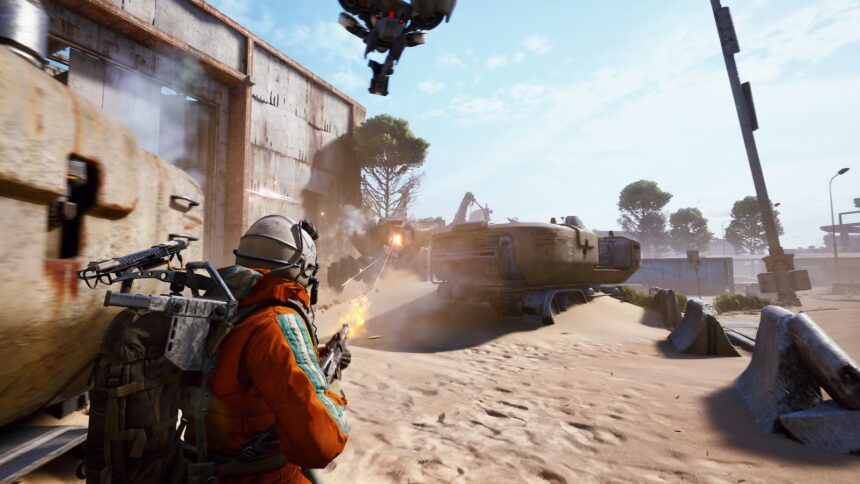
Microsoft’s August 2026 security update for Windows 11 is causing compatibility issues for some PC gamers, with reports of crashes affecting titles such as ARC Raiders and The Finals.
The update, KB5121003, was released on August 11 as a mandatory security package. It brings Windows 11 version 25H2 to Build 26200.9168 and version 24H2 to Build 26100.9168.
Although Microsoft says it is not currently aware of any problems with the update, developer Embark has confirmed that a Windows change is responsible for at least some of the crashes affecting its games.
Embark confirms Windows update issue
Embark, the studio behind ARC Raiders and The Finals, acknowledged the problem after players began reporting crashes following installation of KB5121003.
The company said its investigation identified a connection to inpoutx64.sys, a third-party kernel-level driver used by certain hardware utilities and other software.
According to Embark, the Windows update changed how the driver operates, resulting in crashes for some players. Reported errors include “Hang detected on GameThread” and EXCEPTION_ACCESS_VIOLATION.
Some players have also reported that their systems restart unexpectedly when the game crashes.
Razer software may be one source of the driver
The inpoutx64.sys driver is not part of Windows itself. It can be installed by third-party applications, including certain hardware monitoring and control utilities.
Some ARC Raiders players investigating their crashes found that the driver had been installed through Razer software. Disabling the associated service reportedly stopped the crashes on some affected systems.
Embark has provided a more extensive temporary workaround that removes the driver from affected PCs while the studio works on a permanent solution.
The workaround involves stopping and deleting the inpoutx64 service through an elevated Command Prompt and then removing inpoutx64.sys from the Windows drivers folder.
Players should be cautious when removing system-level drivers and should follow Embark’s official instructions rather than deleting unrelated files.
Other games may also be affected
The problem does not appear to be limited to ARC Raiders. Reports have emerged from players experiencing crashes in other games after installing KB5121003, including Marvel Tōkon: Fighting Souls.
There are also early reports involving anti-cheat software, although the extent of the problem remains unclear.
Some users have reported that uninstalling KB5121003 restores normal operation, further suggesting that the Windows update is involved. However, removing a security update leaves a PC exposed to the vulnerabilities it was designed to address, making that option less desirable while Microsoft and affected developers investigate.
Graphics problems are also being reported
Game crashes are not the only complaints appearing after the August update.
Some Windows 11 users have reported unexpected changes to display refresh rates, black screens and problems with HDR. These reports are still emerging, and Microsoft has not officially confirmed that they are caused by KB5121003.
Microsoft’s release notes currently list no known issues for the update.
The situation therefore remains limited to specific configurations rather than affecting every Windows 11 PC. Testing has also shown that many systems continue to operate normally after installing the August security package.
A permanent fix is still in development
Embark says it is working on a long-term solution for the inpoutx64.sys compatibility problem. Until then, affected players have the temporary workaround provided by the studio.
The issue highlights a recurring challenge with Windows updates: changes made for security or system stability can sometimes conflict with older third-party drivers operating at a low level of the operating system.
For players who rely on ARC Raiders or other affected games, the safest approach is to monitor updates from Embark and Microsoft before making major changes to Windows security components or removing the latest cumulative update.