Torrenting continues to be one of the most reliable ways to share and download files online. Although streaming platforms, apps like Kodi, and various streaming websites have gained popularity over time, the BitTorrent system still remains widely used by many people around the world.
To download files through this method, you need a dedicated application known as a torrent client or torrent downloader. This software connects your device to a decentralised network, allowing you to download and share files directly with other users instead of relying on a single server.
The BitTorrent technology was originally developed by Bram Cohen, and over the years, many torrent clients have been built using this system. One of the biggest advantages of these tools is that most of them are free, making it easy for users to choose one that fits their needs based on features, speed, and ease of use.
Below is a list of some of the best torrent clients currently available.
Best Torrent Clients
1. uTorrent
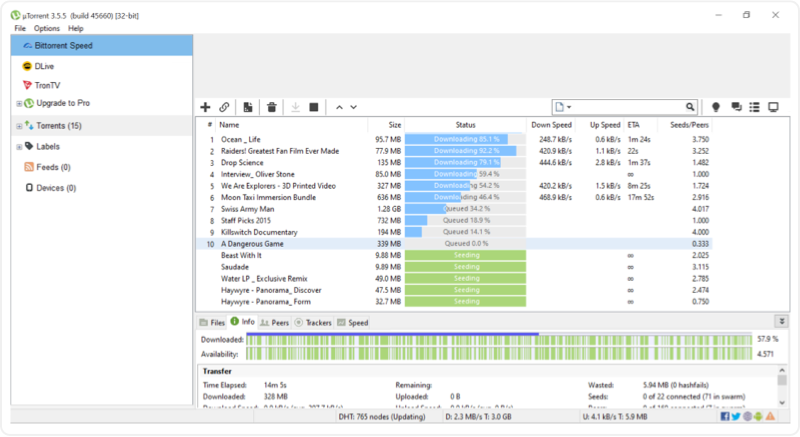
uTorrent was launched in 2005 and has since become one of the most widely recognised torrent clients. Often referred to as “micro-torrent,” it has earned its popularity thanks to its lightweight design and simple interface.
One reason many users prefer uTorrent is its small size. The program takes up very little storage space-around 1 MB-yet still offers all the essential features expected from a full-fledged torrent downloader. It supports fast downloading and stable seeding, performs on par with other major clients, and runs smoothly without slowing down your computer.
Another useful feature is its ability to automatically download torrents from RSS feeds. It also allows users to create and share their own torrent files, making it a flexible option for both beginners and experienced users.
2. BitTorrent
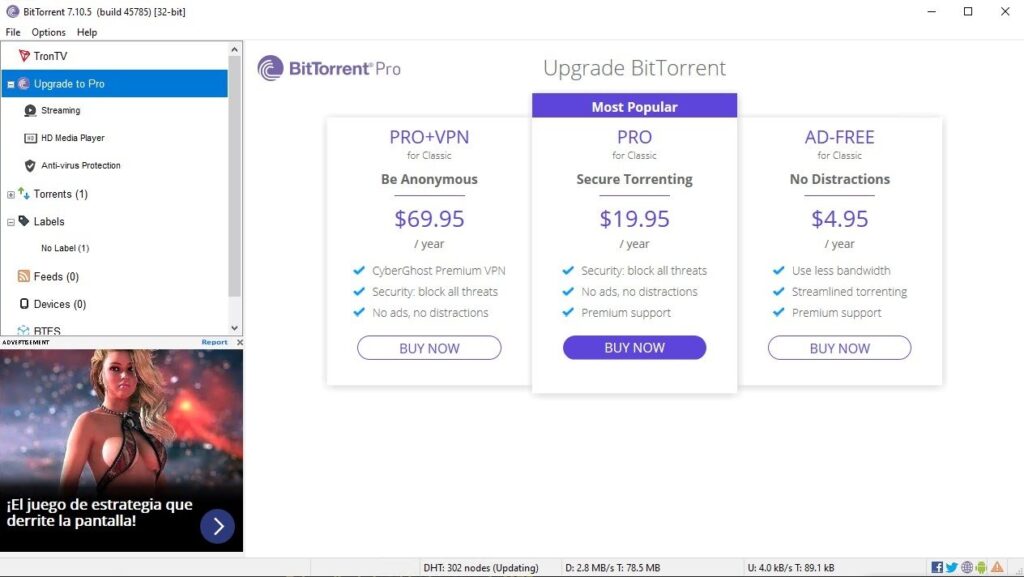
BitTorrent is one of the earliest and most recognised names in the torrent world. It is available for Windows, macOS, and Linux, making it a flexible option for users across different platforms.
The software offers a clean and easy-to-use interface while still including several useful features. Users can protect the client with a password, control downloads remotely through a web interface, and even access content using the built-in browser. Despite these capabilities, BitTorrent is designed to run efficiently, using minimal CPU and memory so it doesn’t slow down your system.
For more advanced users, the client includes additional customisation options. You can assign a specific network interface, enable privacy-focused features like incognito mode, and adjust various performance settings. One notable feature is the UI lock, which can be activated by clicking the yellow padlock in the top-right corner. Once enabled with a password, it prevents others from accessing or using the client without permission.
3. Vuze
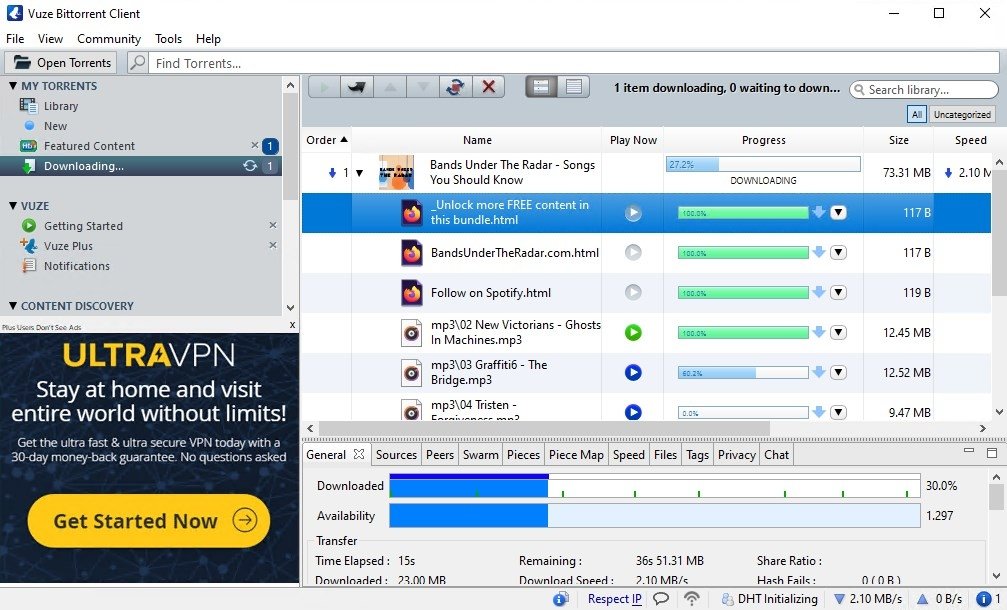
Vuze is one of the more powerful torrent clients available today, making it a solid option for both new users and experienced downloaders. Previously known as Azureus, this free software offers a wide range of tools that go beyond basic torrent downloading.
During installation, users can customise several settings to match their preferences. One of Vuze’s standout features is its built-in search capability, along with an integrated browser and media player. This lets you find torrents and preview or play content without additional software.
Vuze also offers convenient remote management. You can control downloads from a web browser or an Android device, giving you access even when you’re away from your computer. Another useful feature is its iTunes integration-downloaded media can be moved into a designated folder that automatically adds the files to your iTunes library.
Automation is another area where Vuze stands out. The program can be set to perform actions once downloads or seeding tasks are complete, such as:
- Hiding or minimising the application
- Shutting down your computer
- Running a specific program
In addition, Vuze supports media conversion and can transfer files to devices connected to the same local network (LAN), making it easier to watch or use your downloads on other devices.
4. Deluge
Deluge is a free, open-source torrent client that may seem simple at first, but it offers a powerful, flexible download experience. Designed to be lightweight, it focuses on efficient torrent downloading without unnecessary extras or heavy system usage.
Despite its minimal look, Deluge includes several useful built-in features. These include support for encryption, global and per-torrent bandwidth limits, and local peer discovery to improve download performance. It is built to run smoothly while giving users enough control to manage their downloads effectively.
One of Deluge’s biggest strengths is its plugin system. Users can expand its functionality with a wide range of official and third-party extensions. Available plugins add features such as:
- A download scheduler
- Web-based remote access
- Detailed statistics and monitoring
- Email notifications
- Automatic RSS downloading
Another advantage is that Deluge is completely ad-free and free of bundled software, keeping the interface clean and distraction-free.
The client is available on multiple platforms, including Windows, macOS, Linux, and FreeBSD, making it a versatile option for different systems.
5. FrostWire
FrostWire is a versatile torrent client that makes finding and downloading files simple and convenient. One of its standout features is the ability to search for torrents across multiple websites simultaneously, saving users the effort of visiting each source individually.
The software is free and beginner-friendly, with a clean interface that makes navigation easy. You can open torrent files directly from your device or start downloads using a URL or magnet link. FrostWire also lets you refine search results by factors like the number of seeders and file size, helping you choose faster, more reliable downloads.
Beyond torrenting, FrostWire includes built-in access to various online radio stations. Users can listen to music directly within the app and even add their own custom radio streams if they prefer specific stations.
FrostWire works across several platforms, including Windows, macOS, Ubuntu, and Android, making it a flexible option for both desktop and mobile users. The platform also offers a community chat feature where users can connect, share information, and get help from other FrostWire members.
6. Web torrent
WebTorrent is one of the easiest torrent clients available, making it a great choice for users who prefer a simple and straightforward experience. It’s especially useful for those who don’t want to deal with complex settings or advanced features.
Getting started is quick and easy. All you need to do is paste a torrent link or magnet URL into the main window, and the download begins right away. There’s no complicated setup, which makes it ideal for beginners or anyone looking for a hassle-free way to download files.
One of the biggest reasons for WebTorrent’s popularity is that it can run directly inside a web browser, meaning there’s no need for installation. This makes it convenient to use across different devices without taking up storage space.
WebTorrent also comes with a built-in media player, allowing you to stream videos or watch movies while they are still downloading. You can easily add external subtitle files, and the client also supports streaming content to devices like Chromecast, making it useful for home entertainment.
7. Transmission
Transmission has earned a strong reputation over the years, especially among Mac and Linux users. It originally started as a BitTorrent client designed only for these platforms and quickly became popular, particularly on macOS, where it was one of the earliest torrent applications available.
One of the main reasons users appreciate Transmission is its clean and visually appealing interface. The design is simple, uncluttered, and easy to navigate, making it a great option for those who prefer a smooth and distraction-free experience. It also includes notification support, allowing users to stay informed about download progress and completed files.
Despite its lightweight appearance, Transmission offers several useful features. These include global and per-torrent speed limits, watch folders that automatically add new torrent files, support for BitTorrent encryption, and options to edit trackers. While it may not include as many advanced tools as some competitors, it delivers everything most users need for fast, reliable downloading.
Transmission also supports optional extensions that can expand its capabilities. For example, users can integrate it with tools like Kodi or enable RSS feeds to automatically download new content.
There was a security incident in the past when a compromised installer briefly circulated online. However, the issue was quickly addressed, and the client continues to maintain a solid reputation among users.
The software is open-source and completely free, and it is available across multiple platforms, including macOS, Linux, Windows, FreeBSD, and Gentoo. With its balance of simplicity, performance, and stability, Transmission remains a dependable choice for everyday torrent use.
8. qBittorrent
qBittorrent is a free, open-source torrent client that is often seen as a reliable alternative to uTorrent and similar programs. It is designed to offer powerful features without ads or unnecessary extras, making it a popular choice for users who want a clean, efficient download experience.
The software works across multiple operating systems, including Windows, Linux, FreeBSD, and others, ensuring flexibility no matter what platform you use.
Features of qBittorrent
- Clean and familiar interface: The layout is simple and user-friendly, with a design similar to uTorrent, making it easy for new users to get started.
- Built-in search engine: You can search for torrents directly within the client. The search feature can be expanded through plugins, allowing access to multiple sources.
- RSS support with smart filters: Users can subscribe to RSS feeds and set rules to automatically download content based on specific criteria.
- Remote access via web interface: The web-based control panel, built with AJAX, allows you to manage downloads from another device or location.
- Advanced torrent management: You get detailed control over torrents, trackers, bandwidth limits, and connected peers.
- Torrent creation tool: qBittorrent lets you easily create and share your own torrent files.
- IP filtering support: Compatible with eMule and PeerGuardian formats to block unwanted or risky connections.
- IPv6 compatibility
- Automatic port configuration: Supports UPnP and NAT-PMP for smoother connectivity and better download performance.
Important Privacy and Safety Notes
When using torrent clients, it’s important to understand that files are shared across multiple users’ devices. This means your connection is visible to others on the network, raising privacy concerns. Many users choose to use a VPN to add an extra layer of protection while torrenting.
It’s also important to follow local laws and avoid downloading copyrighted or illegal content. Torrent clients themselves are legal tools, but how they are used matters.
Choosing the Right Torrent Client
Torrent clients vary in what they offer. Some are open-source and lightweight, others include advanced tools, and a few rely on ads in their free versions. Choosing a trusted client like qBittorrent helps reduce the risk of malware or unwanted software.
Unlike regular file downloads, torrents work through a peer-to-peer system, so using a secure and reliable client is essential for both performance and safety.