
Meta and OpenAI have introduced two AI agents within weeks of each other, and on paper, they can look surprisingly similar.
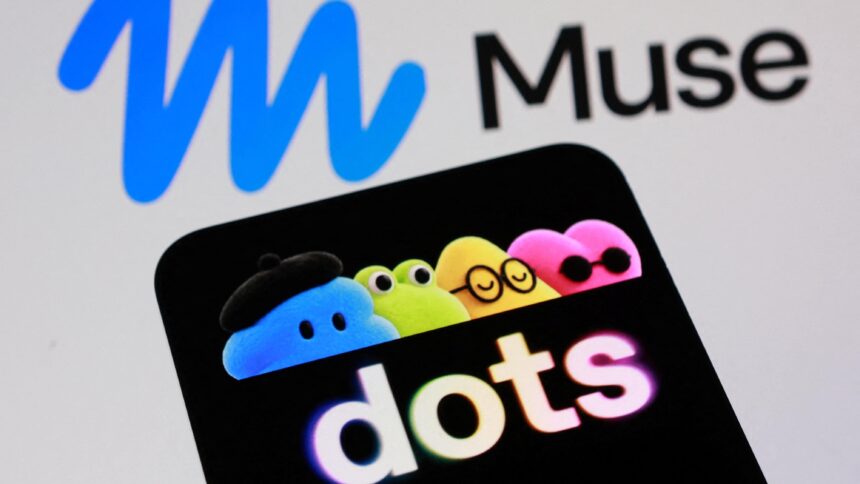
Meta launched Muse on September 8 as a personal AI agent with access to its own cloud computer. The agent can continue working on tasks even after you close the app. Just three weeks later, OpenAI announced Dots at DevDay 2026 in San Francisco, bringing always-on AI agents to ChatGPT, each with its own cloud computer and browser.
That basic architecture makes the two products easy to compare. Both can work in the background, interact with external services and return to you when they need approval.
Beyond those similarities, however, Muse and Dots are built for very different audiences. Meta is making Muse available with a free starting tier and targeting consumers and small businesses. OpenAI is positioning Dots as a professional and business tool, with access starting at $100 per month through ChatGPT Pro.
Here’s how Meta Muse and ChatGPT Dots compare, including their features, pricing, integrations and intended users.
Meta Muse vs ChatGPT Dots: Key Differences
| Feature | Meta Muse | ChatGPT Dots |
|---|---|---|
| Starting price | Free | $100/month |
| Main audience | Consumers and small businesses | Professionals, teams and organizations |
| AI model | Muse Spark | GPT-6 Astra |
| Cloud computer | Muse Secure VM | Dedicated cloud computer |
| Browser access | Yes | Yes |
| Background operation | Yes | Yes |
| Platforms | iOS, Android, web | Web, desktop, mobile |
| External integrations | Business and productivity services | More than 4,000 apps |
| Permissions | Sentinel | Custom rules, approvals and auto-review |
| Multiple agents | Not the main focus | Specialist dots are planned |
| Voice access | Supported through Meta ecosystem | Available |
Both agents are designed around the idea that an AI system can continue working after you leave it. They can also pause when they reach an action that needs your approval.
That approval layer is important. Giving an AI agent access to accounts, files, communications or business services creates obvious risks, so both Meta and OpenAI have built controls around sensitive actions.
What Is Meta Muse?

Meta Muse is the company’s personal AI agent designed to handle tasks rather than simply answer questions.
Instead of having a traditional back-and-forth chat, you give Muse a goal. That could involve managing parts of a business, finding potential customers or handling logistical work. Muse can then create a plan, continue working after you close the app and notify you when it needs additional information or approval.
One of its defining features is the Muse Secure VM. This dedicated cloud environment gives the agent its own computer and browser, allowing it to operate independently while keeping its work and data inside that environment.
You can customize Muse with a name, avatar and communication style. You can also watch its browser activity and control what it can access through Sentinel, Meta’s permissions system.
Sentinel separates read and write permissions, giving users more control over what Muse can see and what actions it can perform.
Meta Muse Integrations
Meta has been expanding Muse beyond its original personal-agent concept.
The service now supports macOS app control and has its own email address. Meta has also added support for interacting with Muse through its smart glasses.
The company has announced integrations and commerce partnerships involving services such as Stripe, Shopify, Walmart, Expedia and Instacart.
Muse for Small Business expands its capabilities further with connectors for services including:
- Asana
- Box
- Canva
- Dropbox
- Figma
- QuickBooks
- Notion
- Shopify
- Slack
- Stripe
- Zoom
- Facebook business accounts
- Instagram business accounts
These integrations are capabilities within Muse rather than separate AI agents.
Muse Permissions and Privacy Concerns
The broader access given to autonomous AI agents also creates new risks. Muse has already attracted scrutiny over how it behaves when users give it broad permissions. Reports surrounding a Marketplace interaction highlight why users need to understand exactly what an AI agent is allowed to access and change.
The convenience of letting an agent handle tasks comes with a corresponding need to carefully manage its permissions.
What Are ChatGPT Dots?

OpenAI’s Dots use a similar always-on approach but target a different part of the market. During DevDay, OpenAI CEO Sam Altman described Dots as highly capable agents designed to keep working in the background. Each Dot is powered by GPT-6 Astra and receives its own cloud computer and browser.
A Dot can be assigned a longer-running objective, such as monitoring a business pipeline, managing a recurring workflow or researching a topic over several days.
After receiving the task, it can continue working without requiring constant interaction. It can send progress updates and stop to request your input when it reaches a predefined boundary.
Dots can also learn user preferences over time. Some read-only tools can be used for background research, while OpenAI keeps particularly sensitive actions under human control. Changing passwords, for example, still requires the user.
ChatGPT Dots Integrations
Dots can connect to more than 4,000 apps through ChatGPT’s plugin ecosystem.
They can be accessed through ChatGPT on the web, desktop and mobile. OpenAI is also bringing them to workplace platforms such as Slack and Microsoft Teams.
ChatGPT Space provides a shared environment where people and Dots can collaborate on projects.
At launch, users receive one primary Dot that can be named and customized with an avatar. OpenAI has also previewed specialist Dots designed for businesses and is working with Microsoft to bring them under Agent 365’s management and security controls.
The longer-term concept is a workplace where multiple specialized agents can handle different responsibilities alongside human employees.
Who Can Use ChatGPT Dots?
ChatGPT Dots are currently aimed at paying professional and business users. They are rolling out to eligible ChatGPT Pro and Business Premium subscribers, while Enterprise, Edu and Healthcare workspaces can access an admin-enabled beta.
Free and Plus subscribers cannot currently use Dots.
ChatGPT Pro 100 starts at $100 per month, with Pro 200 and Pro 500 tiers also available. Business Premium costs $125 per user per month.
OpenAI has also noted that Pro subscribers in the European Economic Area, Switzerland and the UK cannot currently access Dots.
That pricing and availability make the intended audience fairly clear. Dots are not being positioned as a general-purpose feature for every ChatGPT user.
Meta Muse vs ChatGPT Dots: The Biggest Difference
The most important difference between Muse and Dots isn’t necessarily their underlying technology. It’s who the companies are building them for.
Meta Muse starts at $0, making it accessible to consumers who want to experiment with autonomous AI without taking on another major subscription.
Meta is also building Muse around the idea of an individual AI assistant. Its mobile apps, customizable personality, Feed and Goals features, Muse Charm companion device and smart-glasses support all fit into that approach.
OpenAI is taking a more workplace-focused route with Dots.
The $100 starting price puts Dots firmly in the professional category. Rather than treating the agent as another standalone consumer service, OpenAI has made Dots part of ChatGPT and is connecting them to tools that professionals and businesses already use.
Slack, Microsoft Teams, ChatGPT Space and planned specialist Dots all point toward collaborative work between humans and AI agents.
So while both products use dedicated cloud computers and can continue working without the user keeping the app open, their overall product strategies are different.
Meta Muse vs ChatGPT Dots: Which One Fits You?
The answer largely depends on what you need from an AI agent.
Meta Muse
Muse is aimed at people who want to experiment with autonomous AI without paying a large monthly subscription.
Its free starting tier makes it easier for individual users to try the technology. Its growing collection of small-business integrations also gives it uses beyond basic personal tasks.
The main consideration is permissions. If you’re giving an autonomous agent access to email, business accounts, communications or other services, you need to pay close attention to what it can read and what it can change.
ChatGPT Dots
Dots are designed more clearly around professional workflows.
The high entry price means they are not intended for most users as a casual AI experiment. They make more sense within professional or business environments where an always-on agent can handle recurring work, research or monitoring tasks.
The integration with ChatGPT, Slack, Microsoft Teams, and thousands of external apps also makes Dots more closely tied to existing workplace processes.
Meta Muse vs ChatGPT Dots: Final Thoughts
Meta Muse and OpenAI Dots arrived only a few weeks apart and share several important features. Both give an AI agent access to a cloud computer and browser, both can continue working in the background and both can pause when they need human approval.
But they aren’t direct substitutes.
Muse is positioned as a broadly accessible personal and small-business AI agent, with a free entry point and a growing collection of consumer and business integrations.
Dots is positioned as a professional, enterprise-focused extension of ChatGPT, with pricing and availability aimed at users who already have a serious business use case for autonomous AI.
The technology may look similar on the outside, but the products target different parts of the AI market. Meta is trying to make an autonomous agent part of everyday digital life, while OpenAI is building Dots around professional workflows and team-based work.
This version keeps the source’s core facts and comparisons but restructures the article for search intent around Meta Muse vs ChatGPT Dots, including pricing, features, integrations, availability, and target users.