Microsoft has revealed a new set of changes aimed at improving how Windows 11 updates work. The main goal is simple: reduce frustration. Based on user feedback, two long-standing issues stood out—updates interrupting at inconvenient times and limited control over when they install.
These updates are part of the broader “Windows K2” effort planned for 2026.
Giving users more control
Updates remain essential for security and performance, but Microsoft is shifting its approach to make them less disruptive. The focus is on four key improvements: skipping updates during setup, more flexible pause options, clearer shutdown choices, and better visibility into what’s being installed.
1. Skipping updates during setup
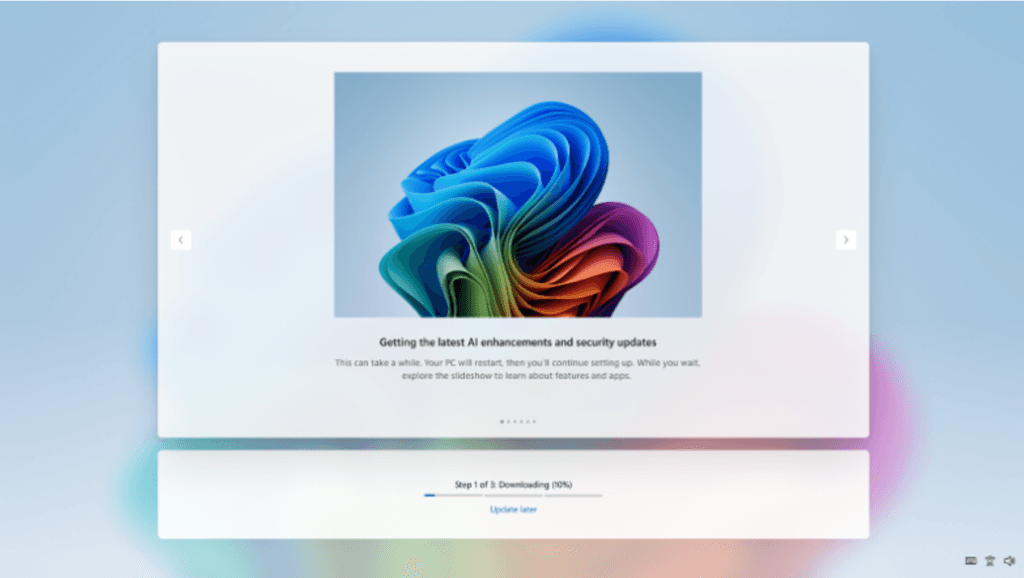
During the initial setup process (OOBE), users can now skip updates. This means you can reach the desktop faster, without waiting for updates to install in the background.
It’s a small but meaningful change. Previously, setting up a new or reset PC could take longer if updates kicked in immediately. Microsoft does note that skipping updates means the system won’t have the latest fixes right away. Also, this option won’t be available for certain managed or business devices, or when updates are critical for functionality.
2. More flexible pause options
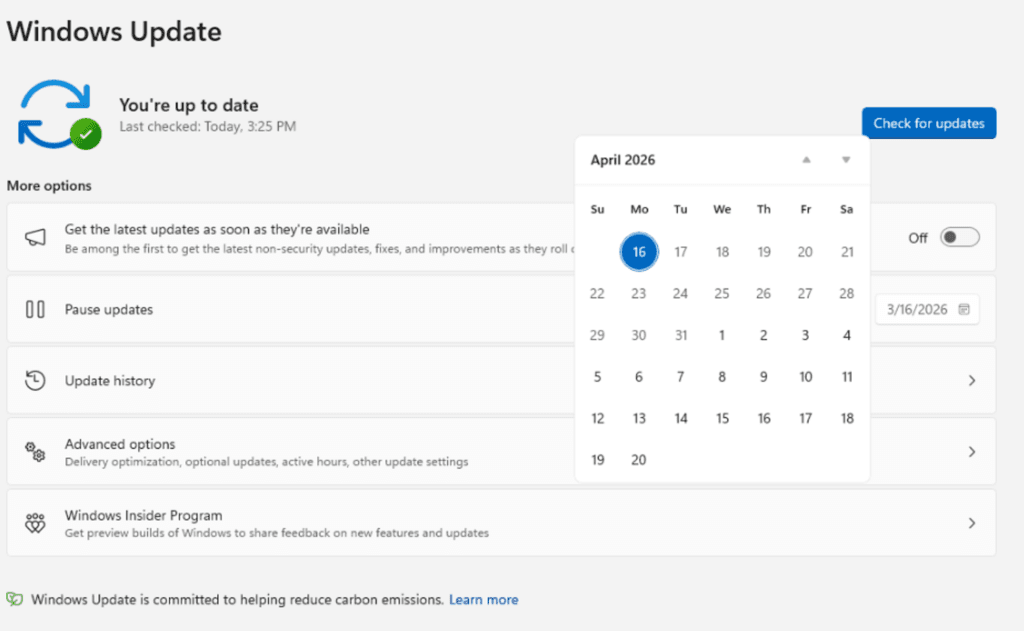
Windows Update will now allow users to pause updates more freely. Instead of fixed options, you can choose a specific date from a calendar—up to 35 days ahead.
Once that period ends, you can extend it again in similar 35-day blocks. This makes it easier to avoid interruptions during busy periods, such as travel, exams, or important work deadlines. Overall, the system becomes more adaptable instead of rigid.
3. Clearer shutdown and restart choices
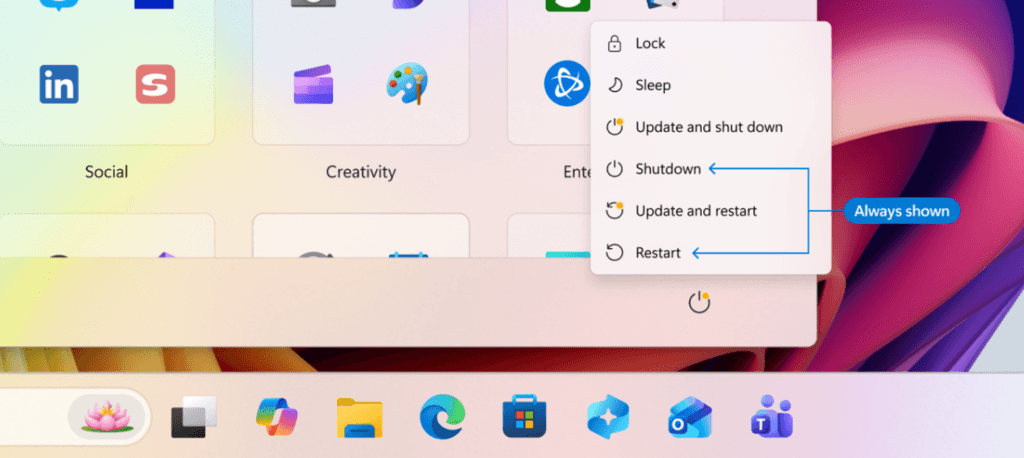
One of the most noticeable improvements is in the power menu. Microsoft is separating standard actions (shut down or restart) from update-related actions.
Even if an update is pending, you’ll still see regular options alongside “Update and shut down” or “Update and restart.” This removes the feeling of being forced into updates when you just want to turn off your PC. Additionally, the system will try to restore previously open apps more quickly after restarting.
4. Better update transparency
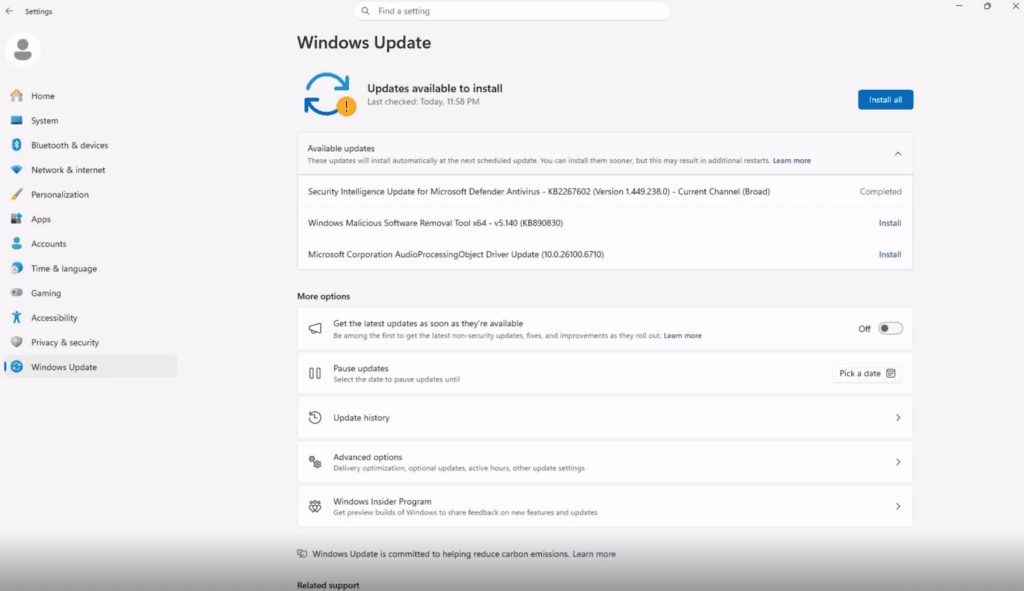
Microsoft is also improving how updates are presented. After simplifying update labels in 2025, users wanted clearer details—especially for drivers.
Now, driver updates will indicate which components they affect, such as display, audio, or battery. While not a major overhaul, this makes it easier to understand what’s changing before installing anything.
Fewer interruptions overall
Another key goal is reducing the frequency of updates that interrupt your workflow. Microsoft plans to group different types of updates—drivers, .NET, firmware, and monthly patches—into a more unified process.
Instead of multiple restarts throughout the month, updates can be downloaded in the background and installed together. Users can still install updates manually if they prefer, but otherwise, Windows will aim for a more predictable schedule.
Security remains a priority
Despite these changes, Microsoft emphasizes that security won’t be compromised. Under its Secure Future Initiative, the company still intends to deliver timely security patches.
At the same time, improvements are being made to handle slower connections, failed installations, and limited device uptime. In some cases, updates might take longer, but the goal is to ensure they complete successfully without requiring user intervention.
These features will first roll out to Insider channels before reaching stable versions of Windows 11. Microsoft also plans to share more details for business environments and administrative controls.
Overall, the direction is clear: updates should still protect your system without feeling intrusive. If these changes work as intended, updating Windows will feel less like a forced task and more like something you manage on your own terms.