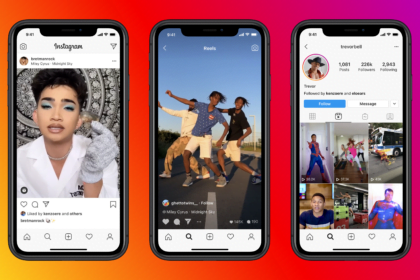
If you’ve ever tried to download videos from Instagram, you’ve probably noticed that the app doesn’t make it easy-especially when it comes to saving other people’s content. Instagram mainly allows you to download your own posts, which can be limiting if you want to save videos for offline use or reuse content elsewhere.
Still, there are a few simple ways to download Instagram videos, both using built-in features and external tools. Here’s a complete and detailed guide.
Can You Download Instagram Videos Directly?
Instagram does offer a basic download option, but it’s limited to your own content, such as:
- Stories you’ve posted
- Reels you’ve uploaded
For anything beyond that, you’ll need to use alternative methods.
How to Download Your Own Instagram Videos
Save Instagram Stories
If you want to save your own Story:
- Open your Story
- Tap the three-dot menu in the bottom-right corner
- Select “Save…”
- Tap “Save video/photo”
The file will be stored directly on your phone.
Save Instagram Reels
To download a Reel you’ve posted:
- Open the Reel
- Tap the three-dot menu
- Select “Save to Camera Roll” (or similar option)
- Confirm the download
Important:
Some videos may be saved without audio, as Instagram restricts downloading certain sounds.
How to Download Other People’s Instagram Videos
Since Instagram doesn’t support this natively, you’ll need to use third-party websites.
- Open Instagram
- Find the video (Reel, Story, Feed, IGTV, or Live replay)
- Tap the three-dot icon
- Select “Copy Link”
This copies the video URL to your clipboard.
Open your browser and go to a downloader site such as:
- SaveInsta
- SnapInsta
- All in One Downloader
Then follow these steps:
- Paste the copied link into the input field
- Click View or Download
- Wait for the video preview to load
- Tap Download Video
- Save the file to your device
The video will usually be stored in your Downloads folder or gallery.
What Content Can Be Downloaded?
Using these tools, you can save:
- Reels
- Feed videos
- IGTV videos
- Stories
- Live recordings (if available)
Some tools may also allow downloads without watermark, which is useful for content reuse.
Although Instagram doesn’t provide a built-in option to download all videos, you still have reliable ways to do it. Saving your own content is quick and easy, while downloading others’ videos requires a simple link-based method.
By following the right steps and using safe tools, you can download Instagram videos effortlessly and use them whenever you need-while staying mindful of privacy and content ownership.