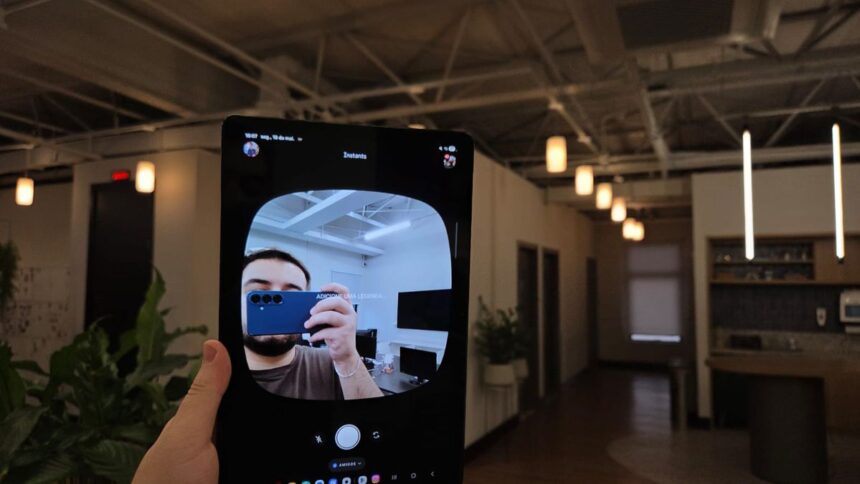
Instagram has quietly introduced a new feature called Instants, a real-time photo-sharing tool that feels like a blend of BeReal and Snapchat. Available both inside Instagram and as a standalone app, Instants encourages users to capture and share unfiltered moments as they happen.
The feature focuses on spontaneous content, allowing users to post photos that disappear after a limited time and can only be viewed once. While still in its early stages, Instants is already attracting attention from users looking for a more casual and authentic way to share updates.
Here is everything you need to know about how to use Instagram Instants, including how to post and delete photos, plus whether there is any difference between using the Instagram app or the standalone version.
What Is Instagram Instants?
Instants is a new Instagram feature designed for sharing real-time photos without editing or overthinking the final result. The concept revolves around capturing what you are doing in the moment and sharing it instantly with friends.
Unlike regular Instagram posts or Stories, photos shared through Instants are designed for single viewing. Similar to Stories, they remain available for 24 hours, but followers can only see them once.
The feature is linked directly to your Instagram account and works with your Friends list, meaning people you follow who also follow you back.
Users can interact with Instants by:
- Reacting with emojis
- Sending replies to photos
- Tapping through images shared by friends
However, there are a few restrictions. You cannot go back to a previous photo, and screenshots are disabled to maintain privacy.
Notifications for reactions appear alongside standard Instagram alerts, similar to likes or Story interactions.
How to Access Instagram Instants
You can use Instants directly through the Instagram app without downloading anything extra.
To access it:
- Open Instagram
- Go to your Direct Messages (DMs) tab
- Tap the Instants shortcut hidden inside the messaging interface
This will take you to the Instants feed, where you can view and share photos.
Alternatively, Meta also offers a dedicated Instants app. Even if you download it, the feature remains connected to your Instagram account, allowing access from both platforms.
How to Post a Photo on Instagram Instants
Posting a photo on Instants is designed to be quick and simple.
Follow these steps:
- Open the Instants interface
- Tap the capture button on the home screen
- Take your photo and publish it instantly
There is no preview screen before posting, which reinforces the feature’s focus on spontaneity. However, users can quickly tap “Undo” immediately after capturing an image if they want to cancel the upload.
Before taking a photo, it is important to prepare your settings since edits are limited.
You can:
- Switch between the front and rear camera
- Turn the flash on or off
- Zoom in or out
- Add a caption by tapping the screen
You should also check your audience settings before posting. A selector below the camera button lets you choose whether your Instant is shared with:
- Friends
- Close Friends
How to Delete a Photo in Instants
If you accidentally post something or change your mind, you can remove an Instant after publishing.
Here is how to delete a photo:
- Open Instants
- Tap the four-square icon in the top-right corner
- Open your published Instants gallery
- Select the image you want to remove
- Tap the three-dot menu in the top-right corner
- Select Delete
Although followers can only view an Instant once, your photo stays active for 24 hours unless manually removed.
Only the person who posted the image can revisit it multiple times or access it after the 24-hour period ends.
Is There a Difference Between Using Instants Inside Instagram and the Standalone App?
No, there is currently no major difference between using Instants through Instagram or the dedicated app.
The overall experience and interface remain largely the same. The only noticeable change is how users access the feature.
Since Instants is still in an early rollout phase, the standalone app offers limited functionality. Many settings and support options still redirect users back to Instagram, suggesting Meta is continuing to develop the platform.