Microsoft is advancing its efforts to simplify printing in Windows 11 with the expansion of Windows Ready Print, a modern printing platform designed to reduce reliance on traditional manufacturer drivers and improve compatibility across devices.
The initiative marks another step in Microsoft’s long-term strategy to streamline hardware support by adopting open standards such as the Internet Printing Protocol (IPP). The company has already begun laying the groundwork in recent Windows 11 preview builds, where the new approach is being positioned as the preferred method for installing compatible printers.
A Simpler Printing Experience
Windows Ready Print aims to eliminate one of the most common frustrations for PC users: installing and configuring printers. Under the new system, Windows 11 can automatically connect to compatible printers without requiring users to download dedicated software packages or manufacturer-specific utilities.
When a supported printer is connected to a network or directly to a computer, Windows will use IPP for printing, along with eSCL technology for scanning and Universal Print services where applicable. This allows the operating system to configure the device using built-in tools rather than relying on separate driver installations.
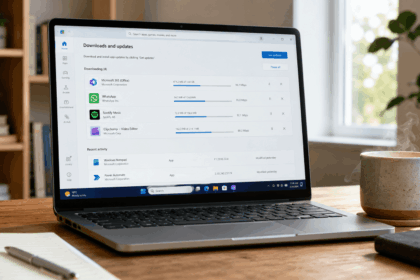
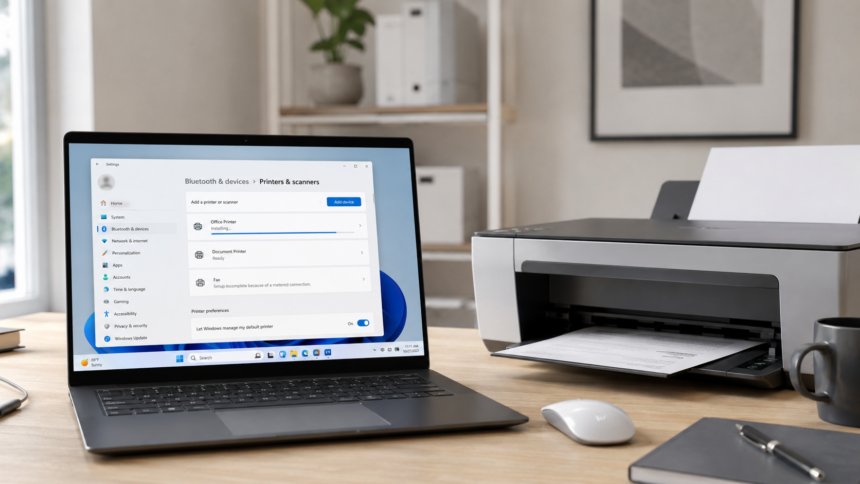
Microsoft has also introduced a dedicated setting under Settings > Bluetooth & Devices > Printers & Scanners, allowing users and IT administrators to enable or disable the feature. When activated, Windows communicates directly with supported hardware, reducing the need for additional software that can consume storage space and affect system performance.
Key Dates in Microsoft’s Transition Plan
Microsoft has outlined a phased roadmap to help hardware manufacturers adapt to the new printing ecosystem while maintaining compatibility with existing devices.
- January 15, 2026: Microsoft stopped the regular distribution of new legacy printer drivers based on V3 and V4 architectures through Windows Update.
- July 1, 2026: Windows will begin prioritizing the integrated Ready Print IPP driver, making it the default choice when compatible printers are detected.
- July 1, 2027: Updates for third-party printer drivers will no longer be accepted through Microsoft’s infrastructure, with exceptions limited to critical security-related patches.
Supporting the Future of Windows on ARM
The transition carries particular importance for the growing market of Windows devices powered by ARM-based processors. Compatibility issues with traditional x86 printer software have long been a challenge for users of Arm-powered laptops.
By shifting to a universal, standards-based printing model, Microsoft removes processor-specific dependencies, allowing printers to function consistently across different hardware architectures. The move is expected to improve the overall experience on next-generation ultrathin laptops and other Arm-based devices.
Benefits and Potential Limitations
Microsoft’s approach offers several advantages, including easier setup, reduced software clutter and stronger security. The company also hopes the transition will help minimize vulnerabilities associated with older printing systems, including threats similar to the widely publicized PrintNightmare security flaw.
However, the change may not satisfy every user. While IPP supports core printing functions such as color settings, page orientation and paper sizing, some advanced printer capabilities still rely on manufacturer-specific drivers. Features such as professional colour calibration, specialised paper tray management, booklet finishing options and advanced scanning tools may not be fully available through the standardised platform.
For most home and office users, the streamlined setup process is expected to be a welcome improvement. For professionals working in design, publishing or specialized enterprise environments, traditional drivers may remain necessary to unlock the full capabilities of high-end printing equipment.