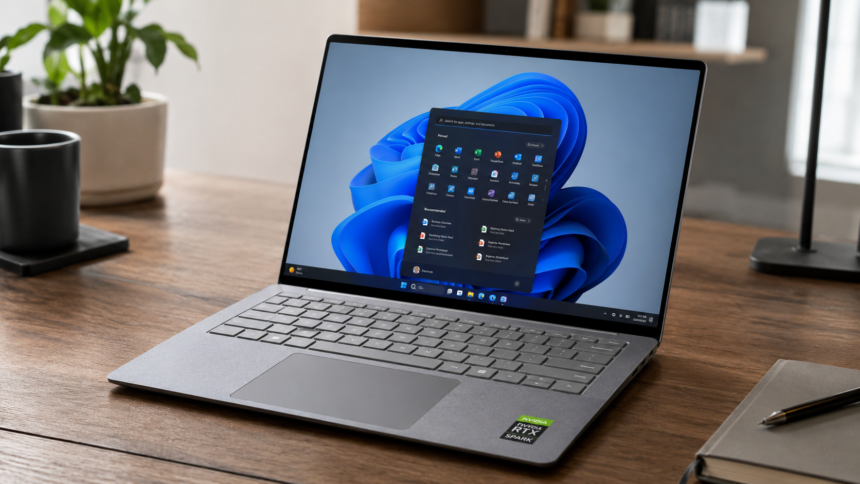
Microsoft has released a new preview update for its specialized Windows 11 26H1 branch, introducing a series of performance enhancements, accessibility improvements, and hardware-focused optimizations. The optional cumulative update, identified as KB5095091, advances the operating system to Build 28000.2340 and further strengthens support for next-generation AI-powered PCs.
Unlike mainstream Windows updates, KB5095091 is not intended for the general consumer market. Instead, it targets Microsoft’s dedicated Windows 11 26H1 platform, which has been developed specifically for new AI-centric devices equipped with advanced neural processing capabilities.
Windows 11 26H1 Remains Exclusive to AI-Focused Devices
Despite its version number, Windows 11 26H1 is not Microsoft’s next major public feature release. The company has positioned the branch as a separate development track designed for devices that ship with advanced AI hardware, including Copilot+ PCs and upcoming ARM-based systems introduced in 2026.
As a result, users running standard Windows 11 versions such as 24H2 or 25H2 will not receive the update through Windows Update. Microsoft intends to maintain 26H1 as an independent servicing channel, making the release primarily relevant to IT administrators and organisations managing hardware built around new AI processing architectures.
Task Manager Gains Advanced NPU Monitoring Tools
One of the most significant additions in KB5095091 is an expanded Task Manager that provides detailed insights into Neural Processing Unit (NPU) activity.
The update introduces new monitoring columns that display overall NPU utilization, the type of processing engine currently handling workloads, and memory allocation data, including both dedicated and shared memory usage. The feature gives developers and power users greater visibility into how local AI applications and background services consume hardware resources.
The enhancement mirrors the detailed performance metrics already available for CPUs and GPUs, helping users better understand AI workload distribution across their systems.
Camera and Windows Hello Receive Stability Improvements
Microsoft has also focused on improving core hardware functionality through several notable updates.
The Windows camera subsystem now supports simultaneous access by multiple applications, eliminating a long-standing limitation that restricted camera use to a single program at a time. A new basic camera mode has also been introduced, allowing administrators to troubleshoot camera-related issues more effectively through Group Policy controls.
Windows Hello has received reliability improvements to prevent authentication failures after systems resume from extended Modern Standby sessions. Additionally, Windows will automatically prioritize facial recognition or fingerprint authentication as the default sign-in method when compatible hardware is detected.
Installation and Accessibility Features Enhanced
The update introduces several quality-of-life improvements throughout the operating system.
During Windows setup, users can now define a custom name for their profile folder directly from the device configuration stage, offering greater control over directory naming conventions.
Microsoft has also expanded accessibility support through updates to Windows Magnifier. Screen reader notifications are now more consistent when users zoom in, zoom out, switch viewing modes, or enable color inversion. Scrolling performance has also been refined, while compatibility with protected content has been improved.
Better Reliability for USB Devices, Docks and Battery Management
KB5095091 includes multiple fixes targeting modern hardware environments that rely heavily on USB-C accessories, external displays and docking stations.
Microsoft says monitor reliability has been improved for displays connected through USB4 hubs and docking stations, particularly after waking from sleep mode. Enhancements to the USB3 stack are also designed to improve system response when encountering unexpected hardware conditions.
Power management has received attention as well. The update strengthens the operating system’s ability to prevent applications from unnecessarily keeping sensor hubs active in the background, helping reduce power consumption. Additional refinements to input and HID device handling are intended to minimize standby-related disruptions caused by problematic peripherals.
Storage, Personalisation, and Input Improvements
Several smaller enhancements have been included across the operating system.
Developers creating Dev Drives can now specify storage capacity in gigabytes rather than megabytes. The Temporary Files section has also been adjusted to display User Account Control prompts only when necessary.
Personalisation settings benefit from improved wallpaper persistence following updates and restarts, while automatic accent colour selection now more accurately reflects desktop backgrounds.
Microsoft has also improved the reliability of the touch keyboard, clipboard history, input selector, and desktop shortcut loading.
Typography updates are also included, with improvements to the Times New Roman font family enhancing support for combined diacritical marks in Greek and Cyrillic languages.
File Explorer and Microsoft Store Performance Improved
The preview release resolves a File Explorer issue that could cause OneDrive cloud shortcuts to become unresponsive when Explorer was launched with administrator privileges.
Microsoft has also implemented performance optimisations that reduce delays when opening the Start menu, launching Action Centre functions and searching for short file names. Download performance within the Microsoft Store has been further refined through bandwidth allocation improvements aimed at delivering more consistent transfer speeds.
GIF Integration Shifts from Tenor to GIPHY
A notable change affects Windows 11’s built-in emoji and GIF functionality. Following the discontinuation of support for Tenor’s integration, Microsoft is transitioning the feature to GIPHY.
The company has indicated that the migration will become mandatory after June 30, 2026, ensuring continued access to animated GIF content through the operating system’s emoji panel.
KB5095091 addresses several reported issues, including a visual bug that caused the Recycle Bin to display internal system paths when permanently deleting files.
The update also resolves notification-related problems that could cause Microsoft Outlook to freeze under certain circumstances.
However, Microsoft has acknowledged an outstanding compatibility issue affecting some third-party productivity applications. In certain cases, these programs may fail when attempting to launch Microsoft Office applications or documents indirectly. Until a permanent fix is released, users are advised to open Office files and applications directly through their standard shortcuts.