Microsoft has released Windows 11 update KB5089573 as an optional preview download, introducing a new performance-focused feature called “Low Latency Profile.” The update aims to improve system responsiveness by optimizing processor usage and reducing delays when opening applications and accessing key Windows functions.
Released as part of an optional update, KB5089573 introduces a temporary CPU performance boost designed to speed up everyday interactions within the operating system. According to Microsoft, the feature makes better use of the processor’s full capabilities during short bursts of activity lasting up to three seconds.
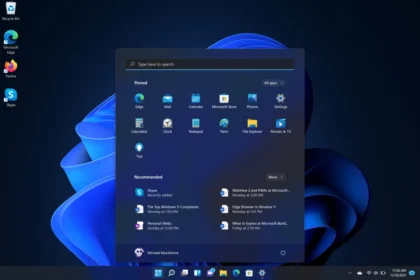
The Low Latency Profile is designed to improve responsiveness in several areas of Windows 11, including launching applications, opening the Start Menu, using system search and interacting with the Action Center.
By allowing the processor to operate at higher performance for brief moments, the system can complete certain actions more quickly without placing a significant strain on battery life or overall energy consumption.
Microsoft says the optimization is intentionally short-lived, helping users experience faster response times without causing sustained increases in power usage. As a result, laptops and portable devices are expected to maintain battery efficiency while benefiting from smoother performance during quick tasks.
How to Download Windows 11 KB5089573
Since KB5089573 is currently available as a preview update, installation is optional. Users who want early access to the new feature can manually install the update, while others may wait for a broader release in a future Windows update cycle.
To install the update:
- Open Settings on Windows 11
- Select Windows Update
- Click Advanced options
- Open Optional updates
- Check whether KB5089573 is available and begin installation
The update gives users an early look at upcoming Windows enhancements before they are rolled out to the stable release channel.
For users interested in testing experimental Windows features sooner, Microsoft also offers the Windows Insider Program, a testing platform that provides early access to preview builds and upcoming system tools.