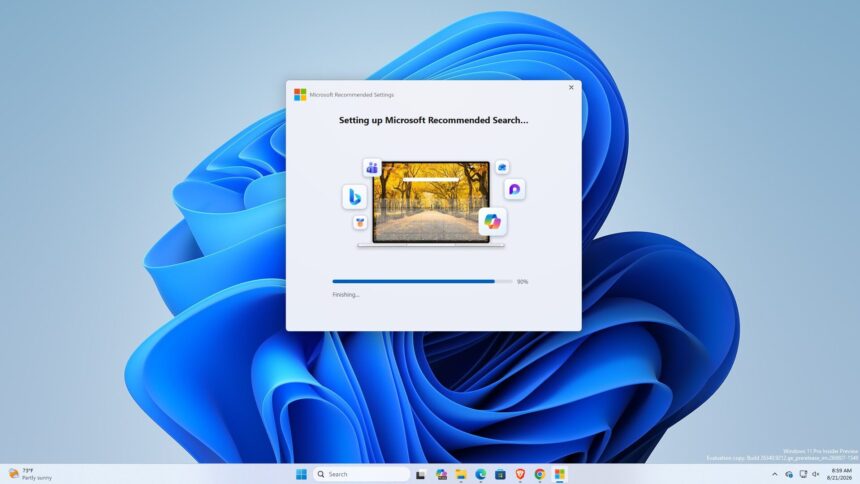
Microsoft appears to have created a standalone Windows application designed specifically to encourage users to switch their default search engine to Bing across the browsers installed on their PCs.
Called Microsoft Recommended Search Settings, the application is currently distributed as a standalone executable rather than through Windows Update or the Microsoft Store. The installer, named MicrosoftSettings.exe, is hosted on Microsoft’s official download servers.
The application does not introduce a new Windows feature. Instead, its primary function is to offer users the option to install Microsoft’s Bing search extension in supported browsers and change their search settings.
How Microsoft’s new app works
The installer is around 22 MB and presents users with a welcome screen that includes an option to set Bing as the default search engine. The setting is enabled by default during setup.
Microsoft says the change can apply to Microsoft Edge, Mozilla Firefox and Google Chrome. Once users accept the setup, the application installs the relevant Bing extension and changes the browser’s search configuration.
The process ends with a confirmation screen. Selecting Finish then opens a Microsoft Rewards page in Edge, giving users another reason to remain within Microsoft’s Bing ecosystem.
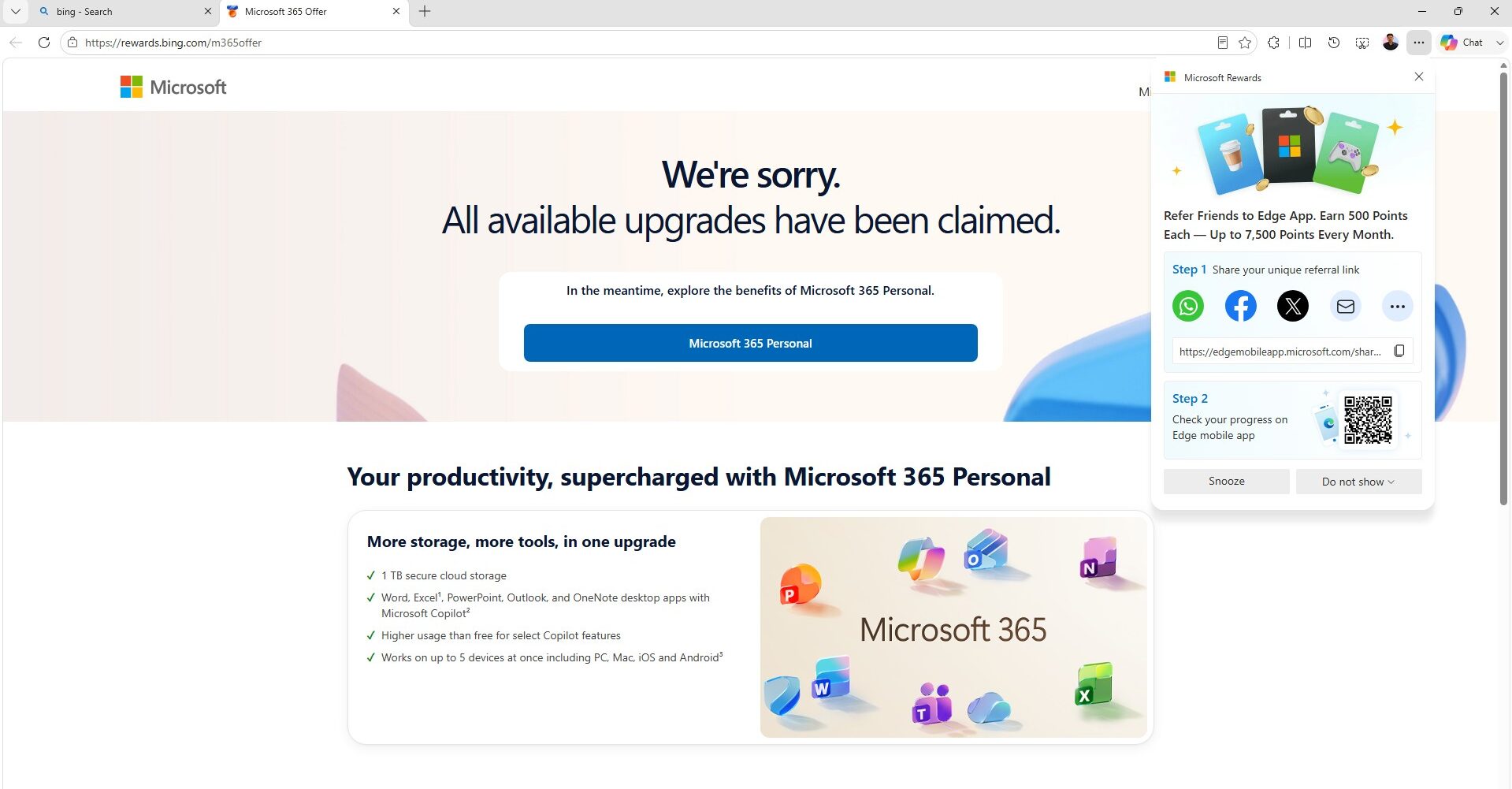
The application itself uses a WinUI interface and WebView2 technology. Its limited purpose has raised questions about why Microsoft created a separate Windows application for a task that could potentially be handled through existing browser or system settings.
Chrome warns users about the Bing extension
The installation process becomes more noticeable when Google Chrome and other Chromium-based browsers are involved.
During testing, Chrome and Brave displayed warnings about the Microsoft Bing Homepage & Search for Chrome extension. The browser indicates that the extension can access and modify data across websites and change important browser settings, including the homepage, search engine and startup page.
Users who approve the extension can then see another Chrome prompt asking whether they want to restore Google Search.
Microsoft has added its own message alongside that prompt, encouraging users not to reverse the change. The message warns that switching back would disable the Bing extension and remove access to Bing-related features such as search and wallpapers.
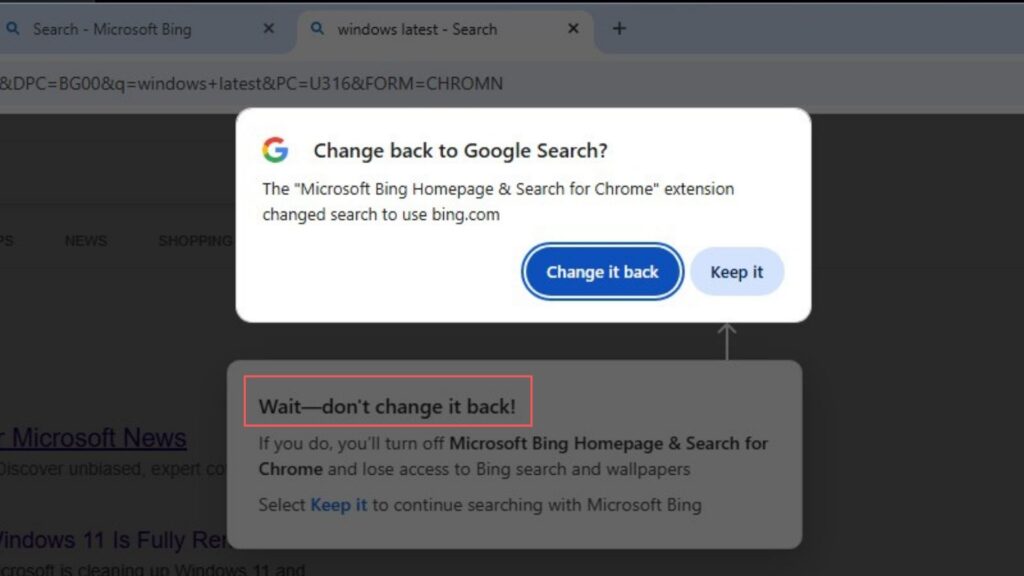
This creates an unusual back-and-forth between the browser and the extension, with Google attempting to restore its search engine while Microsoft tries to keep Bing as the default.
Bing also brings MSN content to the browser
Changing the search engine can also alter the overall browser experience. After Bing is enabled, Chrome’s new tab page can display Microsoft’s MSN content and feed, bringing additional news and other content into the browsing experience.
The move comes at an interesting time for Microsoft. The company has recently made efforts to reduce the amount of MSN content appearing in parts of Windows 11, including changes to Windows Search and Widgets.
At the same time, Microsoft continues to promote Bing aggressively across its ecosystem.
Microsoft continues its push to expand Bing
The new application is another example of Microsoft’s long-running effort to increase Bing’s reach beyond Edge.
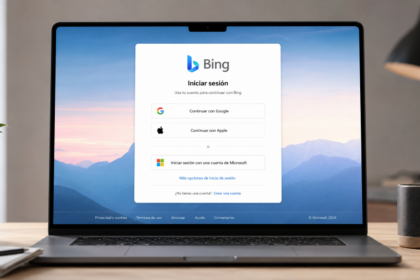
The company has introduced several initiatives aimed at attracting users to Bing, including allowing people to sign into the search engine with Google or Apple accounts instead of requiring a Microsoft account.
Microsoft has also used promotions and rewards to encourage Bing usage. These efforts come as the company continues competing with Google for a larger share of the search market.
Microsoft executives have previously highlighted the scale of Bing, but Google’s dominant position in search remains difficult to challenge.
The app is not being forced onto Windows PCs
Despite its unusual purpose, Microsoft Recommended Search Settings is not currently being installed automatically through Windows Update.
It is also not listed as a regular Microsoft Store application. Users would have to obtain and run the standalone executable for the setup to appear.
That distinction is important because the application does not appear to be a mandatory Windows component. Users who do not want Bing as their default search engine can simply decline the offer or avoid installing the application.
The discovery of MicrosoftSettings.exe was first highlighted by Windows tester Xeno Panther, who noted that the program prompts users to change their search settings before directing them to a Microsoft Rewards offer.
For now, the application appears to be another promotional tool in Microsoft’s ongoing campaign to make Bing a more prominent part of the everyday Windows and web-browsing experience.