

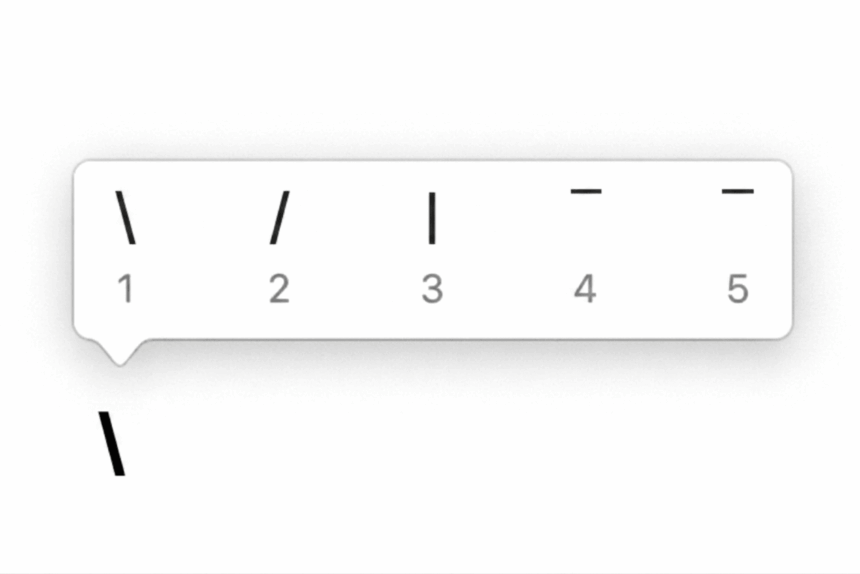
The backslash (\) is one of the most commonly used symbols in computing. It is also known as the reverse solidus and looks like a slash leaning in the opposite direction from the forward slash (/).
You will often see the backslash in Windows file paths, programming languages, terminal commands, escape sequences, and system settings. For example, a Windows file path may look like:
C:\Users\Name\Documents
Although the backslash and forward slash look similar, they are different characters and have different uses. The forward slash is commonly used in web addresses, such as /about/, while Windows traditionally uses the backslash to separate folders in file paths.
If you need to type the backslash symbol but cannot find it on your keyboard, this guide covers the quickest methods for Windows, Mac, Microsoft Word, Excel, PowerPoint, Google Docs, and more.
Backslash Symbol: Quick Reference
If you just need the character, copy it here:
\
| Item | Value |
|---|---|
| Symbol | \ |
| Name | Backslash / Reverse solidus |
| Unicode | U+005C |
| Windows Alt code | Alt + 92 |
| HTML | \ |
| Typical US keyboard location | Near Enter/Return, usually shared with | |
How to Type a Backslash on Windows
On most Windows keyboards, typing a backslash is as simple as pressing the backslash key.
1. Use the Backslash Key
On a standard US keyboard, the backslash key is usually located near the Enter key. It commonly shares the same key as the pipe symbol (|).
Press the key once to type:
\
On some keyboard layouts, the exact position can vary.
Where Is the Backslash Key?
On many keyboards, you will find the key:
- Directly above the Enter key, or
- Immediately to the left of Enter
The key often displays:
\ |
Pressing the key normally produces the backslash. Holding Shift and pressing the same key usually produces the pipe character:
|
2. Use the Windows Alt Code
If your keyboard does not have an obvious backslash key, you can use its Windows Alt code.
- Turn on Num Lock.
- Place the cursor where you want the symbol.
- Hold down Alt.
- Type 92 using the numeric keypad.
- Release Alt.
The backslash should appear:
\
Important: The Alt code normally requires the numeric keypad. The number row above the letters may not work.
How to Type a Backslash on a Mac
The backslash key is also available on Mac keyboards, although its position can vary depending on the keyboard layout.
1. Use the Backslash Key
On many Mac keyboards, look near the Return key for a key marked with:
\
Press it to insert the backslash.
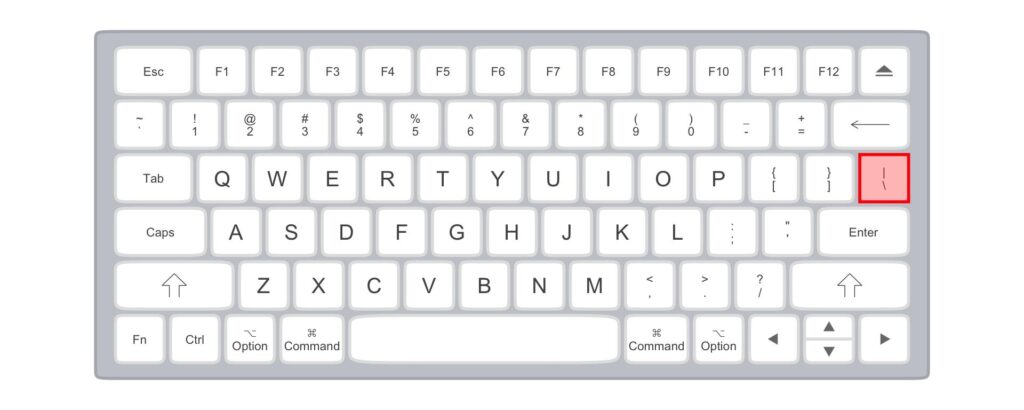
The exact key position can differ between US, UK, and European keyboard layouts. If you cannot find the character, use Character Viewer.
2. Use Character Viewer
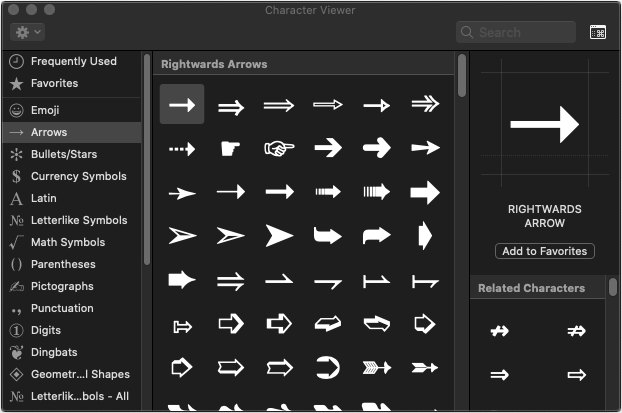
macOS includes Character Viewer, which lets you search for special characters.
- Place the cursor where you want the backslash.
- Press Control + Command + Space.
- Search for backslash.
- Select the backslash character.
- It will be inserted at the cursor.
This method is useful when you are using an unfamiliar keyboard layout or cannot identify the physical key.
Note: There is no single universal Mac keyboard shortcut for the backslash that works across every keyboard layout. The key combination can vary depending on your regional keyboard settings.
How to Type a Backslash in Microsoft Word
Microsoft Word supports several ways to insert a backslash.
Use the Keyboard
If your keyboard has a backslash key, simply press it.
\
Use Insert > Symbol
You can also insert the character through Word’s Symbol menu.
- Open your Word document.
- Place the cursor where you want the symbol.
- Click Insert.
- Select Symbol.
- Choose More Symbols.
- Find the backslash character.
- Select it and click Insert.
You can also copy the symbol from this page and paste it directly into Word.
How to Type a Backslash in Excel
Excel supports the standard backslash key as well as the Symbol menu.
Using the Keyboard
Select a cell and press the backslash key:
\
Using the Symbol Menu
- Select the cell where you want the symbol.
- Go to Insert.
- Click Symbol.
- Find the backslash character.
- Select it.
- Click Insert.
You can then copy the cell contents and use the symbol elsewhere in your spreadsheet.
How to Type a Backslash in PowerPoint
PowerPoint works much like Word and Excel.
If your keyboard has a backslash key, place the cursor in a text box and press the key.
You can also insert the symbol through:
Insert → Symbol
Select the backslash and click Insert.
This works in slide titles, text boxes, captions, bullet points, and other editable text areas.
How to Type a Backslash in Google Docs
Google Docs provides a built-in special-character tool.
- Open your Google Docs document.
- Place the cursor where you want the symbol.
- Click Insert.
- Select Special characters.
- Search for backslash.
- Click the backslash character.
The symbol will be inserted into your document.
You can also copy and paste it directly:
\
How to Copy and Paste the Backslash Symbol
If you only need a backslash occasionally, copying it is the easiest option.
Backslash
\
On Windows:
- Highlight the symbol.
- Press Ctrl + C.
- Place the cursor where you want it.
- Press Ctrl + V.
On Mac:
- Highlight the symbol.
- Press Command + C.
- Place the cursor where you want it.
- Press Command + V.
The backslash is a standard Unicode character, so it can be pasted into most text editors, browsers, documents, programming environments, and messaging applications.
Backslash vs Forward Slash
The backslash (\) and forward slash (/) are easy to confuse, especially when typing quickly.
| Character | Name | Common uses |
|---|---|---|
| \ | Backslash | Windows paths, programming, escape sequences |
| / | Forward slash | URLs, web paths, dates, commands, programming |
For example, a Windows path might use:
C:\Users\Name\Pictures
A web address or URL commonly uses forward slashes:
example.com/about/
The two symbols are not interchangeable in every situation.
What Is the Backslash Used For?
The backslash has several important uses in computing.
Windows File Paths
Windows commonly uses backslashes to separate folders and files:
C:\Users\John\Documents
Programming
Many programming languages use the backslash as an escape character. For example, \n is commonly used to represent a new line in strings.
Regular Expressions
Backslashes are also frequently used in regular expressions to give special meaning to characters or to escape characters.
Command Lines
Depending on the operating system and command-line environment, the backslash can have a special purpose in commands, paths, or escape sequences.
Because of these uses, typing the correct slash is important when working with code or system commands.
Why Does My Keyboard Not Have a Backslash Key?
If you cannot find a backslash key, your keyboard may use a different regional layout.
The position and behaviour of punctuation keys can change between US, UK, European, and other keyboard layouts. A laptop keyboard may also have a more compact arrangement than a full-size desktop keyboard.
If the key is difficult to locate, try one of these alternatives:
- Use the Windows Alt code: Alt + 92
- Use Character Map on Windows
- Use Character Viewer on Mac
- Use Insert > Symbol in Microsoft Office
- Use Insert > Special characters in Google Docs
- Copy and paste \
What is the backslash symbol?
The backslash symbol is \. Its formal Unicode name is REVERSE SOLIDUS, and its Unicode code point is U+005C.
How do I type a backslash on Windows?
Press the backslash key, usually located near the Enter key. If you do not have access to the key, hold Alt and type 92 on the numeric keypad.
How do I type a backslash on a Mac?
Use the backslash key on your Mac keyboard. Its location varies by keyboard layout. You can also open Character Viewer with Control + Command + Space and search for “backslash.”
What is the Windows Alt code for backslash?
The Windows Alt code for the backslash is Alt + 92 when entered using the numeric keypad.
Is backslash the same as forward slash?
No. \ is a backslash, while / is a forward slash. They are separate characters and have different uses in many applications.
Where is the backslash key on a keyboard?
On a typical US keyboard, the backslash key is near the Enter key and is often shared with the pipe character |.
How do I type a backslash without a keyboard key?
On Windows, you can use Alt + 92 with the numeric keypad or use Character Map. On Mac, use Character Viewer. You can also copy and paste the symbol:
\
The backslash may be a small character, but it is essential in many areas of computing. You will encounter it regularly in Windows file paths, programming, command-line tools, regular expressions, and configuration files.
For most users, the quickest solution is simply to press the backslash key near Enter or Return. If the key is missing or difficult to locate, Windows users can use Alt + 92, while Mac users can use Character Viewer.
If you just need to copy the character, here it is:
\
Just remember: \ is the backslash, while / is the forward slash.






 is one of the most commonly used symbols in computing. It is also known as the reverse solidus and looks like a slash)